TIEPdfViewer.ShowAllPages
Declaration
property ShowAllPages: Boolean;Description
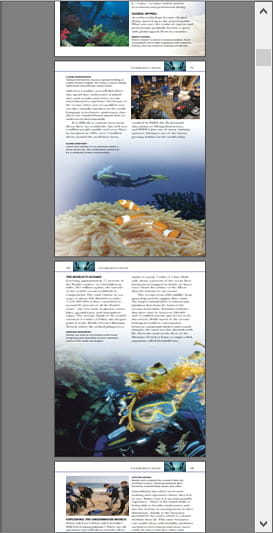
Displays all pages of the PDF has a long vertical strip.When ShowAllPages = False (Default), only a single page is displayed at a time, and the user must click the buttons to navigate between buttons.
If you enable ShowAllPages the user can navigate the entire document as if it were a tall image.
Note:
◼The spacing between pages is specified by PageSpacing
◼A border is drawn around each page of the color, PageFrameColor. Optionally, you can specify a color for the active page using SelPageFrameColor.
◼Image selection (miPdfSelectRgn), object editing (miPdfSelectObject) and annotation editing (miPdfSelectAnnotation) are not available when using ShowAllPages
◼When ShowAllPages is enabled, only the following mouse interactions will be available: miPdfSelectText, miScroll, miZoom, miSmoothZoom, miDblClickZoom, miMovingScroll, miSpaceBarToScroll
◼To display a particular page when showing all pages, use ScrollToPage
Default: False
Demo
 | Demos\PDF\PDFViewer\PdfViewer.dpr |
Example
// Display all pages of the documentImageEnView1.PdfViewer.ShowAllPages := True;