TImageEnProc.CastAlphaRange
Declaration
procedure CastAlphaRange(BeginAlpha, EndAlpha, CastAlpha: Integer; OuterValue: Integer = -1);Description
Set all alpha values in the range BeginAlpha to EndAlpha to CastAlpha.If OuterValue is not -1, then all pixels that are not matched (i.e. within BeginAlpha to EndAlpha) will be set to OuterValue (i.e. to create 1-bit alpha).
The range for all values is 0 - 255.
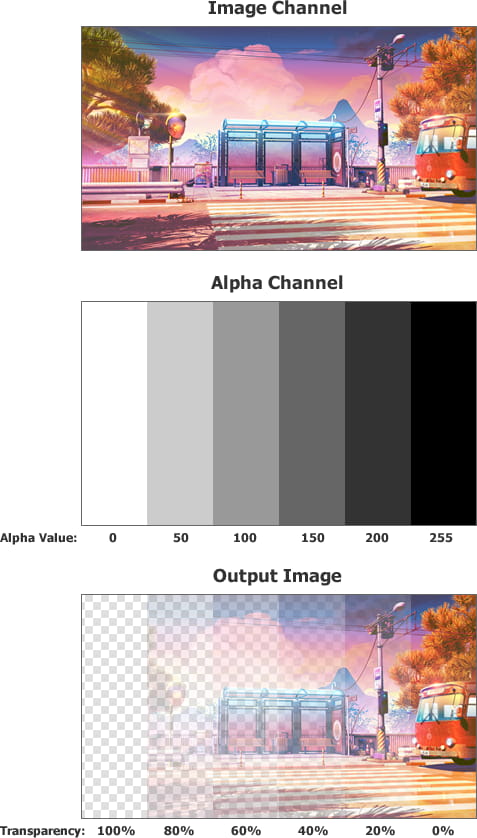
Note:
◼Ensure BeginAlpha <= EndAlpha
◼To cast in a flood fill manner, use CastAlpha
Demo
 | Demos\ImageEditing\EveryMethod\EveryMethod.dpr |
Examples
Also see: Automated Samples
// Make alpha values 1bit// Any pixels that are partially transparent will become fully transparent
ImageEnView1.Proc.CastAlphaRange( 0, 254, 0 );
// Make alpha values 1bit
// Any pixels that are partially opaque will become fully opaque
ImageEnView1.Proc.CastAlphaRange( 1, 255, 255 );
// Make alpha values 1bit
// Any pixels that are < 50% transparent will become fully transparent and > 50% will become fully opaque
ImageEnView1.Proc.CastAlphaRange( 0, 128, 0, 255 );
// Reduce number of alpha values to 4 (i.e. 2-bit alpha)
alphaCount := 4; // Number of alpha channel values
a := 255 / alphaCount; // Range of each alpha band
ImageEnView1.LockUpdate();
ImageEnView1.IEBitmap.AlphaFill( 0, 255 ); // Add an alpha gradient to the image
for i := alphaCount - 1 downto 0 do
ImageEnView1.Proc.CastAlphaRange( Round( i * a ), Round( (i+1) * a ), Round( (i+1) * a ));
ImageEnView1.UnlockUpdate();

See Also
◼CastAlpha◼AlphaFill