TImageEnProc.CompareHistogramWith
Declaration
function CompareHistogramWith(SecondImage: TIEBitmap; Mode: TIECmpMode; GrayScale: Boolean): Double;Description
Compare histograms of the current image with another image and return a floating point value.For iecmpRMSE the result will be in the range 0.0 to 1.0 indicating the percentage of equality. Otherwise it will be a distance or covariance value.
Note: If the PixelFormat of the image is not ie24RGB or ie32RGB, it will be converted
| Parameter | Description |
|---|---|
| SecondImage | Another image to compare with |
| Mode | The algorithm used for comparison |
| GrayScale | If True, only a gray scale histogram is compared |
Demos
 | Demos\ImageAnalysis\ImagesDiff\ImagesDiff.dpr |
| | Demos\ImageEditing\EveryMethod\EveryMethod.dpr |
Example
Also see: Automated Samples
rmse := ImageEnView1.Proc.CompareHistogramWith( ImageEnView2.IEBitmap, iecmpRMSE, chkChwGray.Checked );hamm := ImageEnView1.Proc.CompareHistogramWith( ImageEnView2.IEBitmap, iecmpHamming, chkChwGray.Checked );
cova := ImageEnView1.Proc.CompareHistogramWith( ImageEnView2.IEBitmap, iecmpCovariance, chkChwGray.Checked );
lblRmse2.Caption := IEFloatToFormatString( rmse, 2, True );
lblHamming.Caption := IEFloatToFormatString( hamm, 2, True );
lblCovariance.Caption := IEFloatToFormatString( cova, 2, True );
Example Images
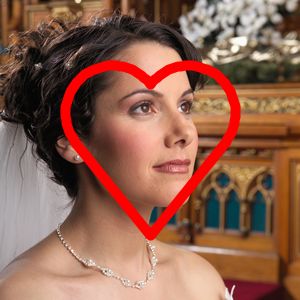
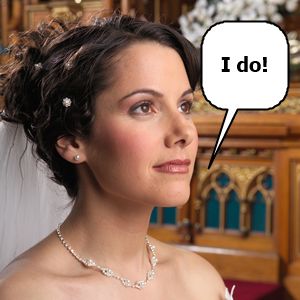
Result: GrayScale = False
Root mean squared error: 0.93
Hamming distance: 0.02
Covariance: -31,047.26
Result: GrayScale = True
Root mean squared error: 0.92
Hamming distance: 0.019
Covariance: -21,072.6
See Also
◼CompareWith◼ComputeImageEquality