TImageEnView.ShowRulers
Declaration
property ShowRulers: TRulerDirs;Description
Specify whether rulers are shown on the TImageEnView. Rulers show the current position of the cursor and can include optional grips to mark the position of other objects.Use RulerParams to configure the ruler properties.
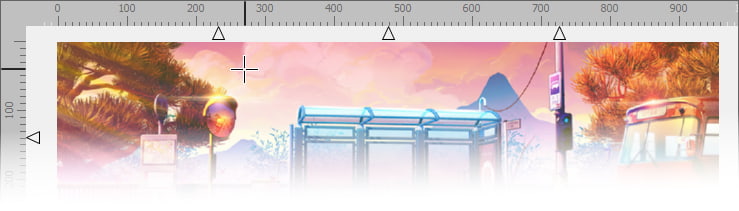
Default: [] (No rulers)
Demos
 | Demos\Other\ImageEnViewRulers\ImageEnViewRulers.dpr |
| | Demos\ImageEditing\CompleteEditor\PhotoEn.dpr |
Examples
// Show rulers in TImageEnViewImageEnView1.ShowRulers := [ rdHorizontal, rdVertical ];
// Set units to CM
ImageEnView1.RulerParams.Units := ieuCentimeters;
// Display rulers with full size cross hairs
ImageEnView1.ZoneCursor := iecsFullCrossHairs;
ImageEnView1.ShowRulers := [ rdHorizontal, rdVertical ];
ImageEnView1.RulerParams.GripHeight := 0; // Hide grip region
ImageEnView1.Update();
