TImageEnView.ZoneCursor
Declaration
property ZoneCursor: TIECursorShape;Description
Replaces the Cursor with a sizeable square, circular cursor or cross hairs that cover the entire image. The Zone cursor is useful for showing the specific area that will be affected by an action, such as brush painting.Zone Cursor Brush while Cloning:
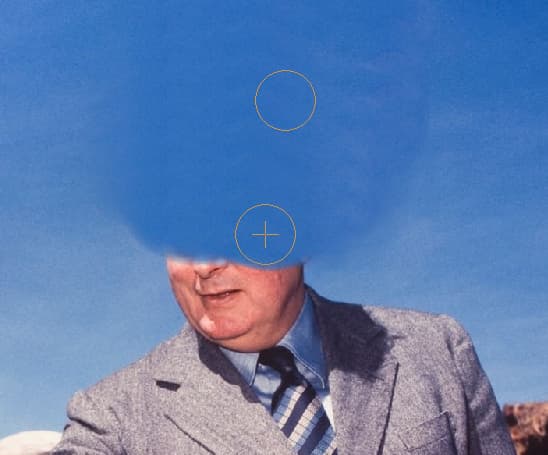
Default: iecsDefault (Zone cursor is not used)
Note:
◼To specify a custom cursor using a bitmap, use SetZoneCursorBitmap (iecsCustom)
◼If the cursor flickers excessively, you should set DoubleBuffered := True
Examples
// Draw a large circular cursorImageEnView1.ZoneCursor := iecsCircle;
ImageEnView1.ZoneCursorSize := 100;
ImageEnView1.Update();
// Display rulers with full size cross hairs
ImageEnView1.ZoneCursor := iecsFullCrossHairs;
ImageEnView1.ShowRulers := [ rdHorizontal, rdVertical ];
ImageEnView1.DoubleBuffered := True; // Reduce excess painting
ImageEnView1.RulerParams.GripHeight := 0; // Hide grip region
ImageEnView1.Update();

// Disable the zone cursor (return to regular cursor)
ImageEnView1.ZoneCursor := iecsDefault;
ImageEnView1.Update();
See Also
◼ZoneCursorSize◼Cursor
◼AutoCursors
◼DoubleBuffered