TImageEnProc.AlphaFill
Declaration
procedure AlphaFill(Value: Byte); overload;procedure AlphaFill(StartValue, EndValue: Byte; Direction: TIEGradientDir = gdVertical; Weighting: TIEWeighting = iewLinear); overload;
Description
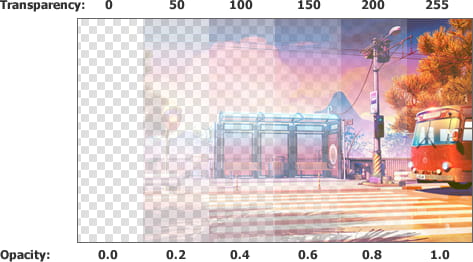
Set the transparency for the selected region. Either setting the alpha channel to a single value, or graduating from one value to another (gradient transparency).0 is transparent, 255 is opaque, 1 - 254 are partially transparent.
Note:
◼To replace a range of alpha colors, use CastAlphaRange
◼To perform a flood alpha fill, use CastAlpha
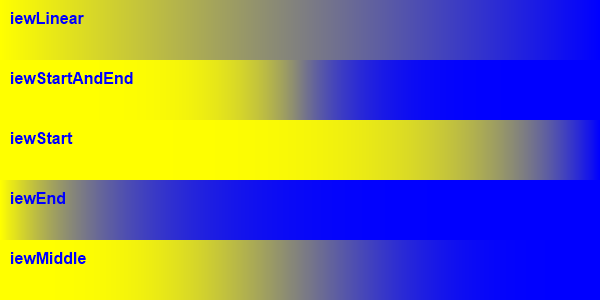
Weighting
Demo
 | Demos\ImageEditing\EveryMethod\EveryMethod.dpr |
Examples
Also see: Automated Samples
// Set selection as fully transparentImageEnView1.Proc.AlphaFill( 0 );
// Set selection as fully opaque
ImageEnView1.Proc.AlphaFill( 255 );
// Set selection as 50% transparent
ImageEnView1.Proc.AlphaFill( 128 );
// Graduate the transparency from fully transparent on the top to fully opaque on the bottom
ImageEnView1.Proc.AlphaFill( 0, 255, gdVertical );
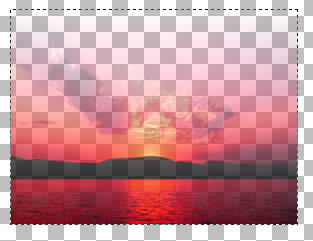
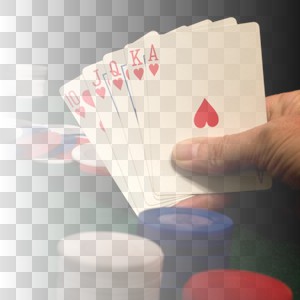
// Gradient fill the alpha channel with fully transparent on the left to fully opaque on the right
ImageEnView1.Proc.AlphaFill( 0, 255, gdHorizontal );
See Also
◼Fill◼GradientFill
◼SetSelectedAreaAlpha