TIEBrushToolInteraction.BrushColor
Declaration
property BrushColor: TColor;Description
Specifies the color of the paint brush.Note: You can specify clNone to paint only the alpha channel (TransparencyMode must be ietmReplace)
Default: clBlack
Examples
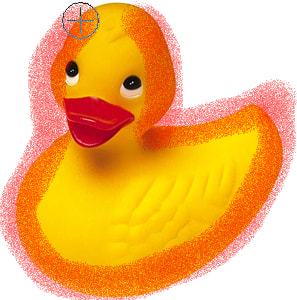
// Enable painting with a circular spray can brushImageEnView1.BrushTool.BrushShape := iecsCircle;
ImageEnView1.BrushTool.BrushFill := iebfSpray;
ImageEnView1.BrushTool.BrushSize := 40;
ImageEnView1.BrushTool.BrushColor := clRed;
ImageEnView1.MouseInteractGeneral := [ miBrushTool ];
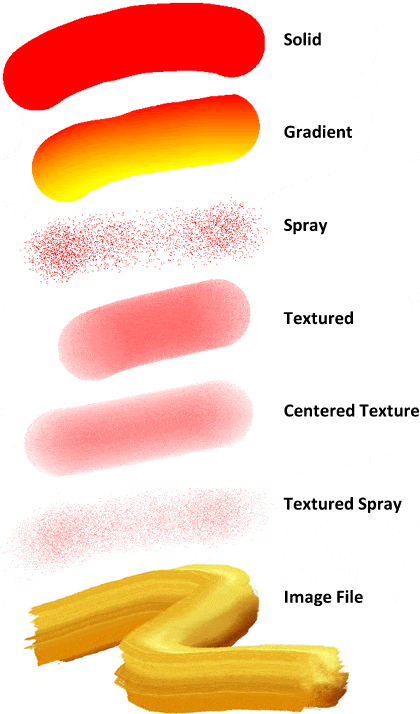
// Enable painting with a red/yellow gradient
ImageEnView1.BrushTool.BrushShape := iecsRectangle;
ImageEnView1.BrushTool.BrushFill := iebfGradient;
ImageEnView1.BrushTool.BrushSize := 50;
ImageEnView1.BrushTool.BrushColor := clRed;
ImageEnView1.BrushTool.BrushColor2 := clYellow;
ImageEnView1.MouseInteractGeneral := [ miBrushTool ];
// Enable painting of the alpha channel (set transparency to 50% without changing the image content)
ImageEnView1.BrushTool.BrushShape := iecsCircle;
ImageEnView1.BrushTool.BrushFill := iebfSolid;
ImageEnView1.BrushTool.BrushSize := 50;
ImageEnView1.BrushTool.Transparency := 128;
ImageEnView1.BrushTool.TransparencyMode := ietmReplace;
ImageEnView1.MouseInteractGeneral := [ miBrushTool ];