TIEMask.Assign
Declaration
procedure Assign(Source: TIEMask); overload;procedure Assign(Source: TIEBitmap; AdaptSource: Boolean = True); overload;
Description
Assigns Source mask or creates a mask from a TIEBitmap.If AdaptSource is True, then resulting mask maintains previous size and pixel format.
Note:
◼When creating a mask from a TIEBitmap, the image is reduced to 8bit gray-scale and the intensity of each pixel determines the selection mask value
◼View a preview of all selection types
Demo
 | Demos\ImageEditing\EveryMethod\EveryMethod.dpr |
Examples
Also see: Automated Samples
// Select the non-alpha areas of an image// Same as TImageEnView.SelectNonAlpha
ImageEnView1.SelectionMask.Assign( ImageEnView1.AlphaChannel );
ImageEnView1.SelectCustom();
// Show same selection in ImageEnView2 as exists in ImageEnView1
ImageEnView2.SelectionMask.Assign( ImageEnView1.SelectionMask );
ImageEnView2.SelectCustom();
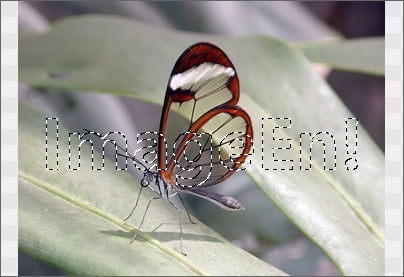
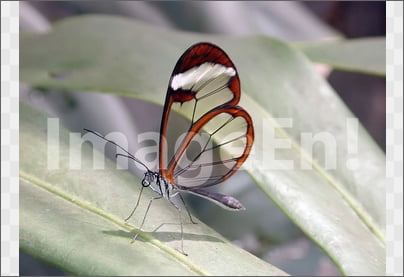
// Assign an image (with text) to the selection mask and adjust levels
// Create an all black image (= Unselected)
bmp := TIEBitmap.Create( ImageEnView1.IEBitmap.Width, ImageEnView1.IEBitmap.Height, clBlack );
// Specify the font color, where white will be fully selected, whereas a gray color would be partially selected
bmp.IECanvas.Font.Color := IERGBToColor( CreateRGB( 255, 255, 255 ));
bmp.IECanvas.Font.Size := 9;
bmp.IECanvas.Font.Style := [fsBold];
tw := bmp.IECanvas.TextWidth( ImageEn! );
th := bmp.IECanvas.TextHeight( ImageEn! );
x := ( ImageEnView1.IEBitmap.Width - tw ) div 2;
y := ( ImageEnView1.IEBitmap.Height - th ) div 2;
bmp.IECanvas.DrawText( ImageEn!, x, y );
ImageEnView1.SelectionMask.Assign( bmp );
ImageEnView1.SelectCustom();
bmp.Free();
ImageEnView1.Proc.AdjustLevels( 0, 115, 255, 0, 255 );
// Load an image to the selection mask and fill with yellow
bmp := TIEBitmap.Create();
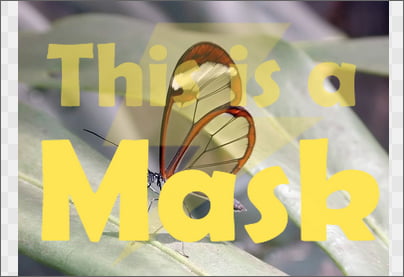
// Download this mask image from www.ImageEn.com/Screenshots/IEHelp/Mask.png
bmp.LoadFromFile( 'D:\Mask.png' );

// Set Mask depth to 8bpp, assign and scale it
ImageEnView1.SelectionMask.BitsPerPixel := 8;
ImageEnView1.SelectionMask.Assign( bmp, True );
ImageEnView1.SelectCustom();
bmp.Free();
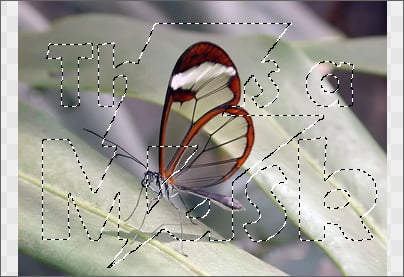
ImageEnView1.Proc.Fill( $0055E6FF );