TIEVisionImage.clahe
Declaration
procedure clahe(dst: TIEVisionImage; clipLimit: Double = 40.0; tileWidth: int32_t = 8; tileHeight: int32_t = 8); overload; safecall;procedure clahe(clipLimit: Double = 40.0; tileWidth: int32_t = 8; tileHeight: int32_t = 8); overload; safecall;
Description
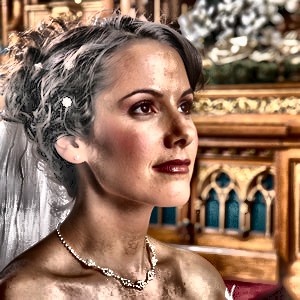
Contrast Limited Adaptive Histogram Equalization (CLAHE). Unlike equalizeHistogram, CLAHE equalizes locally in tiles and clips the histogram to reduce noise amplification.First overload places the result into destination object.
Second overload updates the current image.
Gray images must be 8-bit or 16-bit single-channel. Color images (8-bit 3 or 4 channel) are converted to Lab, CLAHE is applied to the L channel, then converted back. Alpha is preserved on 4-channel images. 1-bit images are not supported (convert to 8-bit first).
| Parameter | Description |
|---|---|
| dst | Container for the destination image |
| clipLimit | Threshold for contrast limiting. Higher values give stronger contrast (default 40) |
| tileWidth | Tile grid width. The image is divided into tileWidth x tileHeight tiles (default 8) |
| tileHeight | Tile grid height (default 8) |
Demo
 | Demos\ImageEditing\EveryMethod\EveryMethod.dpr |
Examples
Also see: Automated Samples
// Local contrast enhancementImageEnView1.IEBitmap.GetIEVisionImage().clahe( 2.0, 8, 8 );
ImageEnView1.Update();
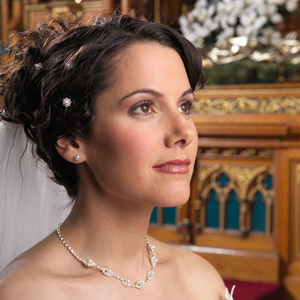
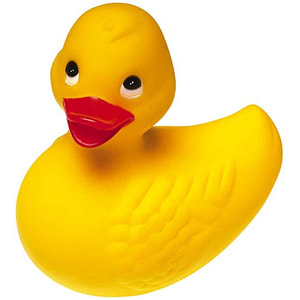
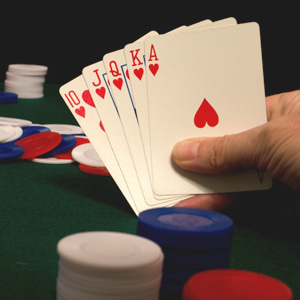
// Load test image
ImageEnView1.IO.LoadFromFile( 'D:\TestImage.jpg' );
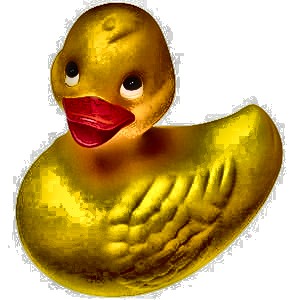
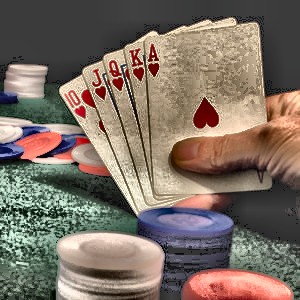
// Apply Contrast Limited Adaptive Histogram Equalization
ImageEnView1.IEBitmap.GetIEVisionImage().clahe( 40, 8, 8 );
ImageEnView1.Update(); // Show changes in our viewer
See Also
◼equalizeHistogram◼HistAutoEqualize
◼HistEqualize