TIEVisionImage.goodFeaturesToTrack
Declaration
function goodFeaturesToTrack(maxCorners: int32_t; qualityLevel: Double; minDistance: Double; mask: TIEVisionImage = nil; blockSize: int32_t = 3; useHarrisDetector: bool32 = False; k: Double = 0.04): TIEVisionVectorPoint2f; safecall;Description
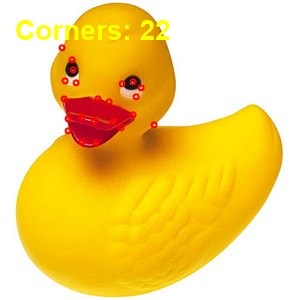
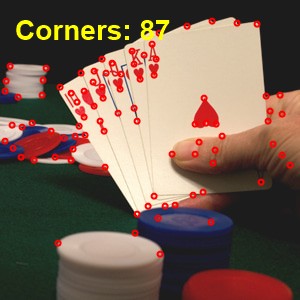
Detects strong corners using Shi-Tomasi (useHarrisDetector = False, default) or the Harris detector (useHarrisDetector = True).Returns a TIEVisionVectorPoint2f of corner locations. The image may be 8-bit gray or 8-bit 3/4-channel color (color is converted to gray). 1-bit images are not supported.
| Parameter | Description |
|---|---|
| maxCorners | Maximum number of corners to return. If <= 0 all corners above the quality threshold are returned |
| qualityLevel | Minimum accepted quality, as a fraction of the best corner (greater than 0 and less than 1, e.g. 0.01) |
| minDistance | Minimum Euclidean distance between returned corners |
| mask | Optional 8-bit 1-channel mask the same size as the image. Non-zero pixels are searched |
| blockSize | Neighborhood size for corner calculation (default 3) |
| useHarrisDetector | False = Shi-Tomasi (default). True = Harris |
| k | Harris free parameter (used only when useHarrisDetector is True, default 0.04) |
Demo
 | Demos\ImageEditing\EveryMethod\EveryMethod.dpr |
Examples
Also see: Automated Samples
// Find up to 100 Shi-Tomasi cornerspts := ImageEnView1.IEBitmap.GetIEVisionImage().goodFeaturesToTrack( 100, 0.01, 10 );
for i := 0 to pts.size - 1 do
begin
pt := pts.getPoint( i );
ImageEnView1.IEBitmap.Canvas.Ellipse( Round( pt.x ) - 2, Round( pt.y ) - 2, Round( pt.x ) + 2, Round( pt.y ) + 2 );
end;
ImageEnView1.Update();
// Harris corners instead of Shi-Tomasi
pts := ImageEnView1.IEBitmap.GetIEVisionImage().goodFeaturesToTrack( 100, 0.01, 10, nil, 3, True );
// Load test image
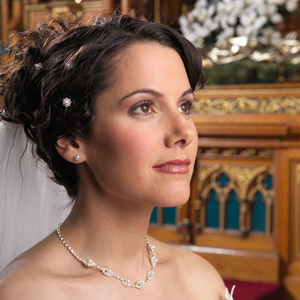
ImageEnView1.IO.LoadFromFile( 'D:\TestImage.jpg' );
// Find the strongest corners in the image and mark them with a red circle
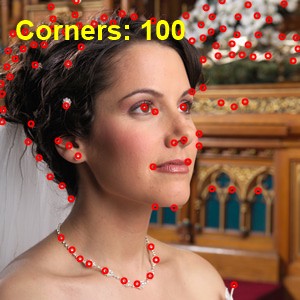
pts := ImageEnView1.IEBitmap.GetIEVisionImage().goodFeaturesToTrack( 100, 0.01, 10, nil, 3, False );
ImageEnView1.IEBitmap.IECanvas.Pen.Color := clRed;
ImageEnView1.IEBitmap.IECanvas.Pen.Width := 2;
ImageEnView1.IEBitmap.IECanvas.Brush.Style := bsClear;
for i := 0 to pts.size - 1 do
begin
pt := pts.getPoint( i );
ImageEnView1.IEBitmap.IECanvas.Ellipse( Round( pt.x ) - 3, Round( pt.y ) - 3, Round( pt.x ) + 3, Round( pt.y ) + 3 );
end;
ImageEnView1.Update();
See Also
◼createFeaturesDetector◼canny