TIEVisionImage.max
Declaration
procedure max(source1: TIEVisionImage; source2: TIEVisionImage); overload; safecall;procedure max(source1: TIEVisionImage; source2: Double); overload; safecall;
Description
Calculate the per-element maximum of two images or an image and a scalar.| Parameter | Description |
|---|---|
| source1 | First source image |
| source2 | Second source image or scalar value |
Note:
◼The source images must be the same size and color depth
◼You should allocate the destination image to the same size as the source images
Demo
 | Demos\ImageEditing\EveryMethod\EveryMethod.dpr |
Examples
Also see: Automated Samples
ImageEnView1.IO.LoadFromFile( 'D:\im300a.jpg' );ImageEnView2.IO.LoadFromFile( 'D:\im300b.jpg' );
DestIEViewer1.IEBitmap.Allocate( ImageEnView1.IEBitmap.Width, ImageEnView1.IEBitmap.Height ); // Allocate the destination image
DestIEViewer1.IEBitmap.GetIEVisionImage().max( ImageEnView1.IEBitmap.GetIEVisionImage(), ImageEnView2.IEBitmap.GetIEVisionImage() );
DestIEViewer1.Update();
// ALTERNATIVELY...
DestIEViewer1.IO.LoadFromFile( 'D:\im300a.jpg' );
ImageEnView2.IO.LoadFromFile( 'D:\im300b.jpg' );
DestIEViewer1.IEBitmap.GetIEVisionImage().max( DestIEViewer1.IEBitmap.GetIEVisionImage(), ImageEnView2.IEBitmap.GetIEVisionImage() );
DestIEViewer1.Update();
// Load test image
ImageEnView1.IO.LoadFromFile( 'D:\TestImage.jpg' );
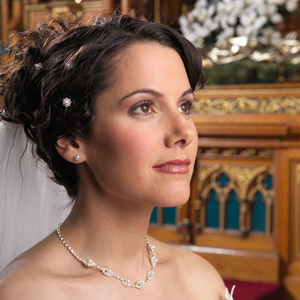
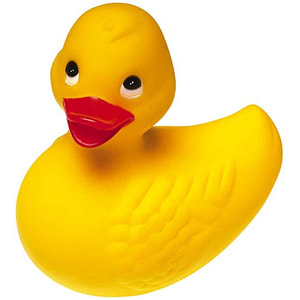
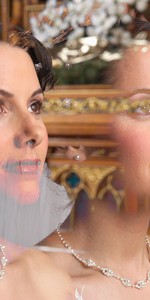
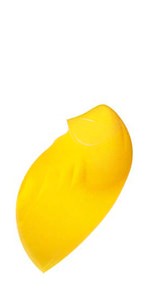
// Output the maximum of each pixel of the left and right halves of the image
bw := ImageEnView1.IEBitmap.Width;
bh := ImageEnView1.IEBitmap.Height;
bmp := TIEBitmap.Create( ImageEnView1.IEBitmap, Rect( 0, 0, bw div 2 - 1, bh - 1 )); // Left half
bmp2 := TIEBitmap.Create( ImageEnView1.IEBitmap, Rect( bw div 2, 0, bw - 1, bh - 1 )); // Right half
ImageEnView1.IEBitmap.Allocate( bmp.Width, bmp.Height );
ImageEnView1.IEBitmap.GetIEVisionImage().max( bmp.GetIEVisionImage(), bmp2.GetIEVisionImage() );
ImageEnView1.Update(); // Show changes in our viewer
bmp.Free();
bmp2.Free();