User Demos and Apps
Printed from: ImageEn Forum
Topic URL: http://www.imageen.com/ieforum/topic.asp?TOPIC_ID=1446
Printed on: Feb 14 2026
Topic:
Topic author: xequte
Subject: User Demos and Apps
Posted on: Feb 02 2014 22:03:18
Message:
250 demo projects are included with ImageEn, and can also be accessed at:
http://www.imageen.com/demos/
But we also welcome users to submit other demos that might be useful, and also link to their own applications that have been created with ImageEn.
Please upload your demo by posting a reply and clicking "attach a photo or zip" (full source demos only, with an EXE). When linking to a demo or application please advise whether it is full source, free or $$$. If possible, also include a screenshot.
Many more demos are available on GitHub:
https://bitbucket.org/imageen/imageen-demos/
Nigel
Xequte Software
www.xequte.com
nigel@xequte.com
Replies:
Reply author: xequte
Replied on: Feb 02 2014 22:06:47
Message:
AirPhoto SE
by The Unkelbach Valley Software Works
Full Source and Installer Exe
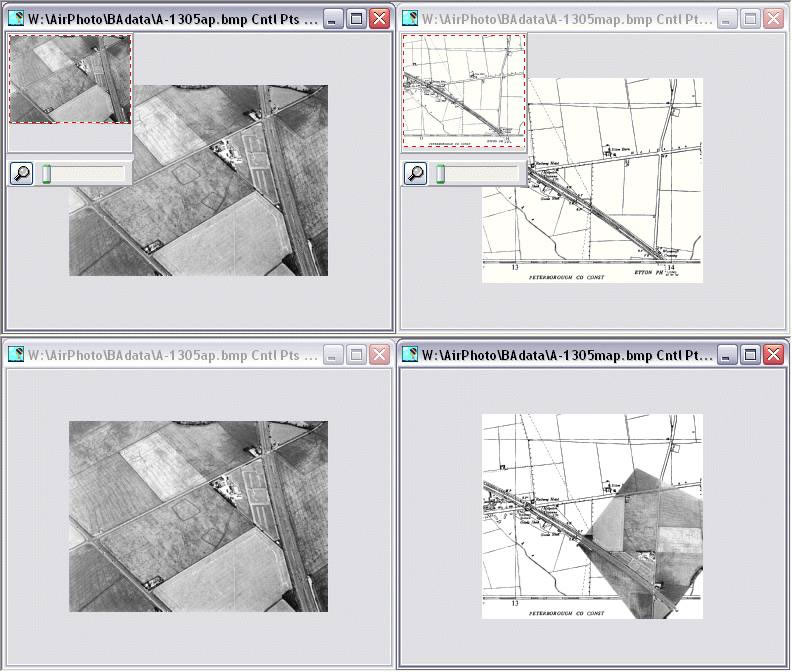
AirPhotoSE is a simple program for the rectification of perspective distortion in aerial photographs. It requires an image and a map along with a set of matching points (control points) for each. A single non-aerial image may also be used and corrected arbitrarily to create a new image of the same size.
Download: www.ImageEn.com/files/OtherDemos/AirSE.zip
Nigel
Xequte Software
www.xequte.com
nigel@xequte.com
Reply author: xequte
Replied on: Feb 02 2014 22:08:23
Message:
Select Similar Colors Demo
by William Miller/Adirondack
Full Source and Demo EXE
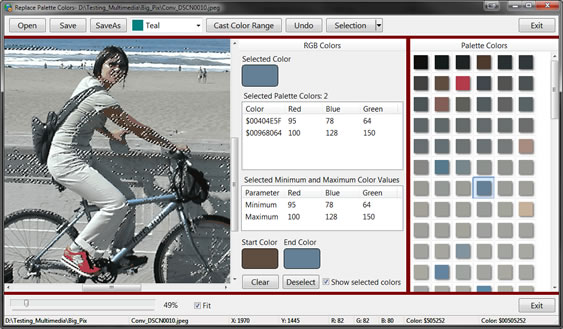
Shows how to select all colors within a range and cast them to a new color.
Download: http://www.ImageEn.com/files/WMDemos/SelectSimilarPaletteColors.zip
Nigel
Xequte Software
www.xequte.com
nigel@xequte.com
Reply author: w2m
Replied on: Feb 06 2014 21:51:44
Message:
Threshold Demo
Full Source
Compiled with DelphiXE4, but is expected to compile with Delphi 2010 or higher.
Lines of Code: 650
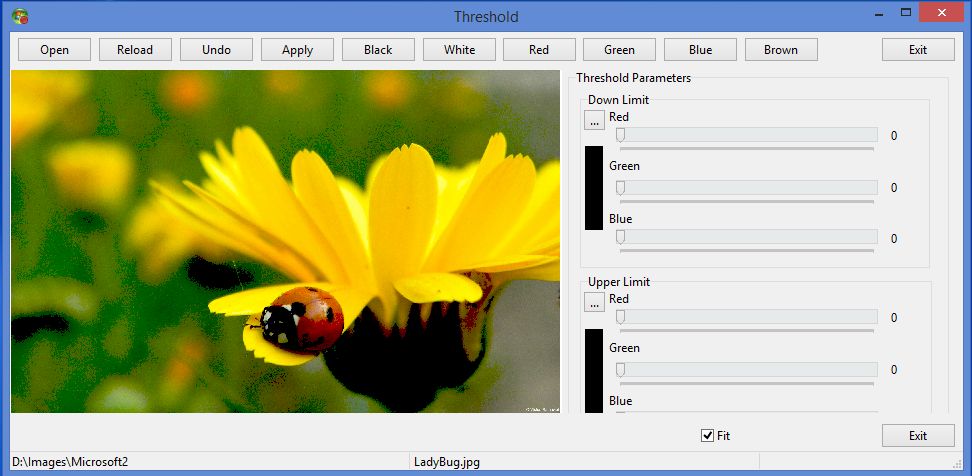
Shows how to use the Threshold procedure.
Download: www.ImageEn.com/files/WMDemos/Thresholding.zip
William Miller
Adirondack Software & Graphics
Email: w2m@frontiernet.net
EBook: http://www.imageen.com/ebook/
Apprehend: http://www.frontiernet.net/~w2m/index.html
Custom ImageEn Development
Reply author: w2m
Replied on: Mar 09 2014 07:25:48
Message:
RGB Color Channels
by William Miller Adirondack Software
Full Source
Compiled with Delphi XE4 but is expected to compile with Delphi 2010 or higher
Lines of Code: 498
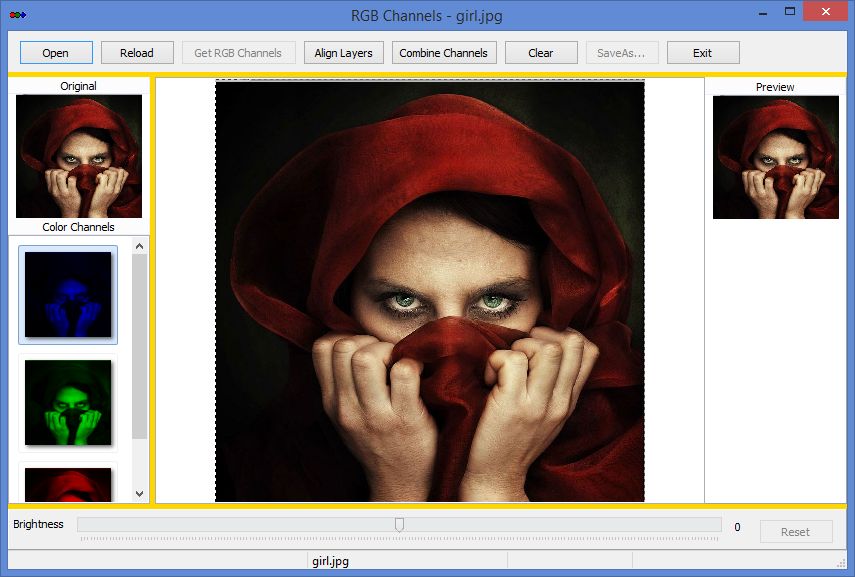
This demo shows how to separate the RGB color channels of an image, change the brightness of a selected color channel, then combine the color channels into a RGB Composite image.
Acknowledgement: Sinisa Petric for some ideas discussed in the forum.
Download: www.ImageEn.com/files/WMDemos/rgbchannels.zip
William Miller
Adirondack Software & Graphics
Email: w2m@frontiernet.net
EBook: http://www.imageen.com/ebook/
Apprehend: http://www.frontiernet.net/~w2m/index.html
Custom ImageEn Development
Reply author: spetric
Replied on: Mar 14 2014 04:57:09
Message:
Here is a source code for binding Lua with ImageEn. Demo exe included.
More details in readme.txt
Screen: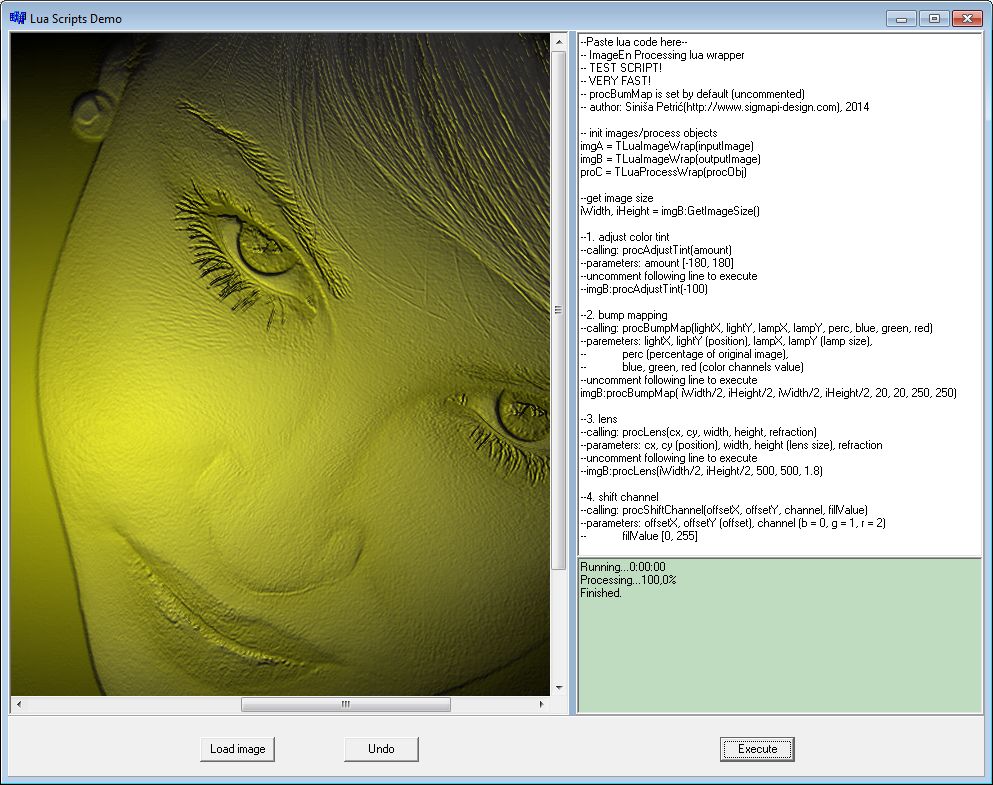
Code and demo: www.ImageEn.com/files/OtherDemos/spetric_lua_demo.zip
Note: C++Builder code
There are few scripts in scripts directory. Open script in notepad,
past and copy content into memo field and press execute.
Edit: you can modify code inside memo field (set various params etc...) and press execute to see your changes.
Reply author: w2m
Replied on: Mar 27 2014 13:58:27
Message:
TIEImageList
by William Miller/Adirondack
Full Source
Compiled with DelphiXE4, but is expected to compile with Delphi 2010 or higher.
Lines of Code: 2,602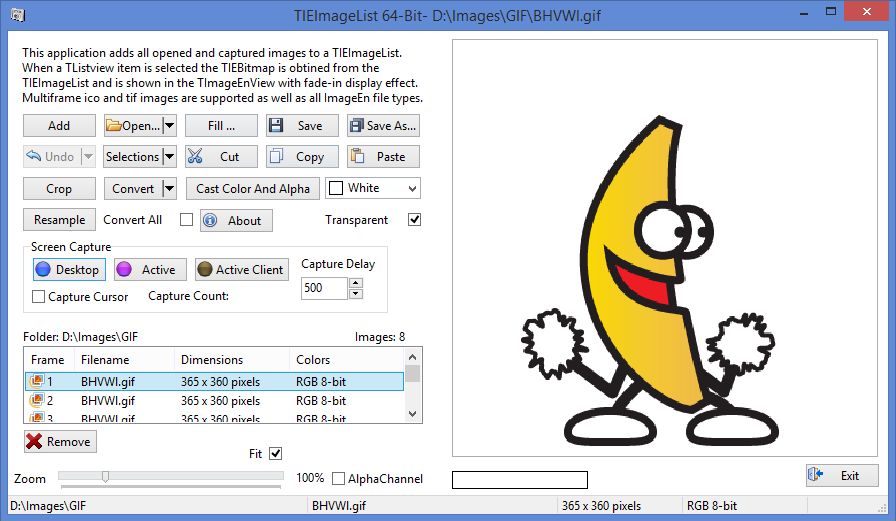
This demo show how to use TIEImageList to store images, make changes to an image and replace an image in the list.
Download: www.ImageEn.com/files/WMDemos/imageenimagelist.zip
William Miller
Adirondack Software & Graphics
Email: w2m@frontiernet.net
EBook: http://www.imageen.com/ebook/
Apprehend: http://www.frontiernet.net/~w2m/index.html
Custom ImageEn Development
Reply author: w2m
Replied on: Apr 10 2014 11:04:02
Message:
Threaded Image Processing
by William Miller Adirondack Software
Full Source
Compiled with Delphi XE4 (Requires Delphi 2010 or higher and ImageEn 4.3.0 or higher with iexHelperFunctions)
Lines of Code: 1,481
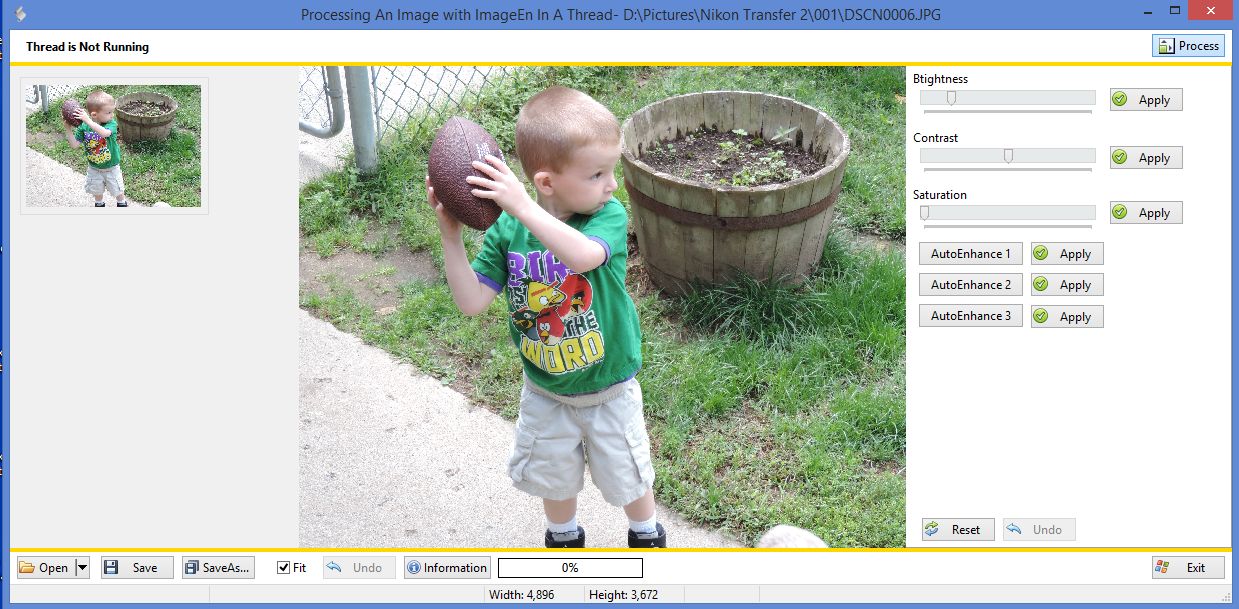
This demo does image processing in a secondary thread. Trackbars can be used to change image brightness, contrast, and saturation in a secondary thread. Before each processing event the a copy of the original image is used for the processing to provide the optimum result. AutoImageEnhance 1, 2 and 3 are a one step process that does not use trackbars, but consume a significant amount of time so these are threaded as well. The thread system is designed to easily be add other image processing procedures. The demo also includes Undo and Reset (all undo) and Most Recent Files (MRU) image opening as well as Save and SaveAs. The thread class can easily be copied and implemented in your own application with for your specific processing needs. You must add some code to the thread for your own processing procedure using techniques used in the thread for new procedures.
Image processing is very fast as the trackbars operate on a thumbnail of the full image. "Apply" buttons for each task is also provided to apply the previewed effect to the full image which is also run in the secondary thread. The thumbnail preview as well the full image effects can be undone.
Download: www.ImageEn.com/files/WMDemos/ImageProcessingInAThread2.zip
William Miller
Adirondack Software & Graphics
Email: w2m@frontiernet.net
EBook: http://www.imageen.com/ebook/
Apprehend: http://www.frontiernet.net/~w2m/index.html
Custom ImageEn Development
Reply author: w2m
Replied on: May 29 2014 10:31:27
Message:
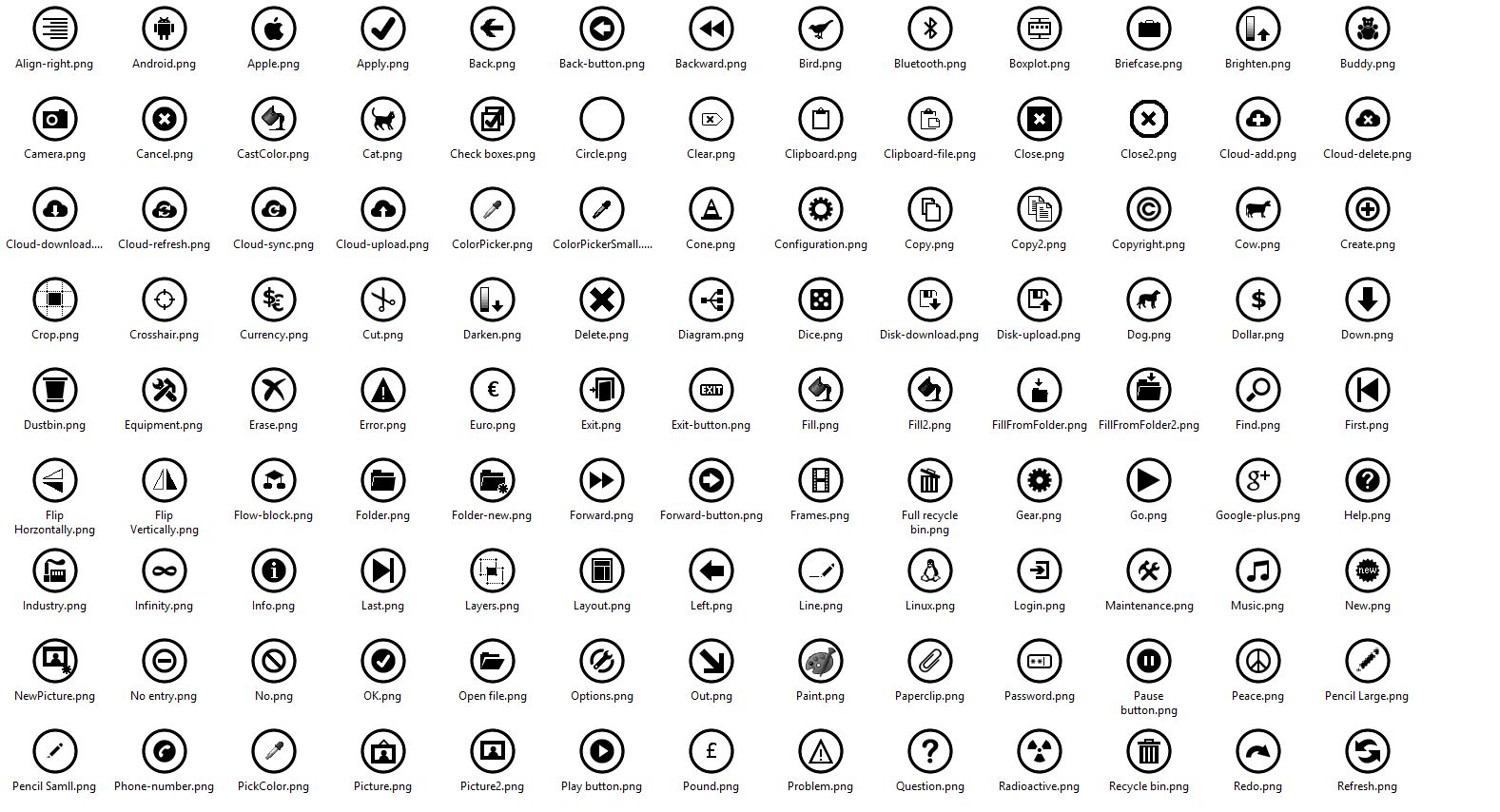
Windows 8 Style Icons for ImageEn
by William Miller/Adirondack
The zip file contains a 434 of windows 8 style icons with an icon inside a black circle. I created a lot of these by hand while some were obtained from the web. Includes 32x32 and 64x64 size glyphs. Additional glyphs added since original post.
Partial list of Glyphs:
Download: http://www.imageen.com/files/other/ImageEnWin8Glyphs.zip
William Miller
Adirondack Software & Graphics
Email: w2m@frontiernet.net
EBook: http://www.imageen.com/ebook/
Apprehend: http://www.frontiernet.net/~w2m/index.html
Custom Commercial ImageEn Development
Reply author: spetric
Replied on: Sep 02 2014 04:54:36
Message:
Polyline simplification/spline drawing
Here is one simple demo showing the usage of Douglas-Peucker polyline simplification algorithm and Catmull-Rom spline drawing.
After free-hand polyline is drawn in ImageEnVect (miPutPolyLine), you can simplify polyline by pressing "Simplify" button, or construct spline curve by pressing "Spline" button.
NOTE: Spline curve is constructed from simplified polyline, ie. simplification is automatically performed prior to spline drawing.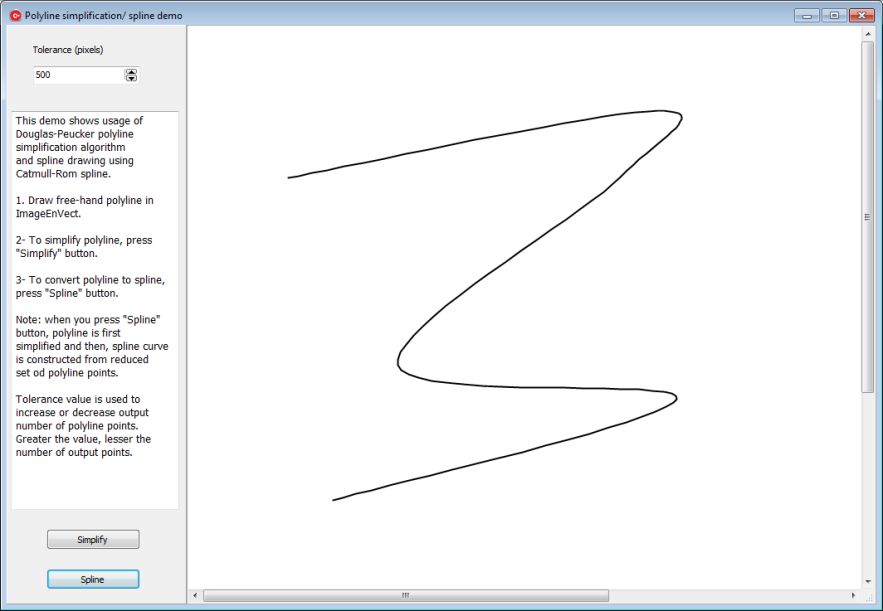
Here is the source code in XE5 C++, but it can be easily ported to Delphi:
./attach/spetric/20149253344_ien_spline_source.zip
Here is BCB6 version source code, with demo exe (it fit into 2M limit) :
./attach/spetric/201492123912_ien_spline_bcb6.zip
There is a little difference between XE5 and BCB6 code, because in XE5 I use ImageEn 5.1.1 and in BCB6 ImageEn 3.0.2. The difference is in polyCount number :)
Reply author: rmklever
Replied on: Jan 13 2015 20:35:34
Message:
Voronoi FX
by Roy Magne Klever
Full source code and Exe demo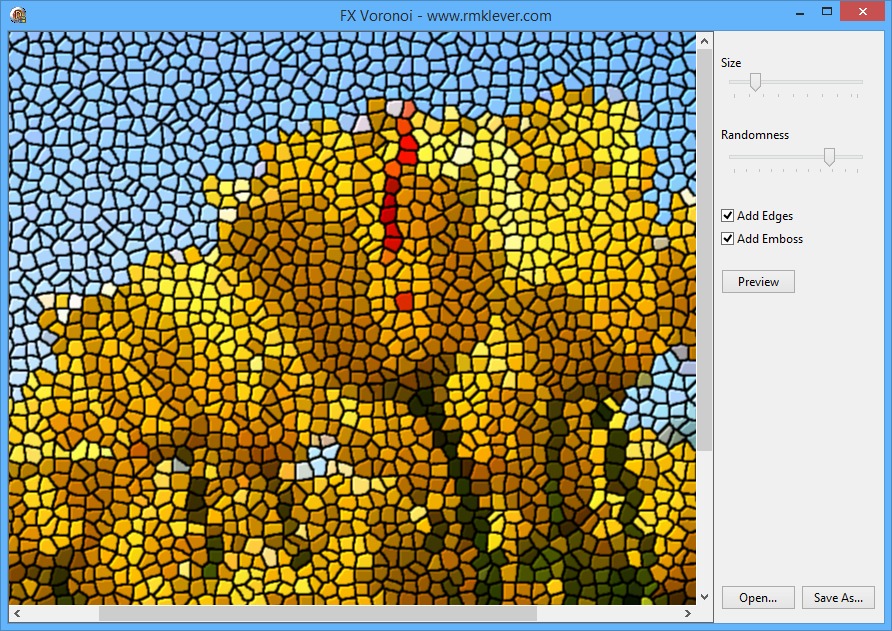
This is a sample of an fx effect using voronoi diagram. I think it is quite cool and work well as an fx.
I did use the "voronoi diagram in regular grid" lua script found in the Lua binding post by spetric to learn how to create a Voronoi diagram so cred to spetric for his contribution.
If you improve the effect regarding speed or result I sure would like to see it.
Enjoy and have fun:
Download: http://www.ImageEn.com/files/OtherDemos/VoronoiFX.zip
1904.55 KB
I do hope you find it interesting and useful.
Roy M Klever
Klever on Delphi - www.rmklever.com
Reply author: xequte
Replied on: Jan 13 2015 21:02:35
Message:
Image Editor Demo
Image editor with support for:
- Color conversion
- Resizing and rotation
- Lossless conversion
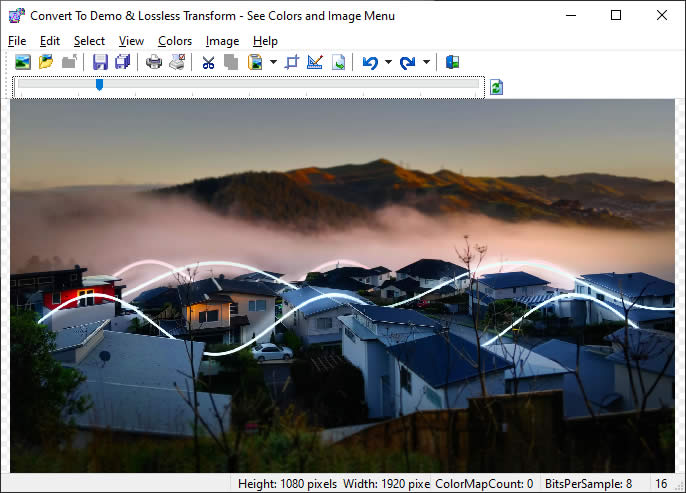
Full Source and Demo EXE: www.ImageEn.com/files/OtherDemos/ConvertTo.zip
William Miller
Adirondack Software & Graphics
Email: w2m@frontiernet.net
EBook: http://www.imageen.com/ebook/
Apprehend: http://www.frontiernet.net/~w2m/index.html
Custom ImageEn Development
Reply author: Uwe
Replied on: Jan 19 2015 17:38:33
Message:
Great demo, Roy. Thanks for sharing.
Cheers
-Uwe
Reply author: spetric
Replied on: Feb 26 2015 14:41:11
Message:
Hi Roy,
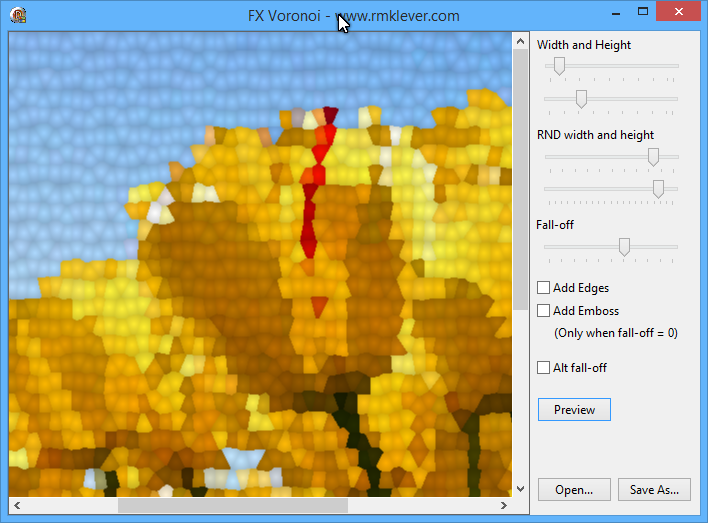
Great mosaic fx! I have extended "Voronoi diagram in regular grid" scrip to accept not only square grid, but also rectangular grid, where cells can also be shifted in order to create "brick-style" layout.
Because of this, I made a slightly modification in algorithm, in the part where neighboring cells are inspected (function find_closest). I have also added various intensity fall-off modes (lines 144 - 146).
Here is the script:
attach/spetric/2015226143851_voronoi_regular_grid.zip
2.16 KB
Here is an example (the bird on the bottom of the FB page https://www.facebook.com/Pixopedia):
https://www.facebook.com/Pixopedia/posts/816203735112862
I forgot something. A really cool enhancement in your demo would be to add multipass mosaik effect. The first pass goes with big size grid, let's say 60. The second pass goes with half size (30) and prior of drawing each "cell" checks average error inside new cell against some threshold value (difference between pixels of original image and image created in the first step). If average error is above specified threshold cell is drawn, otherwise not. The same thing goes for the third pass and so on.
Alternative solution, in one pass, is to perform some adaptive seeding (more points in areas with more "color changes") and then perform general Voronoi tessellation, using Fortune's algorithm. I think I saw Fortune's algorithm implementation in Delphi somewhere on the web.
Reply author: rmklever
Replied on: Mar 01 2015 15:38:40
Message:
Hi Spetric,
Thanks for the updated script, it is very good.
I have updated the Voronoi demo to include some of your changes...
Spetric, you have some very nice effects in your program Pixopedia. I did not test it recently but on your FB pixopedia page you had a very great auto brush sample. We are doing much of the same stuff but I think you are a step in front of me. Good inspiration.
Regarding multipass fx, I do not have any idea of how to implement a multipass mosaic effect.. and I guess it would be quite messy too.
This demo is just a quick and dirty demo of some cool mosaic fx you can do using voronoi diagram. I built the effect on the script above by Spetric.
Here is the Delphi files and Exe so you can test it...
http://www.ImageEn.com/files/OtherDemos/VoronoiFX.zip
2963.19 KB
As usually I do hope you find it interesting and useful.
Roy M Klever
Klever on Delphi - www.rmklever.com
Reply author: spetric
Replied on: Mar 02 2015 16:56:59
Message:
Hi Roy,
Great work. I have also ported your curves tool (partially) to C++ and added possibility to apply curve through any shape (free hand stroke, ellipse, spline, text, etc...). Works like a charm.
Thanks,
Siniša
Reply author: yogiyang
Replied on: Mar 02 2015 22:15:49
Message:
Spetric,
Are you going to share your handy work here?
Just curious to know.
On your web site I found the tool NiGulp. It allows one to use Photoshop filters! That is great. Can you share as to how you managed to achieve this and whether the software is developed 100% in Delphi or some other language.
I am personally looking for a way to load Photoshop filters in the software that I am developing so I am very much interested in knowing as to how you manage to load and handle Photoshop filters.
Regards,
Yogi Yang
Yogi Yang
Reply author: spetric
Replied on: Mar 03 2015 01:42:36
Message:
Hi Yogi,
Unfortunately, I do not program in Delphi, but in C++.
I have posted a link to static library for Photoshop host, but I must check if link still exists (my site was compromised and I was forced to reset complete site). If it does not exists, I will upload it again.
However, there is another source code based on it (with Delphi "headers"):
http://meesoft.logicnet.dk/
Check the paragraph "8fb Plugin Interface".
HTH,
Siniša
Reply author: spetric
Replied on: Mar 07 2015 16:07:27
Message:
Done!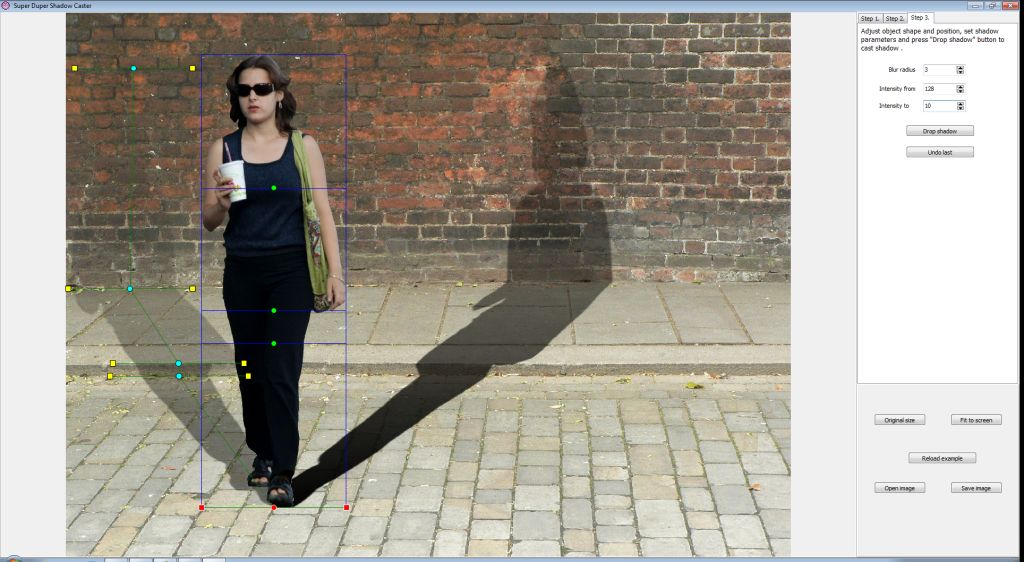
I hope I packed it correctly. Here is a demo exe of shadow caster program (Super Duper Shadow Caster) with source code (C++). Example included:
attach/spetric/2015392583_shadow_caster_distrib.zip
3999.55 KB (updated)
When program is started, example image is loaded.
To get a first impression, follow these steps:
1. Press "Load example selection" button and proceed to Step 2. (tab)
2. Press "Create shadow control" and proceed to Step 3. (tab)
3. Press "Drop shadow" button. Shadow is drawn (I hope so).
4. Press "Undo last" button to undo last operation.
5. Set blur radius to some value, set different intensity values and pefrom "Drop shadow" again to see the difference.
Now, you can go back to Step 2. and increase number of folding lines.
Create new set of shadow controls, go to Step 3. and move lines across the image. When mouse is over control point, cursor changes to hand-point. Drag control points around to cast different type of shadows. You can cast multiple shadows as well (one by one).
Note:
In Step 1. you can only draw lasso selection with mouse.
In Step 2. you can only pan image with mouse.
In Step 3. you can only move control points.
If there are some problems with demo, please let me know.
Good luck,
Siniša
Edit: blur radius is actually obsolete, as same thing can be achieved with feather value. Also, using feather value will adjust source rectangle size, while blurring the mask will leave it as is, which yields to cutting of blurred part of mask on the source rectangle border. Maybe to add mask downsizing according to blur radius.
Newest version:
attach/spetric/201539164127_shadow_caster_distrib.zip
5092.06 KB
Reply author: w2m
Replied on: Mar 08 2015 17:43:39
Message:
GDIPlus Image Drawing
by William Miller/Adirondack
Full Source
Compiled with DelphiXE7, but is expected to compile with Delphi 2010 or higher
GDIPlus Image Drawing features drawing pixels, ellipse brush, rectangle brush, opacity, transparency, rectangles, filled rectangles, round rectangles, filled round rectangles, ellipses, filled ellipses, erase brush, drawing lines, filling alpha and filling color using GDIPlus and layers. The demo shows how to draw and how to use backbuffer drawing with all of the above tools with GDI plus and ImageEn.
Only ImageEn and standard Vcl controls were used in the demo.
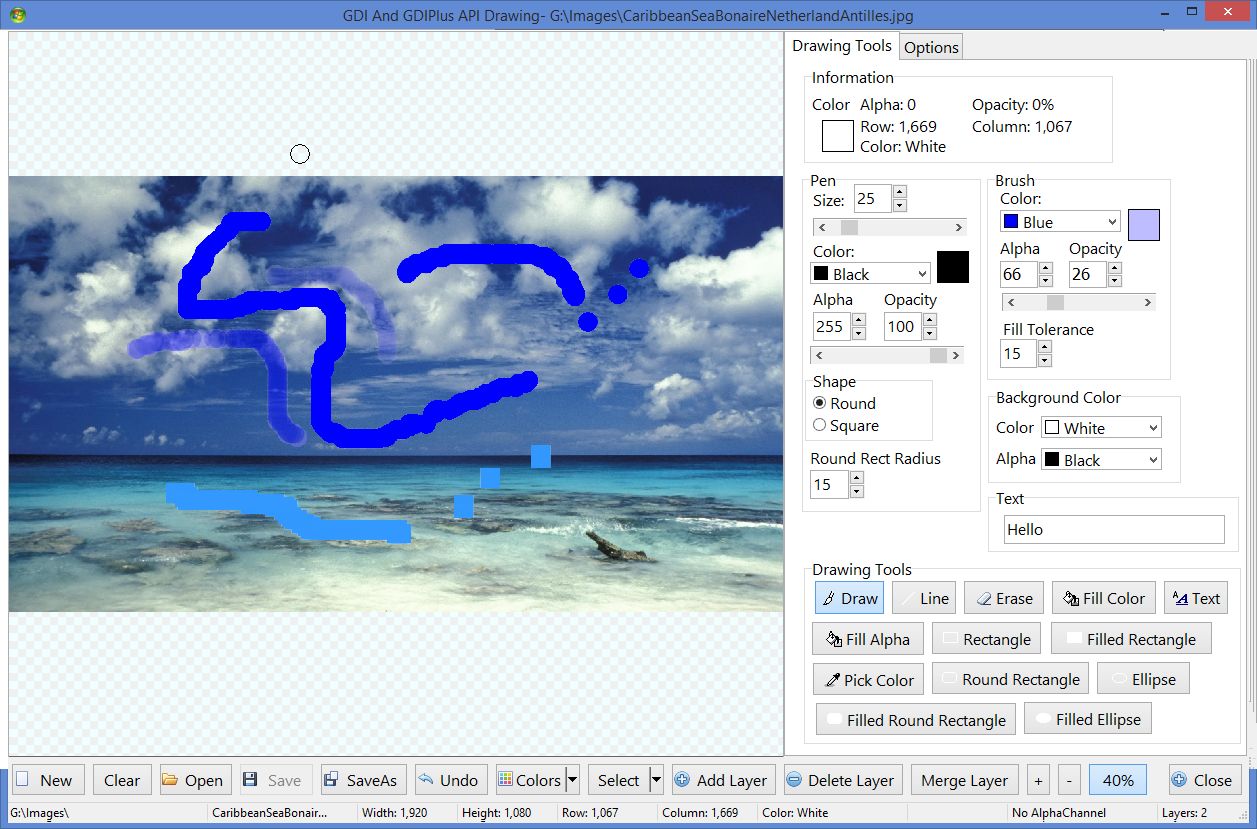
Source Code and EXE:
http://www.ImageEn.com/files/WMDemos/SimpleGDIPlus.zip
3106.67 KB
William Miller
Adirondack Software & Graphics
Email: w2m@hughes.net
EBook: http://www.imageen.com/ebook/
Apprehend: http://www.frontiernet.net/~w2m/index.html
Custom ImageEn Development
Reply author: xequte
Replied on: Mar 08 2015 19:26:38
Message:
Nice Bill!
FYI, addition of text will be much cleaner in the next release (on the git repository now) that supports alpha blending canvases:
http://www.imageen.com/ieforum/topic.asp?whichpage=1&TOPIC_ID=2041#7352
Nigel
Xequte Software
www.xequte.com
nigel@xequte.com
Reply author: wesleybobato
Replied on: Mar 10 2015 11:47:25
Message:
Easy Scanline
Example of Using Scanline a Simple and Easy.
Extract from a Picture Book Edition.
Have a Great Day.
By Wesley Bobato.
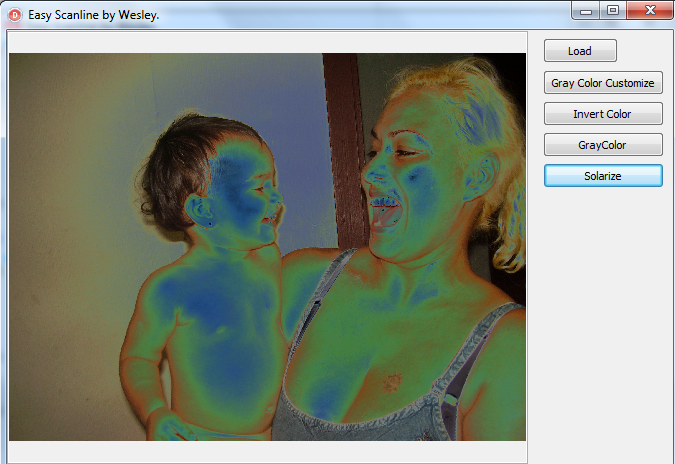
http://www.ImageEn.com/files/OtherDemos/EasyScanline.zip
3562.31 KB
Reply author: spetric
Replied on: Mar 13 2015 05:47:10
Message:
A little ad hoc app. to perform 3x3 adaptive convolution on 24-bit images (c++). 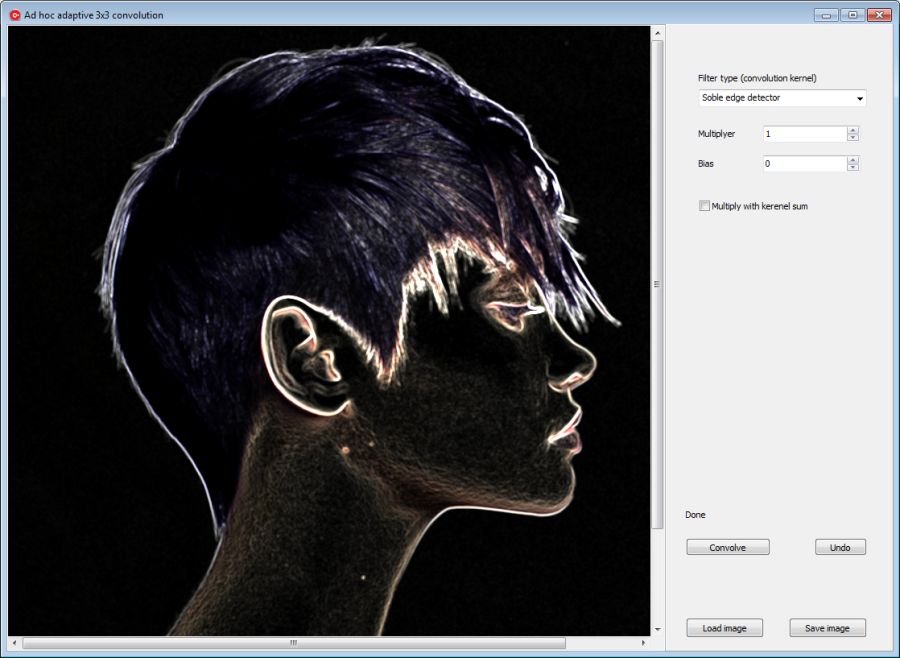
1. Desired filter (selected from combo box) is applied to gray-scale copy of original image (8-bit depth).
2. Gray-scale image pixels are loaded in appropriate floating-point array and normalized to 1.
3. Original image channels are also loaded into separate byte-type arrays.
4. Gray-scale array data at position [i,j] (neighbor pixels) is used as 3x3 convolution kernel.
5. Convolution is performed for each pixel and all channels.
6. Resultant image is copied to output.
attach/spetric/201531354517_adaptive_convolution_distib.zip
3525.49 KB
With best regards,
Siniša
Reply author: w2m
Replied on: Mar 19 2015 10:50:29
Message:
Post Messages Demo
by William Miller/Adirondack
Full Source
Compiled with DelphiXE7, but is expected to compile with Delphi 2010 or higher.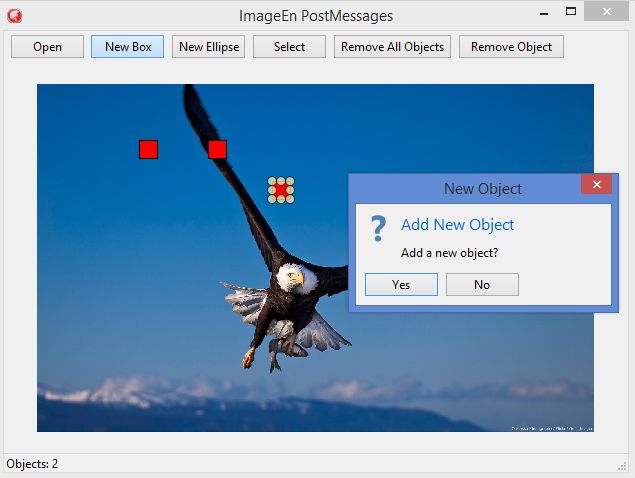
This application demonstrates how to post messages to a form which displays this message after the main form becomes visible... a runtime created OnAfterShow event if you will.
This application also demonstrates how to post a message to create a new user created runtime TImageEnVect event. In this case, the runtime created event could be considered a "OnAfterNewObject event". This event is executed every time a object is added to TImageEnVect. When the "OnAfterNewObject event" is executed, a modal form appears which asks if the object should be added. If the user replies "Yes" no action is taken. If the user replies "No" the new object is removed.
Source Code and EXE: http://www.ImageEn.com/files/WMDemos/PostMessages.zip
3433.48 KB
Bill Miller
Adirondack Software & Graphics
Email: w2m@hughes.net
EBook: http://www.imageen.com/ebook/
Custom Commercial ImageEn Development
Reply author: rmklever
Replied on: Mar 30 2015 05:26:02
Message:
Remove Vignette
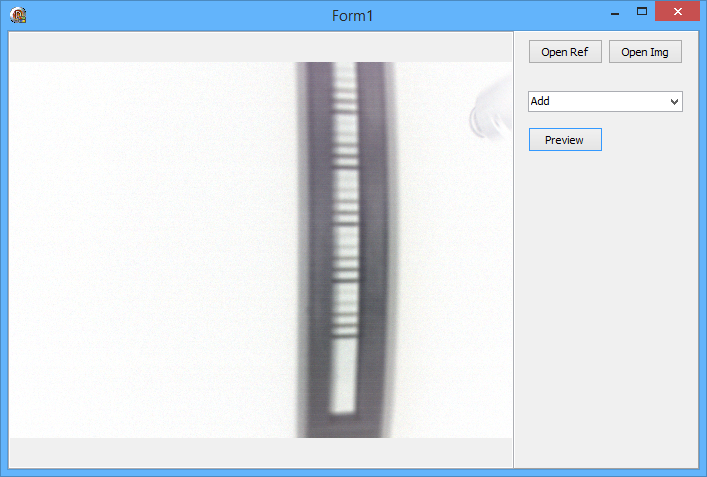
One way of doing it...
Delphi 2010, about 90 lines of code...
Source code and Exe
http://www.ImageEn.com/files/OtherDemos/VignetteRemove.zip
2956.55 KB
Roy M Klever
Klever on Delphi - www.rmklever.com
Reply author: w2m
Replied on: Apr 22 2015 13:42:35
Message:
Handling Multiframe Images
By Bill Miller Adirondack Software & Graphics
Full Source Demo Project
Compiled with Delphi XE7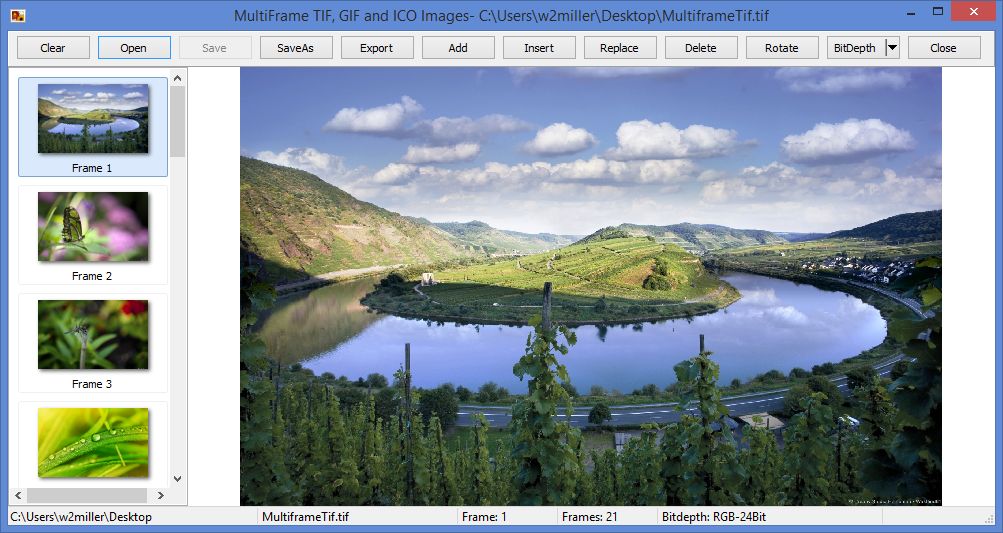
Shows how to handle multi-frame TIF, GIF and ICO files with ImageEnMView. Open, add frames, insert frames, replace frames, delete frames, rotate frame, save, saveas and export selected frame.
Download Source and Exe:
http://www.ImageEn.com/files/WMDemos/TIFFEditor.zip
2951.87 KB
Bill Miller
Adirondack Software & Graphics
Email: w2m@hughes.net
EBook: http://www.imageen.com/ebook/
Custom Commercial ImageEn Development
Reply author: w2m
Replied on: May 08 2015 16:00:42
Message:
Create Thumbnail With IEConvertToThumbnail
By Bill Miller Adirondack Software & Graphics
Full Source Demo Project
Compiled with Delphi XE7
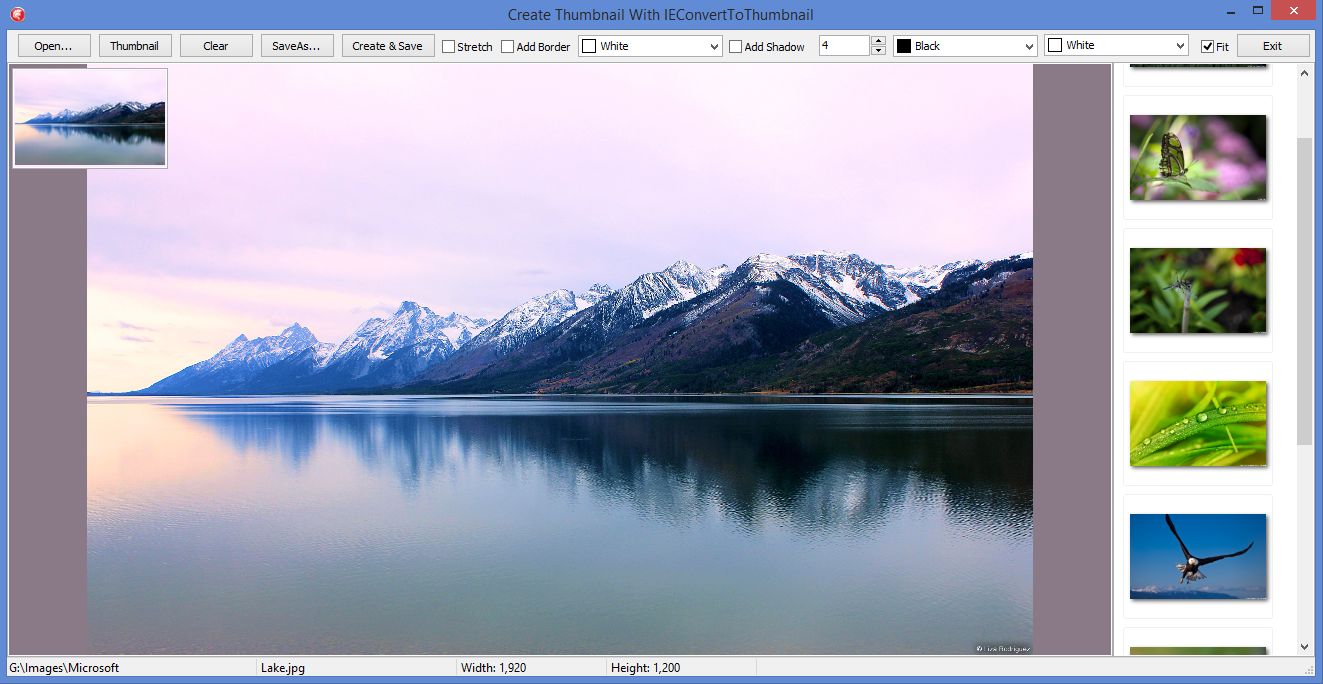
This project shows how to utilize the excellent IEConvertToThumbnail procedure in iexHelperFunctions.pas unit as well as to save full frame images and thumbnails.
Download Source and EXE:
http://www.ImageEn.com/files/WMDemos/IEConvertToThumbnail.zip
2959.05 KB
Bill Miller
Adirondack Software & Graphics[/b]
Email: w2m@hughes.net
EBook: http://www.imageen.com/ebook/
Custom Commercial ImageEn Development
Reply author: rmklever
Replied on: May 08 2015 19:44:02
Message:
Statistical color correction
Source code and exe included
Delphi 2010 about 165 lines of code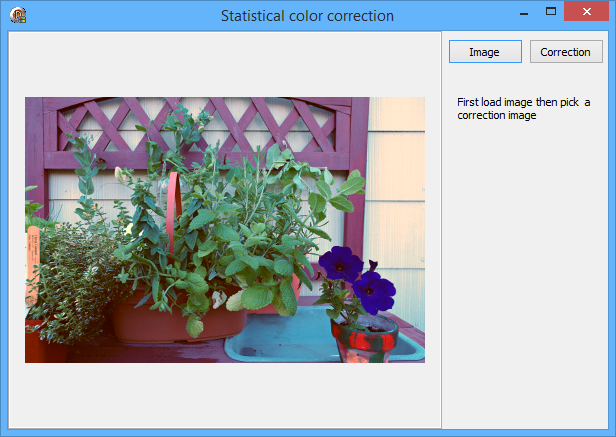
http://www.ImageEn.com/files/OtherDemos/ColorCorrections.zip
3014.6 KB
Roy M Klever
Klever on Delphi - www.rmklever.com
Reply author: rmklever
Replied on: Jun 24 2015 19:45:35
Message:
FX filter, Symmetric Nearest Neighbour
by Roy M Klever
Full source and demo exe
Written in Delphi 2010
Note: Symmetric Nearest Neighbour is now available in TImageEnProc:
http://www.imageen.com/help/TImageEnProc.SymmetricNearestNeighbour.html
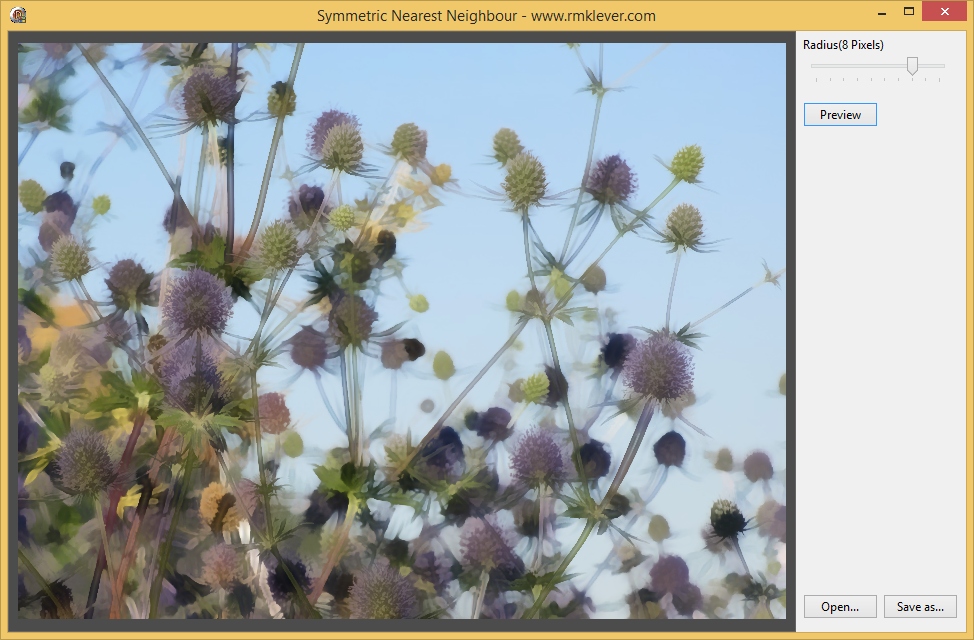
I like this filter but it gets quite slow at larger radiuses. If you figure out how to improve the speed I sure would love to hear about it.
Download: attach/rmklever/2015624194141_FXSNN.zip
1988.53 KB
Roy M Klever
Klever on Delphi - www.rmklever.com
Reply author: spetric
Replied on: Jul 01 2015 04:12:17
Message:
Hi Roy,
At a first look, you can get rid of Sqrt function used for calculating variables d1 and d2 (distance), because it's expensive and you repeatedly call it inside 4 nested loops.
As variables d1 and d2 are used only for comparing (if d1 < d2 then begin), calling Sqrt is not necessary (you can compare d1^2 and d2^2 as well).
Reply author: rmklever
Replied on: Jul 02 2015 16:50:25
Message:
Hei Siniša,
Yes, that made quite a difference. Even if the result changed a little it is still acceptable. Thanks for the idea! I used this formula so I did not need to use LAB color space, which is quite slow and also would require sqrt in the processing of color comparing.
Roy M Klever
Klever on Delphi - www.rmklever.com
Reply author: rmklever
Replied on: Jul 14 2015 11:30:11
Message:
My attempt at a Clarity routine
Delphi 2010 - Source and Exe
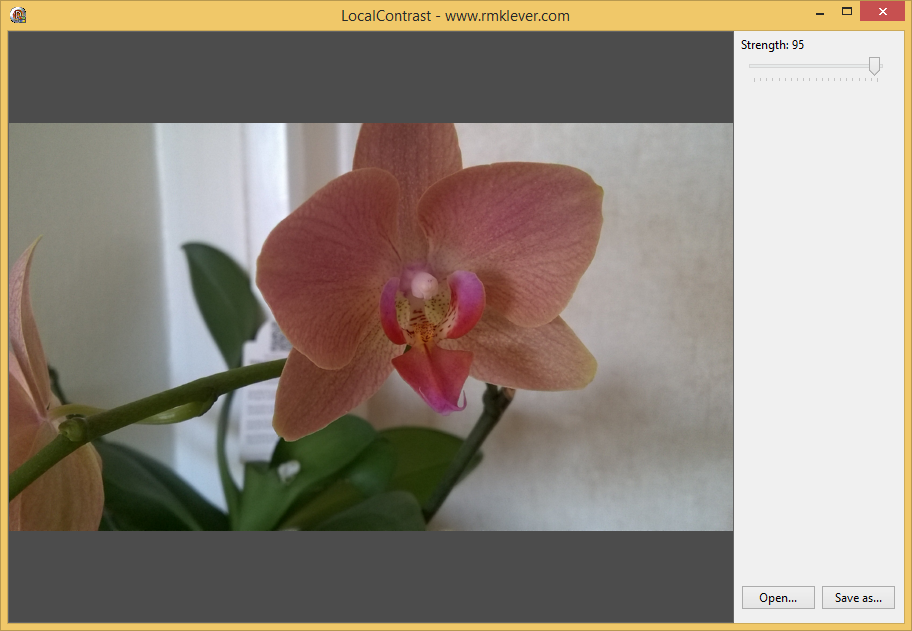
In this demo the blur value is scaled so it can be hard to see the effect if you use large images. The demo is just for testing.
I do not have LightRoom so I am not really sure what the Clarity function do but from what I have found on the net I came up with this.
Hope you find it useful
Download: attach/rmklever/2015714112919_FXLocalContrast.zip
1988.39 KB
Roy M Klever
Klever on Delphi - www.rmklever.com
Reply author: Uwe
Replied on: Jul 14 2015 12:53:32
Message:
Roy,
Interesting, thanks for posting. Did you translate and use some of the RawTherapee code by any chance?
Here's an explanation of what the Lightroom's Clarity slider actually does:
http://digital-photography-school.com/lightrooms-clarity-slider-what-does-it-do/
-Uwe
Reply author: rmklever
Replied on: Jul 14 2015 13:11:25
Message:
Hi Uwe,
No I did not use any code from RawTherapee. I do not know that program at all. Actually I could not find any code samples of how to implement Clarity except one that I did not like in VB.
If I come up with a better solution or find some code explaining me the procedure I gone add it here but for now I am just guessing.
Well I did a lot of testing but none gave me the result I wanted. This was the closest I could get for the moment.
Do you have any resources of how it is implemented?
Roy M Klever
Klever on Delphi - www.rmklever.com
Reply author: Uwe
Replied on: Jul 14 2015 13:25:19
Message:
Hi Roy,
Here are a few links for you:
Local contrast enhancement:
http://www.cambridgeincolour.com/tutorials/local-contrast-enhancement.htm
RawTherapee:
http://rawtherapee.com/
Micro contrast code (line 271 ff.):
https://code.google.com/p/rawtherapee/issues/attachmentText?id=927&aid=9270011000&name=ClaritySharpeningSplit1.patch&token=ABZ6GAe0NexBOSGBB_Ql940WYhG0eMk4vw%3A1436898028480
Hope this helps
-Uwe
Reply author: w2m
Replied on: Jul 16 2015 15:32:36
Message:
DrawGrid In OnDrawBackBuffer Event with Alternate Colors and Zoom Support
By Bill Miller Adirondack Software & Graphics
Full Source Demo Project
Compiled with Delphi XE7
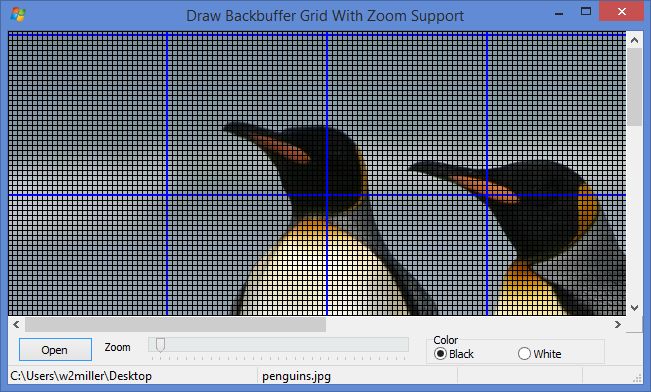
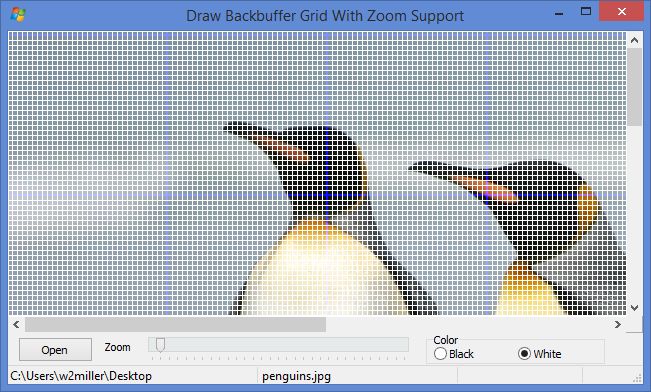
The grid is drawn as close as possible to the DisplayGrid provided by ImageEn. Every 32nd column or row is drawn with a 2 pixel wide blue color. The "inside" pixels are drawn in white or black. The image may be zoomed and at every full increment of 100% zoom the grid dimensions are zoomed as well.
Download link: http://www.ImageEn.com/files/WMDemos/BackBufferGrid.zip
3149 KB
Bill Miller
Adirondack Software & Graphics
Email: w2m@hughes.net
EBook: http://www.imageen.com/ebook/
Custom Commercial ImageEn Development
Reply author: w2m
Replied on: Sep 28 2015 12:52:06
Message:
Thumbnail Creation 5 Different Ways
by William Miller/Adirondack
Full Source
Compiled with Delphi 10 Seattle on Windows 10, but is expected to compile with Delphi 2010 or higher.
This demo allows visual comparison of thumbnails created 5 different ways with ImageEn.
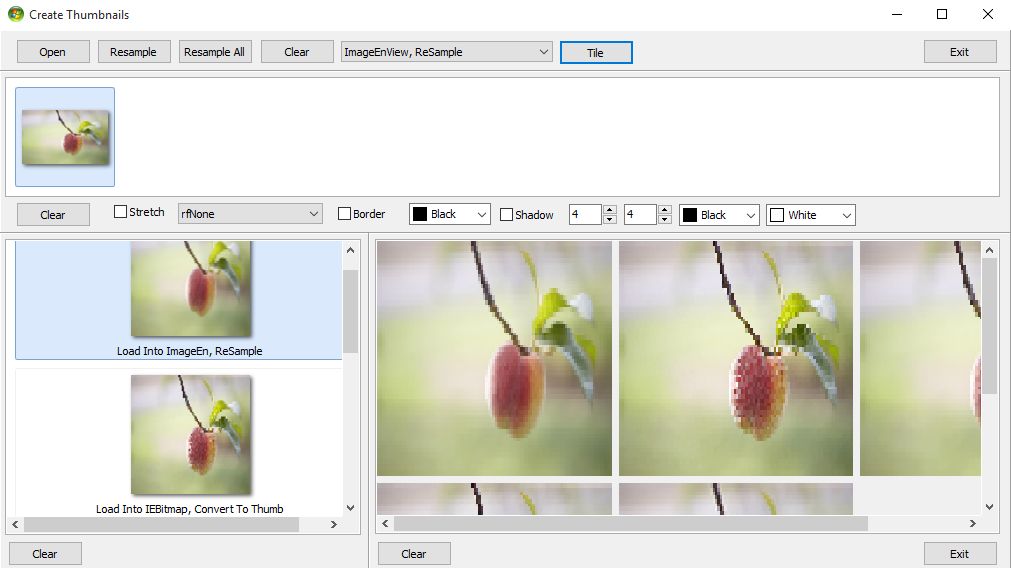
The source code may be downloaded here:
http://www.ImageEn.com/files/WMDemos/Thumbnails5Ways.zip
119.13 KB
Bill Miller
Adirondack Software & Graphics
Email: w2m@hughes.net
EBook: http://www.imageen.com/ebook/
Custom Commercial ImageEn Development
Reply author: xequte
Replied on: Oct 16 2015 16:15:31
Message:
Alpha Skins Demo
by Alpha Skins
Requires the Alpha Skins library from http://www.alphaskins.com/
Cost: $99.50
This demo shows theming of ImageEn controls using Alpha Skins.
Note: You can also theme ImageEn using standard VCL theming, if you enable the theming define.
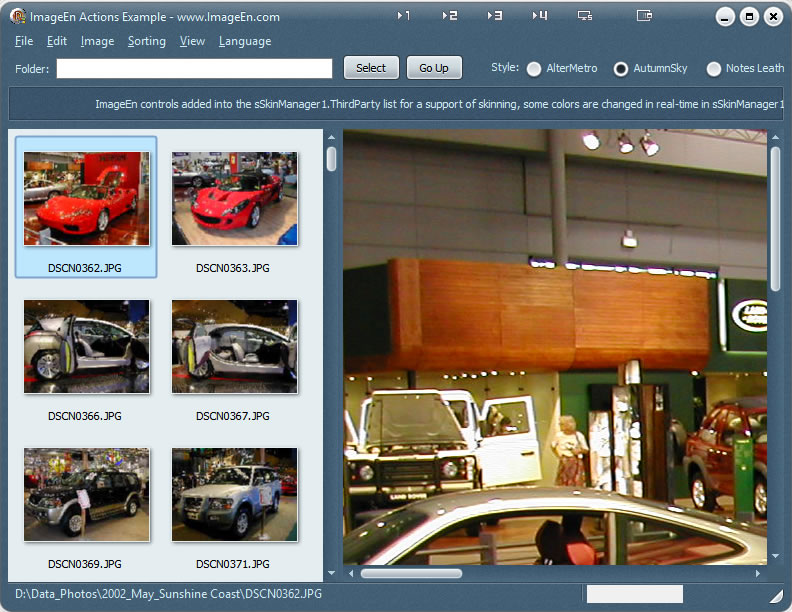
The source code may be downloaded here:
www.imageen.com/files/otherdemos/imagebrowser_alphaskins.zip
Nigel
Xequte Software
www.xequte.com
nigel@xequte.com
Reply author: Uwe
Replied on: Oct 16 2015 17:01:10
Message:
Nigel, Alpha Controls always supported skinning for ImageEn. I've been using them for many years without problems.
-Uwe
Reply author: spetric
Replied on: Nov 11 2015 17:07:20
Message:
Regarding statistical color correction by @rmklever;. I have implemented Roy's code in C++ with two more options: collect statistical data from given rectangular region(s) and collect data from selection mask(s). Instead of collecting data only from the whole images user have additional options to collect data from rectangular region or from selection masks. Those options are not so hard to implement and results are very nice.
I've put some examples on my FB page: https://www.facebook.com/Pixopedia/
Reply author: xequte
Replied on: Nov 15 2015 18:38:00
Message:
Nice Spetric,
You have some cool effects:
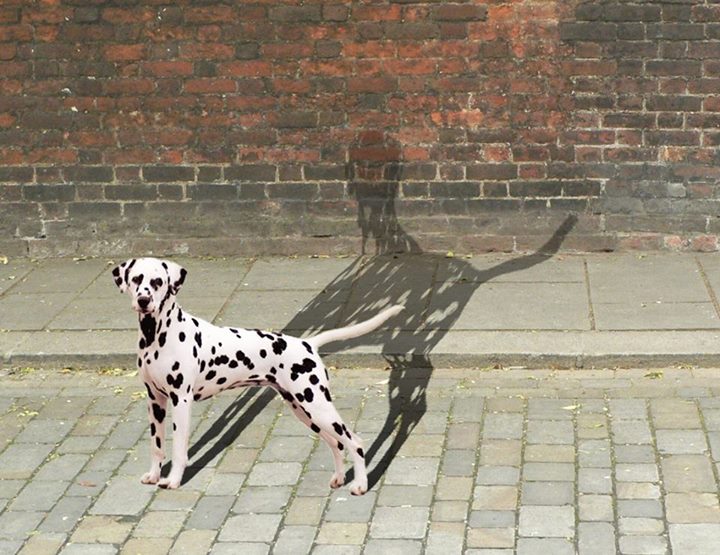
Nigel
Xequte Software
www.xequte.com
nigel@xequte.com
Reply author: xequte
Replied on: Nov 19 2015 21:38:15
Message:
Get Number Plate
by Xequte Software
Full Source and Demo EXE
Works in Delphi 6 or newer
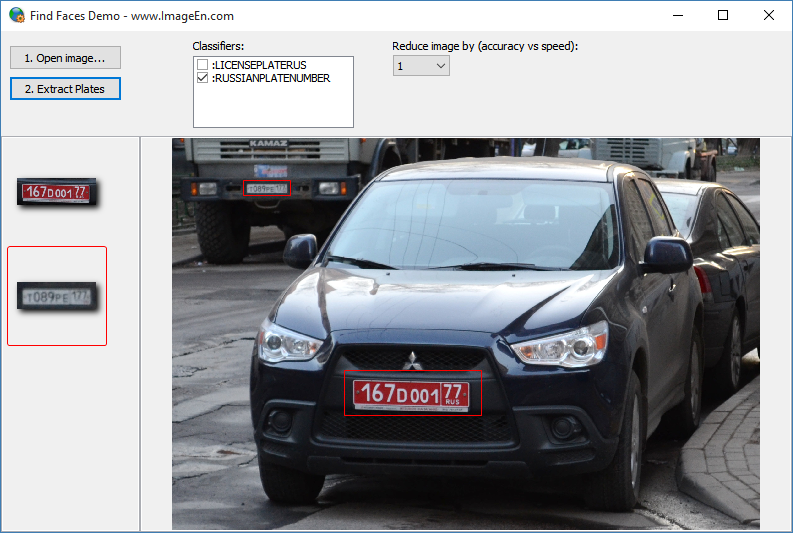
Detect number plates within an image. Works best with Russian number plates.
Download: www.ImageEn.com/files/OtherDemos/GetRussianPlate.zip
Nigel
Xequte Software
www.xequte.com
nigel@xequte.com
Reply author: rmklever
Replied on: Dec 29 2015 20:09:33
Message:
Picture Color EQ
Delphi 2010, Source code and exe demo :)
by Roy Magne Klever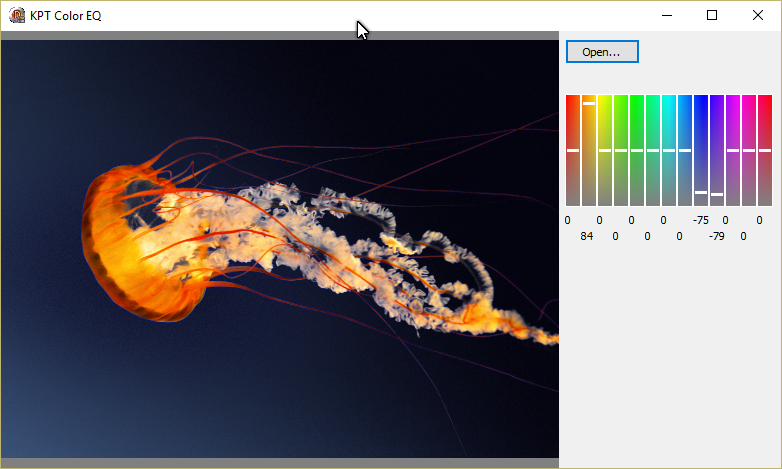
Download: www.imageen.com/files/OtherDemos/ColorEqualizer.zip
I was testing an idea I had and it turned out to be quite useful, at least for me. Hope you find it interesting and useful too.
Roy M Klever
Klever on Delphi - www.rmklever.com
Reply author: wesleybobato
Replied on: Jan 11 2016 12:39:12
Message:
Hello Roy
Color Picture EQ
It is Possible to delete the Selected Color, Using Transparency, Through Alpha Channels?
Thank you so much.
Reply author: spetric
Replied on: Jan 15 2016 16:10:00
Message:
Here is a demo on how to use SpHost library (8bf filters).
SpHost is small 94k library and it executes 8bf plugins (filters). Library must be included in your project. Not all filters will work! Complete source code (both demo and SpHost) is inside zip. Demo is provided with few freeware filters.
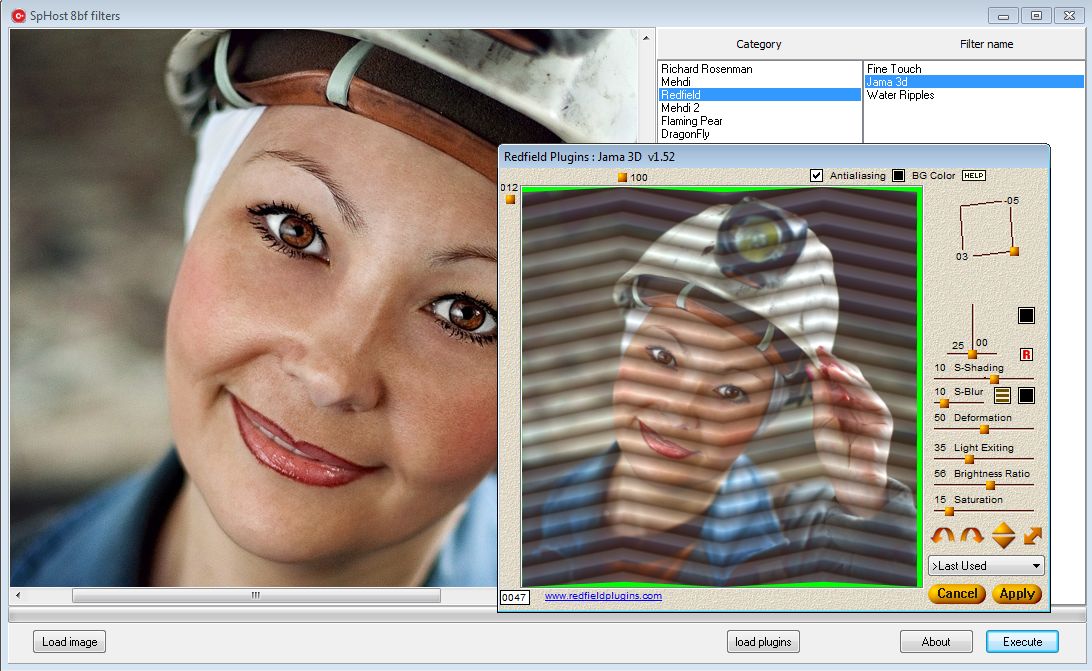
Usage: Load plugins, open image, press Execute.
Download (C++ source code and EXE):
http://www.ImageEn.com/files/OtherDemos/Spetric_host.zip
6419.21 KB
Note: some filters require plugin.dll which can be downloaded from the net.
Reply author: wesleybobato
Replied on: Jan 15 2016 16:57:18
Message:
Hello Siniša.
Thank you for sharing.
have a great day.
Reply author: spetric
Replied on: Jan 15 2016 17:05:42
Message:
Note that header files are from old PS SDK. If you want to make your own host plug-in you should download the newest SDK version.
Reply author: wesleybobato
Replied on: Jan 15 2016 17:29:40
Message:
Again thank you for your information.
a great day.
Reply author: spetric
Replied on: Feb 09 2016 16:58:42
Message:
Pantographic Cellular Automata Inpainting: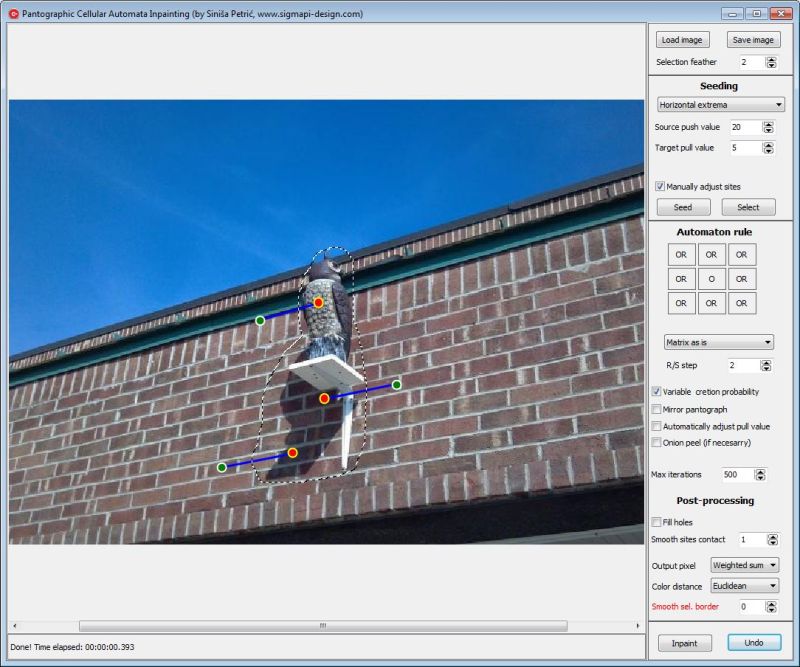
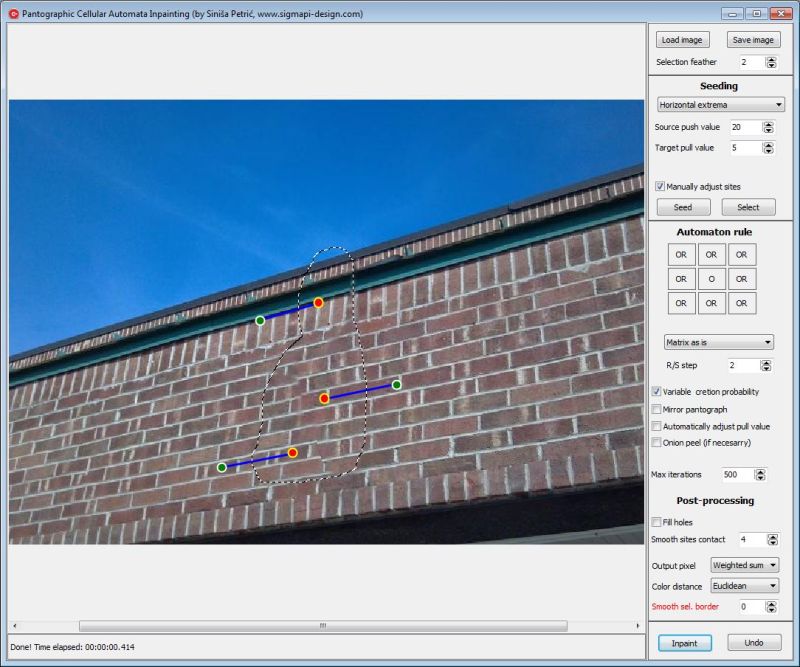
Exe and C++ source code:
http://www.ImageEn.com/files/OtherDemos/spetric_paca_inpaint.zip
3017.04 KB
Note1: this is quite rudimentary version, just an idea. Fully automated version
requires multi-resolution CA and contour analyzing.
Note2: it does not work well when trying to automatically remove object
from image with strong diagonal contours (such as shown above).
Manual adjustment is necessary.
Have a nice time,
Siniša
Edit: to change matrix logical operator, just click on it (except central element). For more info check http://www.sigmapi-design.com/media/Coupled_Map_Lattice_Brush.pdf
Reply author: spetric
Replied on: Feb 10 2016 06:21:32
Message:
Ellipse Rotation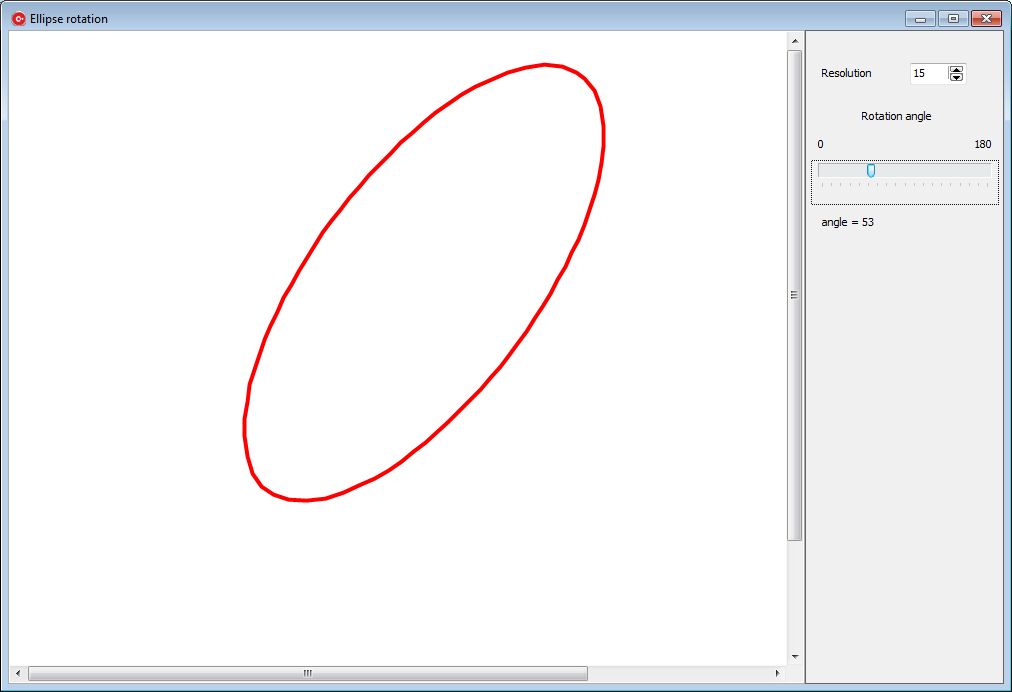
Draw ellipse and rotate it. Ellipse is created from polyline points calculated in grapEllipse object.
Parameters:
Resolution - higher the number, less points are used to construct final polyline.
Rotation trackbar - obvious
Exe and C++ source:
attach/spetric/201621062035_rotate_ellipse.zip
3023.94 KB
More "fancy schmancy" approach would be to check if ctrl or shift button is pressed (in OnMouseMove event) and to rotate ellipse using mouse.
Note: when resolution is set to small number, rotated ellipse is little bit jagged.
Reply author: xequte
Replied on: Feb 10 2016 15:33:01
Message:
Hi Sinisa
Nice work with the inpaint project; I had fun playing with this one. I look forward to seeing it develop further.
You might want to add some hover hints as there are many options to work with.
Nigel
Xequte Software
www.xequte.com
nigel@xequte.com
Reply author: mastinf
Replied on: Feb 11 2016 03:41:16
Message:
This demo shows how to create a scan preview form with frame selection.
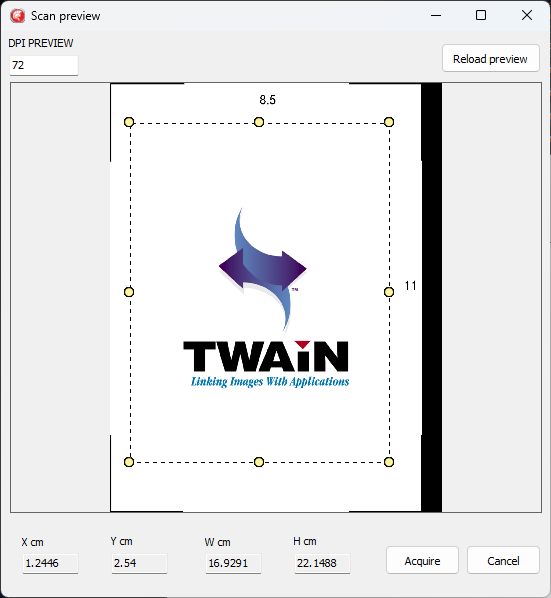
Download: www.imageen.com/files/otherdemos/ScanSelection.zip
Roberto Nicchi
Master Informatica
Italy
Reply author: spetric
Replied on: Feb 11 2016 15:46:50
Message:
Besides midpoint, I have implemented another algorithm (trigonometric/general ellipse), so you can switch
between those two algorithms in any time to see the difference.
With trigonometric/ general ellipse method, polyline is less jagged, because of floating point (double) calculation of output points. If there is an interest, I can upload the updated version.
Siniša
Reply author: spetric
Replied on: Feb 15 2016 08:13:27
Message:
I was experimenting with image energy and min-energy seams and this came out as a by-product. Original article: http://perso.crans.org/frenoy/matlab2012/seamcarving.pdf
Seam carving (content aware scaling).
original image: 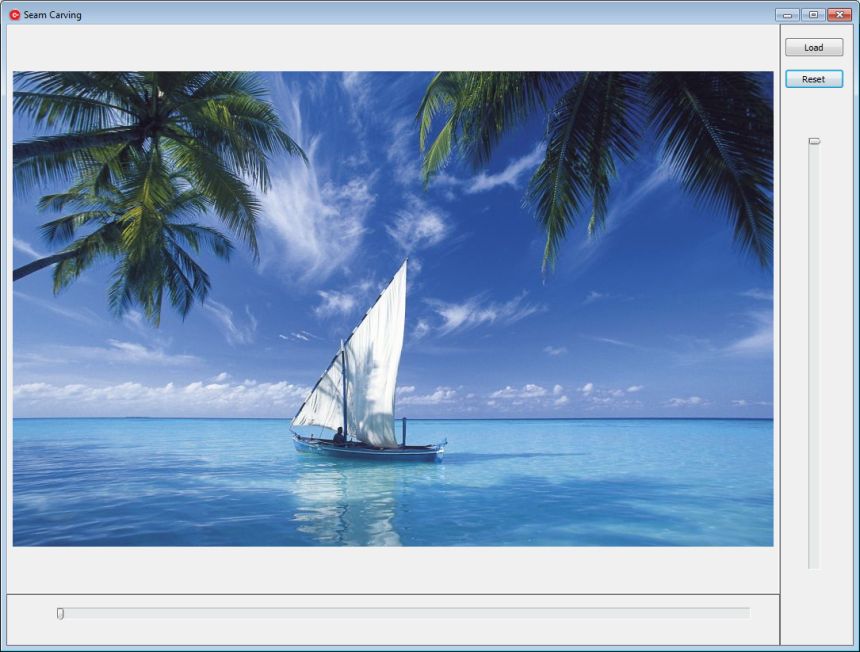
scaled (by x):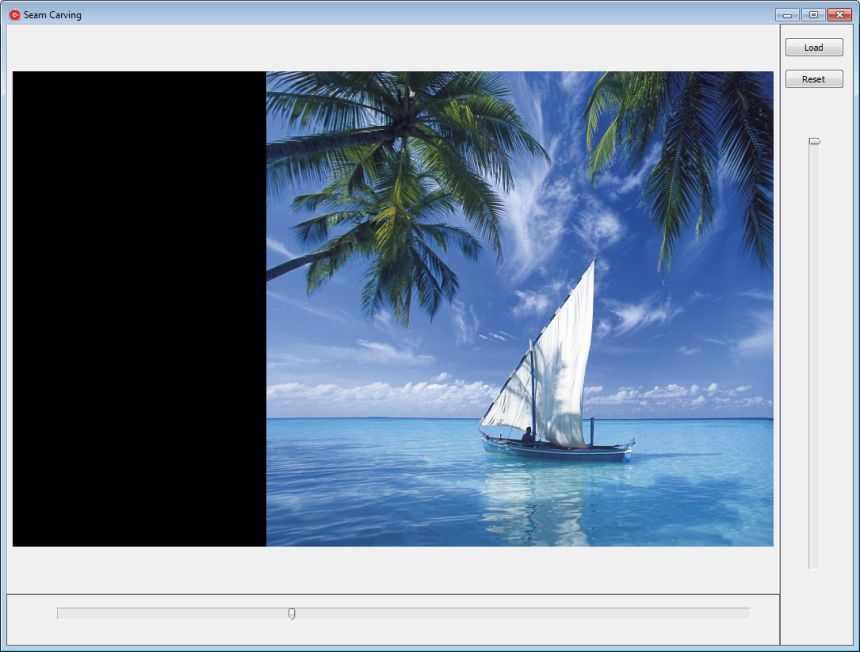
Exe and C++ source code:
attach/spetric/20162158835_seam_carving.zip
2992.39 KB
Note1: I put black pixels on image border after scaling, however, real stuff is to use alpha channel and fill with zeros.
Note2: seam carver class is threaded.
Note3: There is no backward scaling, because it requires rescaling from beginning, or saving seams into some undo buffer (index maps in article).
Note4: enlarging image is not implemented, (it actually should add seams and fill it with average pixel value left+right/2 in case of horizontal scaling).
Note5: There is no object protection, but it's not hard to implement:we can put a high energy value for pixels in selection mask.
Note6: To force object removal, we put negative energy values for pixels in selection mask.
Note7: To preprocess seams indexing, as suggested by article, we can use idle time in application, and start a thread immediately after image is loaded to create index maps.
Reply author: xequte
Replied on: Feb 15 2016 17:30:38
Message:
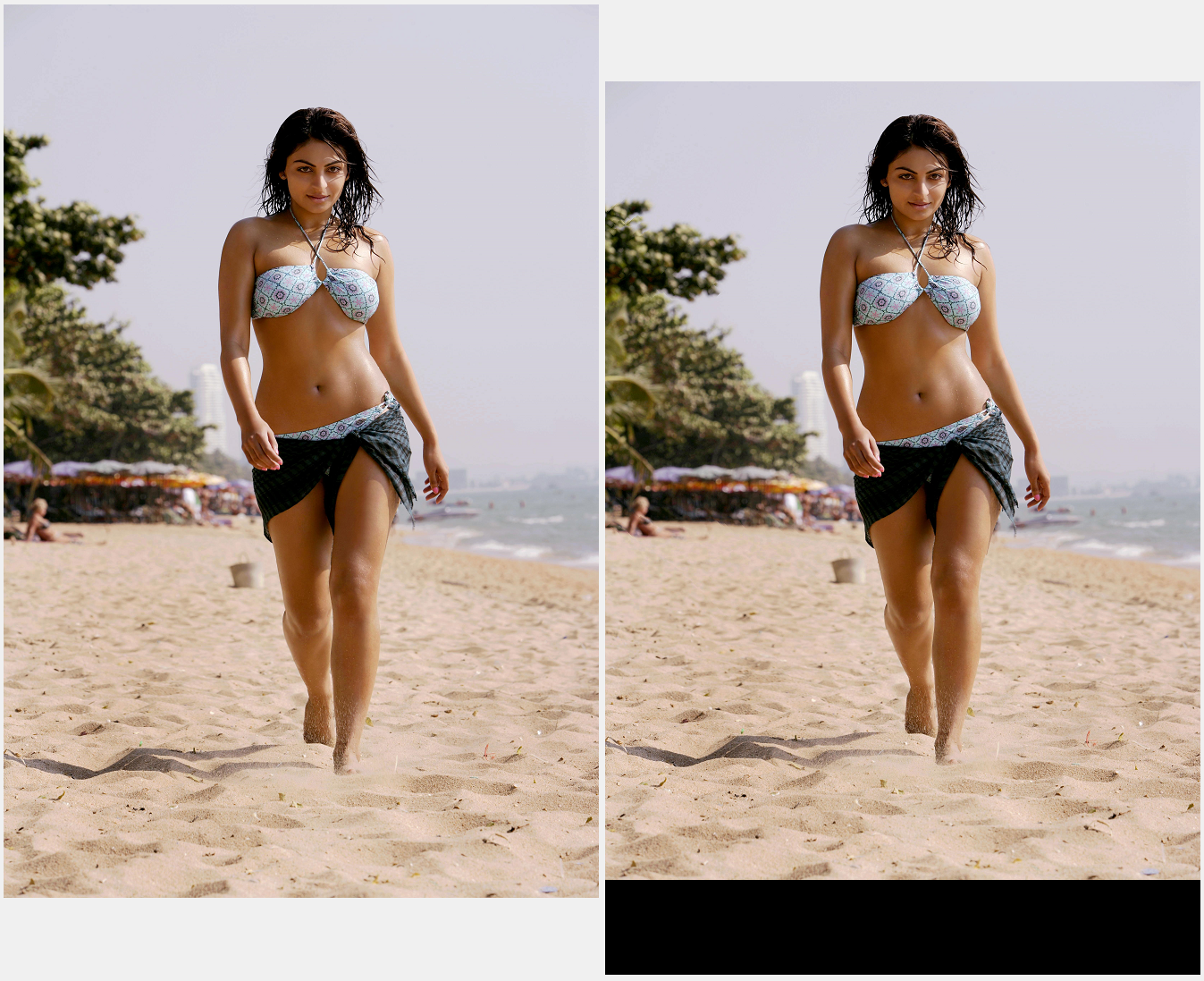
Wow, it's impressive how much the seam can be reduced without noticably affecting the subject.
Nigel
Xequte Software
www.xequte.com
nigel@xequte.com
Reply author: spetric
Replied on: Feb 17 2016 16:12:26
Message:
Yes, very cool algorithm, but a little bit slow.
There are some modifications that trades precision vs. speed.
Original algorithm removes seam by seam, but there are some implementations
that calculate all possible 0 connected min seams on original image
and then perform seam removal (this is also suggested in article's appendix).
I have modified prog. a bit (there were also some bugs in energy calculation) and created separate threads for horizontal and vertical seams calculation without removal. Threads are collecting seams and real removal (and restore) is much faster.
However, I have a problem when there is simultaneous horizontal and vertical resizing...I need to create a new map to resolve vertical/horizontal seams crossing. I'll also try an approach with 0 connected seams.
Reply author: w2m
Replied on: Mar 21 2016 10:41:50
Message:
TIEFileDragDrop To TImageEnMView Demo
by William Miller/Adirondack
Full Source
Compiled with Delphi Seattle, but is expected to compile with Delphi 2010 or higher.
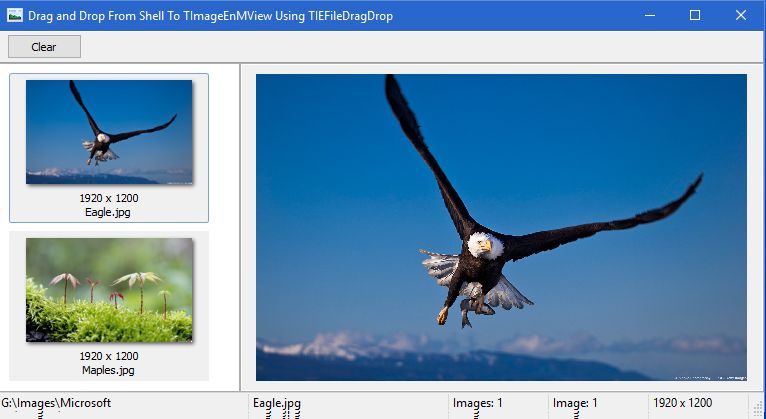
The TIEFileDragDrop To TImageEnMView Demo shows how to drag and drop images from the windows shell (File Explorer) to TImageEnMView.
TIEFileDragDrop is not documented for use with TImageEnMView so a brief overview is shown below:
Create a AFileDrop: TIEFileDragDrop; declaration.
AFileDrop: TIEFileDragDrop;
Create a TIEFileDragDrop class in FormCreate:
AFileDrop := TIEFileDragDrop.Create(ImageEnMView1, DropFiles);Create a Private declaration DropFiles method
procedure DropFiles(Sender: TObject; ssFiles: TStrings; dwEffect: Integer);Do not explicitly free the AFileDrop object so register a expected memory leak in FormCreate:
RegisterExpectedMemoryLeak(AFileDrop);Activate dropping in FormCreate:
AFileDrop.ActivateDropping := True;
Download: http://www.ImageEn.com/files/WMDemos/IEFileDragDropToMView.zip
3122.91 KB
Note: Some exception logging Delphi add on's like EurekaLog may show a memory leak even after registering the memory leak, but this is a false positive according to the developers of ImageEn:
"It is best to the let the application handle the freeing of TIEFileDragDrop. Of course then you will get a warning from your memory management tool so you need to register the expected leak (not that it is actually a leak. The object exists for the time of the application and is destroyed when the owner is destroyed).", Nigel Cross
Bill Miller
Adirondack Software & Graphics
Email: w2m@hughes.net
EBook: http://www.imageen.com/ebook/
Custom Commercial ImageEn Development
Reply author: w2m
Replied on: Mar 29 2016 12:06:13
Message:
Fast Brush Painting With IEBitmap Canvas And Alpha Channel Demo
by William Miller/Adirondack
Full Source
Compiled with Delphi Seattle, but is expected to compile with Delphi 2010 or higher.
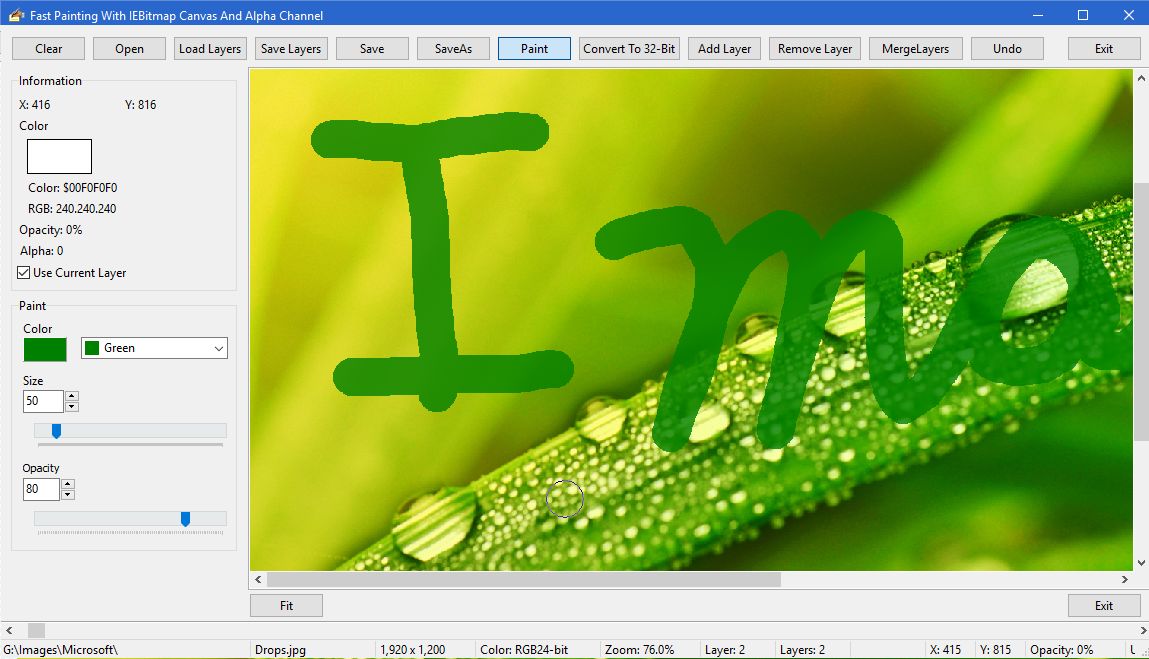
This demo shows how to do fast "brush" painting with IEBitmap, AlphaChannel and GDICanvas. The demo does not use a traditional "brush". Previous brush drawing demos using GDIPlus all exhibiit slow brush painting that produce intermittent gaps when painting because of the inherent slow speed of TIECanvas drawing speed. This technique has been optimized as much as possible and produces very fast drawing with a smooth continuous brush that can be used for things such as signing signatures on documents, filling information on forms or basic brush painting.
Download: http://www.ImageEn.com/files/WMDemos/PaintBrush.zip
3162.74 KB
Bill Miller
Adirondack Software & Graphics
Email: w2m@hughes.net
EBook: http://www.imageen.com/ebook/
Custom Commercial ImageEn Development
Reply author: spetric
Replied on: May 06 2016 07:55:59
Message:
Scale Invariant Feature Transform (C++ XE5)
Implementation is done using FastSift console application:
https://sourceforge.net/projects/libsift/
1. Load source (template) image.
2. Calculate source SIFT key features*.
3. Load target image.
4. Calculate target SIFT key features*.
5. Calculate source/target matching.
6. Adjust distance threshold.
* = if source/target key features are not calculated they will be calculated
in step 5.
Note: matching algorithm is little bit naive: O(n^2). Faster approach is to implement k-d tree algorithm: O(n*log(n)).
https://github.com/jtsiomb/kdtree
Figure 1: source image key features. Each circle radius depends on feature scale
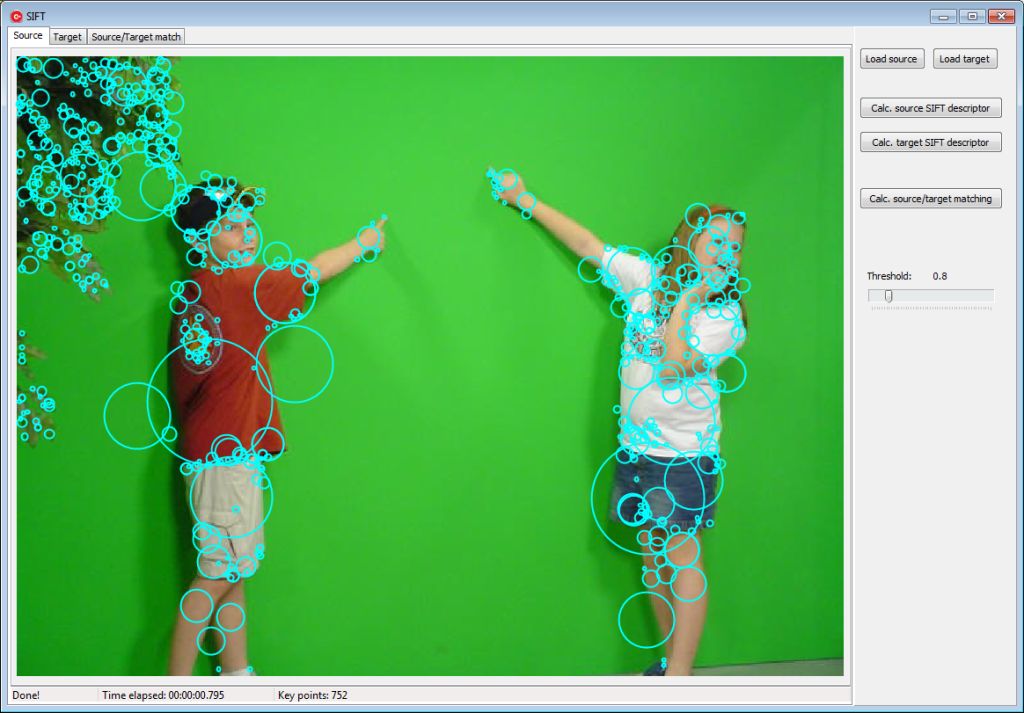
Figure 2: matching lines between source and target images with given threshold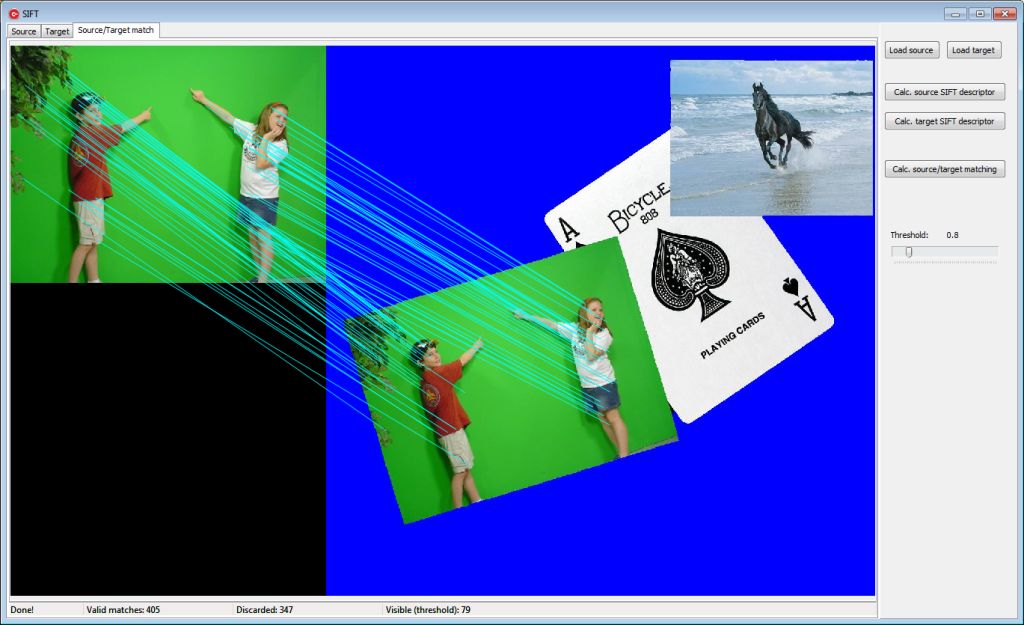
Binaries and source code:
attach/spetric/20165675412_ien_sift.zip
3062.74 KB
Note: any suggestions and prog. corrections are welcomed.
Thanks.
Edit: console program requires grayscale pgm image for calculation.
Program IenSift accepts 24-bit images, which are converted to grayscale and saved as pgm (source.pgm, target.pgm). IenSift invokes console program and
it calculates key features/descriptors and saves them in respectable .kds files. Files (.kds) are parsed and structure (record) is filled with key/descriptor data.
Reply author: xequte
Replied on: May 08 2016 14:21:35
Message:
Hi Spectric
I may be misunderstanding the process, but I couldn't get it to work with the attached...
attach/xequte/201658141845_16-250514202424.jpg
attach/xequte/201658141949_TEST_SRC2.jpg
Nigel
Xequte Software
www.xequte.com
nigel@xequte.com
Reply author: spetric
Replied on: May 09 2016 01:39:01
Message:
Hi Nigel,
Maybe it's a bug in demo program. On my side it works Ok.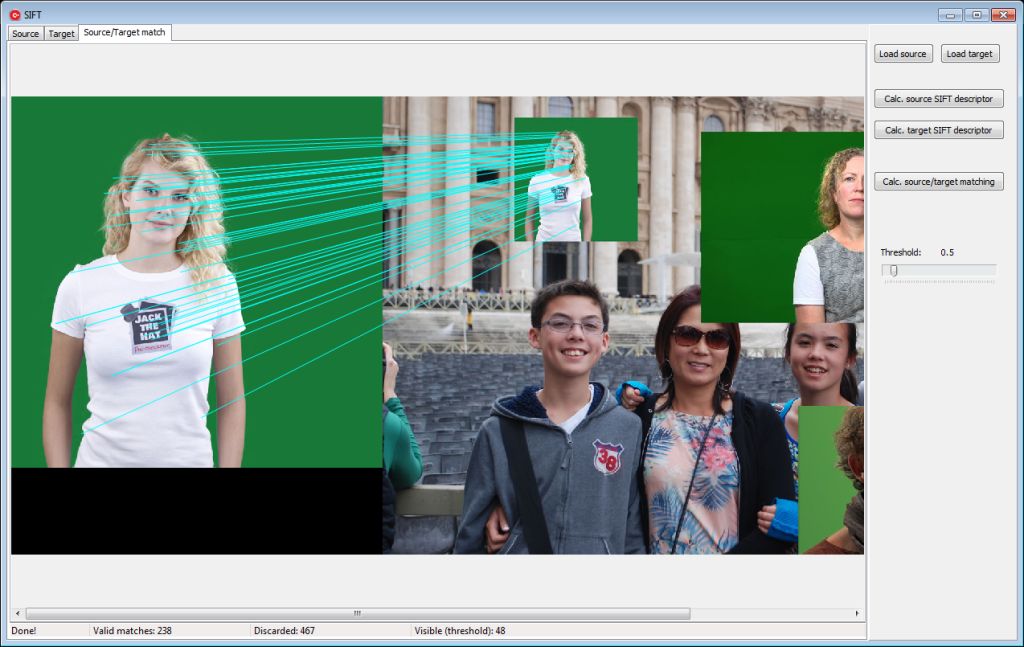
Here are steps for this test:
1. start IenSift.exe
2. Load source image
3. Load target image
4. Click button "Calc. source/target matching"
5. Adjust threshold slider to 0.5
If it does not work, the problem is probably in paths inside the prog.
I will test the demo in clean virtual Windows Xp/7 to see if it works correctly.
EDIT: Got it! It does not work on clean Win xp/7 machines:
Dependent Assembly Microsoft.VC80.OpenMP,processorArchitecture="x86",publicKeyToken="1fc8b3b9a1e18e3b",type="win32",version="8.0.50727.4053" could not be found.
Console app requires MS Visual C++ redistributable package. As I do have MSVC redistributable package on my PC it worked correctly. More precisely, it requires (VC80) Microsoft Visual C++ 2005 Service Pack 1 Redistributable Package.
In "fast sift" description clearly stands: "A cross-platform library that computes fast and accurate SIFT image features. libsiftfast provides Octave/Matlab scripts, a command line interface, and a python interface (siftfastpy). Optimized with SIMD instructions and OpenMP.
I thought that an author packed OpenMP APIs in siftfast.dll, but I was utterly wrong...what a pity. Too much dependencies.
Reply author: spetric
Replied on: May 09 2016 04:04:12
Message:
Hi Nigel,
I have put the answer to the problem in my previous post. The problem is in console application dependencies, which I overlooked.
When I tried it on clean Win xp and 7 installation, the number of detected key-points was 0, which led to console app., that led to MSVC redistributable package dependencies.
It seams that using ready-made console app was not a bright idea, although the app/library is highly optimized.
Edit: I've found a decent source code in plane ANSI C (w/o external dependencies). I'll try to implement it in XE5.
Reply author: w2m
Replied on: May 15 2016 13:33:35
Message:
Hi Roy,
Do you have a demo of the curves tool that will compile and run with Win64? It needs some changes to work with Win64.
I am using the demo posted at the ImageEn User demos.
Win32
Inc(integer(iRGBArray), SFill);
Win65
Inc(pByte(iRGBArray), SFill);
Plus other procedures need modifications or exceptions are produced.
Also please send me your latest email address.
Thanks,
Bill Miller
Adirondack Software & Graphics
Email: w2m@hughes.net
EBook: http://www.imageen.com/ebook/
Custom Commercial ImageEn Development
Reply author: klausdoege
Replied on: Sep 10 2016 02:51:31
Message:
Hello spetric,
for spetric/20165675412_ien_sift.zip,
is there a delphi source available ?
And for the 20162158835_seam_carving too ?
Regards
Klaus
Klaus
www.klausdoege.de
Reply author: xequte
Replied on: Sep 11 2016 05:49:58
Message:
Hi Klaus
I'm afraid Spetric only programs in C++
Nigel
Xequte Software
www.xequte.com
nigel@xequte.com
Reply author: klausdoege
Replied on: Sep 12 2016 13:00:12
Message:
Hello Nigel,
this is a pity, but in my age I will learn no more C++.
Klaus
www.klausdoege.de
Reply author: spetric
Replied on: Oct 07 2016 04:51:27
Message:
Hi Klaus,
Sorry for delayed answer (I was really busy last few months).
Regarding SIFT, I have managed to compile source code I found on IPOL journal and it works quite well.
It does not depend on any runtime libraries. I'll do some more testing and after that
I'll create a library (static and DLL) and upload it together with demo program.
So, it will be possible to use it from Delphi.
Reply author: spetric
Replied on: Oct 11 2016 16:41:19
Message:
Done!
Here is a DLL and demo application described in IPOL Journal:
http://www.ipol.im/pub/art/2012/mmm-oh/
Source code in C is freely available and I wrapped it up in DLL so it can be used from Delphi. All parameters are described in article on link above and all necessary structures and DLL entries are described in Orsa.h header that goes with this DLL.
Demo application and Orsa.dll do not require any obscure runtime libraries.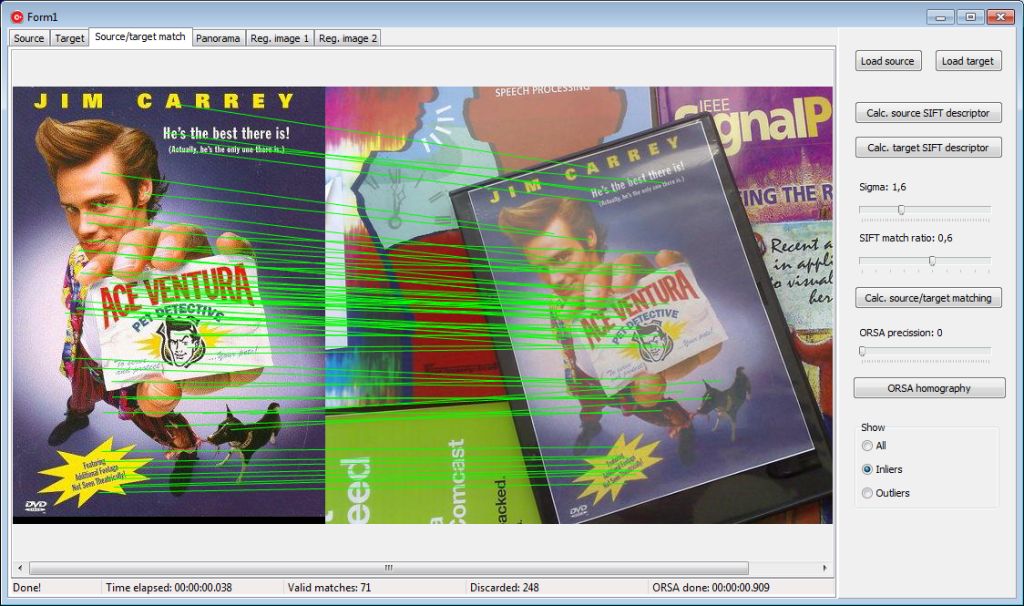
Usage: first load source (sample) and target (master) image.
Then you can click Calc. source SIFT descriptor, Calc. target SIFT descriptor and then click Calc. source/target matching or you can click immediately Calc. source/target matching and program will first calculate source and target descriptors and then calculate source/target matching.
After source/target matching is calculated, you can click Orsa homography to run RANSAC/ORSA homography estimation.
There are three output images: Panorama, Registered image 1 and Registered image 2 (same as in demo on IPOL jurnal pages). If two input images are of "panoramic" sort they will be stitched together in panorama output.
Here is demo application (with source code) and DLL (without source code, source code is really messy)
attach/spetric/2016101116368_orsa_distrib.zip
6062.58 KB
Known bugs: you can select background color to fill output images (panorama, reg1 and reg2), but method fill in template class does not work correctly, so use either clWhite or clBlack. It's some obscure template class and I need to carefully examine the code.
Note: Input bitmaps must be of type ie24RGB. Alpha channel is not supported, but I'll try to implement it in future.
Note: To call DLL from Delphi you only need to convert Orsa.h header file to Pascal. There are only structs (records) and DLL entry typedefs.
Have fun,
Siniša
Edit1: orsaIntersection structure in Orsa.h gives intersection box, i.e. a box that encloses a part where two images intersect. It's useful if you want to blend images reg1 and reg2 to avoid visible stitches. Intersection box coordinates are based on target image.
Note: Homography is now included in ImageEn+IEVision. See the demo:
\Demos\IEVision\ImageAlignment\ImageAlignment.dpr
Reply author: spetric
Replied on: Oct 13 2016 16:30:29
Message:
I've tried to call DLL from Delphi, but it crashes, because it's not possible to pass classes (TIEBitmap) across module boundaries, except if
it's linked with dynamic RTL/VCL. In C++ it works flawless.
So, I've modified a DLL and all entries are of the same type. Only arguments
passed are two structures. All images are passed as an array of byte pointers to TIEBitmap scanlines.
Although I'm very clumsy with Delphi, I've managed to make SIFT/ORSA work (hurrah).
Beside that, any reference to VCLs are removed from DLL and it's size shrank to 1.4MB.
So, here is again SIFT/ORSA DLL (2.0) with demo exe in C++ (with source code), but this time with demo program in Delphi (source code only). It can load image (24 bit) and calculate SIFT descriptors.
Orsa.h header file was converted to ORSA.PAS file using Dr.Bob's converter wizard and then adjusted by hand...now this was pain in the....
attach/spetric/2016101316245_orsa_20.zip
3596.59 KB
More experienced Delphi programmers can check Orsa.h vs ORSA.PAS and eventually finish Delphi project that I've started.
Have fun,
Siniša
Once again, output images (panorama, reg1 and reg2) are created the same way as in IPOL online demo. I don't like the way panorama, reg1 and reg2 are created:
output.width = max(source.width, target.width)
output.height = max(source.height, target.height)
and then all output images are translated according to center of the new image, but I didn't want to modify original program. If I decide to make some kind of image stitcher, I'll modify the way output images are created.
Reply author: xequte
Replied on: Oct 17 2016 17:16:36
Message:
Nice job, Sinisa. It works very effectively.
I'll be playing with it more once I get on top of the mountain of emails that accumulated during my holiday.
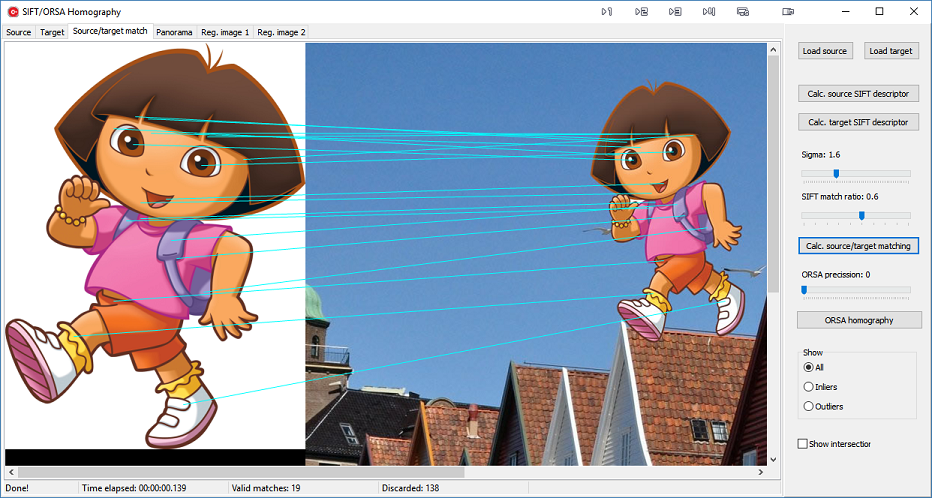
Note: Homography is now included in ImageEn+IEVision. See the demo:
\Demos\IEVision\ImageAlignment\ImageAlignment.dpr
Nigel
Xequte Software
www.xequte.com
nigel@xequte.com
Reply author: spetric
Replied on: Oct 26 2016 17:01:09
Message:
Hi Nigel,
There is a bug in DLL: inliners and outliners internal vector lists were not cleared, so when you load new src/target image inliners/outliners vectors data were cumulated (original code is console application, so there wasn't need for any clearing). Beside that I've added translate option (will the reg. images be translated to accommodate new "panorama" output or not). Translate option is added in structure/record (see orsa.pas).
Also, I've modified original image template so that color filling now works ok (I've set green color background in demo).
Here is the new DLL and demo prog. version:
attach/spetric/20161026165944_orsa_distrib.zip
3597.03 KB
Reply author: spetric
Replied on: Nov 16 2016 16:46:31
Message:
I'm rewriting my drawing engine (surface, geometry, drawing, filters, etc..) and here is a little "by product": a 2D Tessellation, including Voronoi diagram and Delaunay triangulation (including Gouraud shading). The source is in C++, but if there is substantial interest, I can pack complete engine (in it's present status) in DLL, so it can be called from Delphi.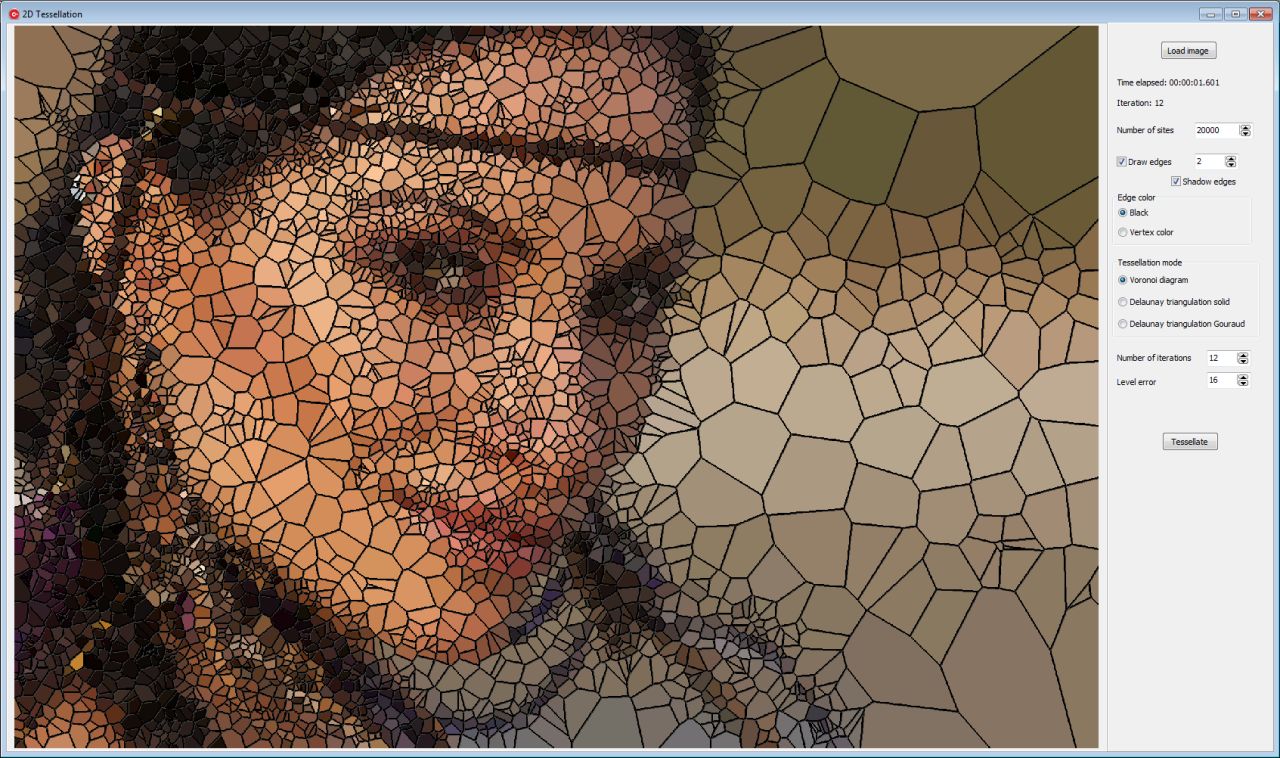
Here is demo and source code:
attach/spetric/20161116163042_voronoi_distrib.zip
3225.39 KB
Significant parameters:
Number of sites - number of sites in last iteration.
Number of iterations - number of sites are divided by two for each iteration. Tessellation is made from the first level (iteration with smallest number of sites) and goes upward (number of sites are now multiplied by two).
New sites are added and new tessellation is performed.
Level error - for each level (iteration) every new site candidate, i.e. color (luminance) from previously tessellated image at x,y is compared to original image color (luminance) at x,y. if abs(siteLum - origPixelLum) is higher then given error, site is added, otherwise it's discarded. In such a way, areas with similar color are not tessellated (see the figure above - areas on the right side of the image).
NOTE: high number of iterations with high number of sites tend to be very slow (10 seconds and above).
Have fun,
Siniša
Reply author: xequte
Replied on: Nov 17 2016 20:00:55
Message:
Hi Sinisa
Nice work. It gives some really cool effects. I did not notice any particular performance issues, even with large images.
Nigel
Xequte Software
www.xequte.com
nigel@xequte.com
Reply author: spetric
Replied on: Nov 18 2016 06:54:34
Message:
Hi Nigel,
Glad you like it. However, it's little cumbersome, because when tessellation is performed, routine returns both voronoi edges and Delaunay triples, so there is no need to run it again and again when mode is changed or edges color is changed.
So, I've changed the logic and added few extra parameters:
1. Number of sites (end): number of sites in last iteration.
2. Number of sites (start): number of sites in first iteration.
3. Custom color: edge color can be picked from ColorBox.
4. Redraw: a button that performs various styles of output (once tessellation is done).
Iterations are simplified: first iteration is started with given sites number (2.) and for each subsequent iteration, number of possible sites is incremented until final sites number is reached (1.).
Also, I have added a possibility to save the image and fixed some bugs (Gouraud shading).
Here is the new version:
attach/spetric/2016111865312_voronoi_distrib.zip
3136.23 KB
Reply author: klausdoege
Replied on: Dec 13 2016 11:43:20
Message:
Hi Spetric, this is a cool effect.
But how you now, i make all with delphi.
Is there a DLL available ?
regards
Klaus
Klaus
www.klausdoege.de
Reply author: spetric
Replied on: Dec 14 2016 06:35:24
Message:
Hi Klaus,
I hope that I'll finish the first version of DLL engine until the end of this week and make
a simple Delphi demo on how to use it.
Reply author: klausdoege
Replied on: Dec 16 2016 16:38:07
Message:
Hi Spetric,
fine, i would be happy
regards
Klaus
Klaus
www.klausdoege.de
Reply author: xequte
Replied on: Dec 22 2016 04:23:18
Message:
ImageEn Painter Demo
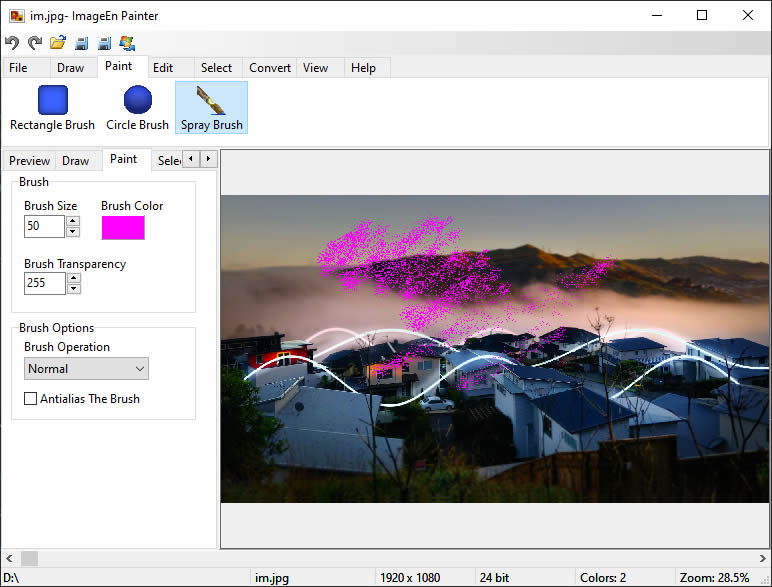
Full Source and Demo EXE: www.ImageEn.com/files/OtherDemos/ImageEnPainter.zip
Note: ImageEn now supports native painting. See the demo:
\Demos\ImageEditing\BrushTool\PaintBrush.dpr
William Miller
Adirondack Software & Graphics
Email: w2m@frontiernet.net
EBook: http://www.imageen.com/ebook/
Apprehend: http://www.frontiernet.net/~w2m/index.html
Custom ImageEn Development
Reply author: Fábio Nascimento
Replied on: Dec 22 2016 05:58:46
Message:
Thanks for the demo, Bill! Merry xmas and happy new year to you all!
Reply author: spetric
Replied on: Dec 22 2016 17:16:29
Message:
Oh well, I really put an effort to build so-so Delphi demo for my drawing engine.
Engine is written in C++ and it's quite fast and lightweight (1.4MB).
I did not build x64 version, but it's not a problem. However, I want to do some more testing and probably some more changes before X64 version.
Also, I need to write a manual on how to use the engine (lot of parameters).
I'll write it down if there is an interest, of course.
Currently only draw-rendering is supported and some options are not exposed in demo program. I'm not "per tu" with Delphi and this was a nightmare for me (volunteers needed). It's a new drawing engine for my prog. Pixopedia and this is a dll version of the engine (almost the same parameters). You can use brush bucket (multiple brushes: speSetBucketIndex function) but it's not implemented in current demo. Setting palette functions are exposed, but not available in demo (you can add them). Demo is built with Devexpress trackbars and color combos, but you can replace them with any others. Initial image is white canvas and right mouse click on the image pops-up available shapes (polyline, polygon and spline are not yet in dll).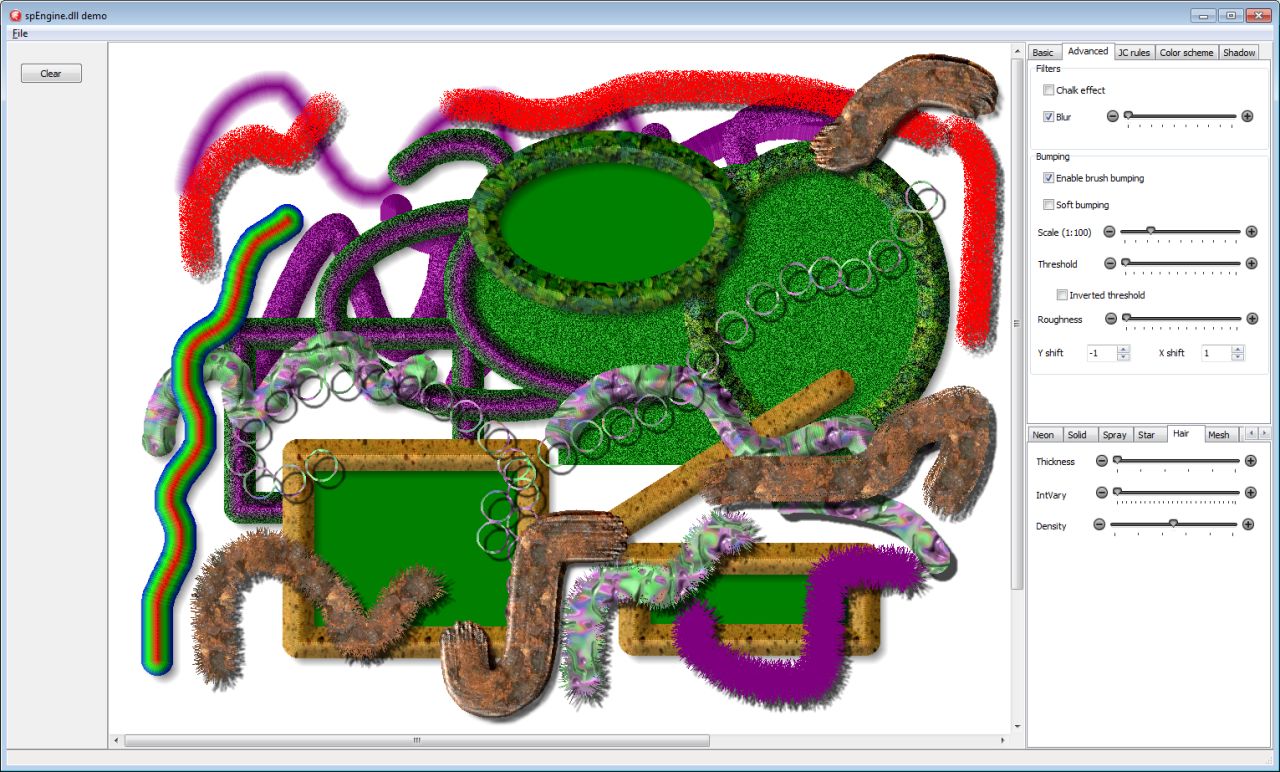
Here is dll, demo exe and demo source code:
attach/spetric/2016122217524_delphi_spe_demo.zip
6538.68 KB
Oh yes, I forgot. Currently engine's surface accepts only unfragmented TIEBitmpa(s): IEGlobalSettings().AutoFragmentBitmap := False;
It's not a problem to add a method that can accept fragmented bitmaps, but you'll have to pass an array of scanlines. Any image container that has scanlines or some kind of contiguous buffer with known stride can be passed to engine's surface.
@klaus
Sorry Klaus, I did not have time to put tessellation into engine.
I'm thinking of creating a new dll (it will depend on spEngine.dll) with various effects (tessellation will be the first one).
Reply author: yogiyang
Replied on: Dec 22 2016 23:28:24
Message:
Hello spetric,
Are there any possibilities to drawing Strokes around marquee selection with one command provided selection exist....?
TIA
Yogi Yang
Reply author: spetric
Replied on: Dec 23 2016 02:39:09
Message:
Hi Yogi,
I think you mean something like this: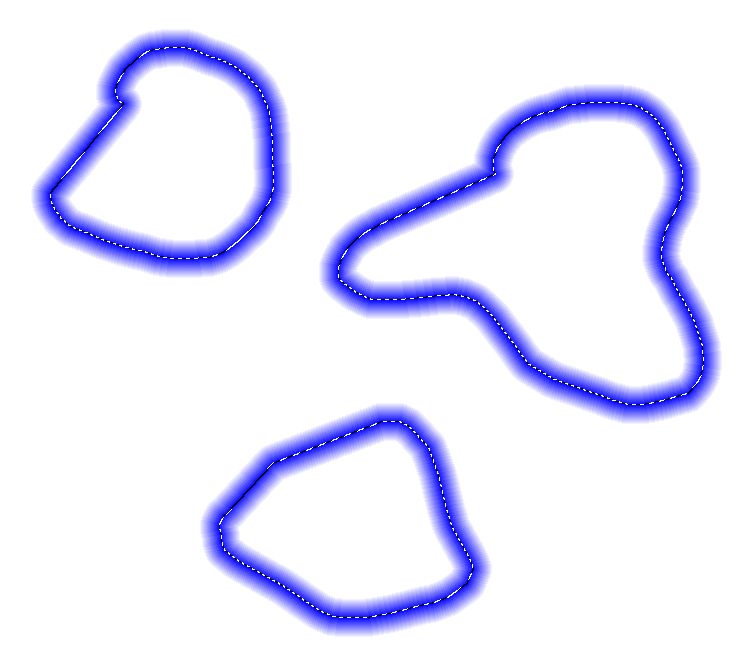
I have this option in Pixopedia and it can draw strokes around selection (actually it can draw strokes around multiple selections).
There is no difference between polyline/polygon drawing and selection drawing, as selection is polygon.
However, in this version of dll (let's call it 0.1) I did not implement polyline/polygon drawing (it's actually inside dll, but not exposed).
I will add it in next version (together with selection clipping).
Reply author: yogiyang
Replied on: Dec 23 2016 23:07:55
Message:
Hello spetric,
Yes! that is exactly what I am talking about.
TIA
Yogi Yang
Reply author: klausdoege
Replied on: Dec 27 2016 12:48:40
Message:
Hello Spektric,
Unfortunately, I can not test the demo, the TCX components are missing.
But it looks very promising.
Klaus
www.klausdoege.de
Reply author: spetric
Replied on: Jan 11 2017 16:09:53
Message:
I've built a new version of the spEngine (32 and 64-bit).
There are lot of changes and additional functions, such as drawing ellipse/rectangle/polyline/polygon programmatically.
All objects (including ellipse and rectangle) can be rotated by given angle.
I even wrote a manual (PDF), partially, because in the next version there will be some changes in structures, but not the parameters already in use.
To avoid usurping the space on ImageEn forum, you can download the library from my site:
http://www.sigmapi-design.com/archive/spEngine.zip
Library is free but donations are welcomed 
Reply author: w2m
Replied on: Jan 12 2017 14:28:35
Message:
I am studying the new spEngine demo. I find that nothing is drawn in OnMouseDown. I am using a solid brush. It seems like a single solid ellipse should be drawn in OnMouseDown, but it does not. Does your demo draw a single ellipse in the OnMouseDown event?
Bill Miller
Adirondack Software & Graphics
Email: w2m@hughes.net
EBook: http://www.imageen.com/ebook/
Custom Commercial ImageEn Development
Reply author: spetric
Replied on: Jan 12 2017 14:53:31
Message:
Hi Bill,
In demo program, in OnMouseDown event nothing is drawn, because both ellipse radius are 0:
PaintView.ObjLeft[_hobj] := X;
PaintView.ObjTop[_hobj] := Y;
PaintView.ObjWidth[_hobj] := 0;
PaintView.ObjHeight[_hobj] := 0;
OnMouseDown event is used to prepare ellipse for drawing and
temporary iekEllipse object is created.
In OnMouseMove event, you actually "stretch" the ellipse:
rect.left := MouseData.X_down;
rect.top  := MouseData.Y_down;
rect.right := MouseData.X_move_to;
rect.bottom := MouseData.Y_move_to;
rect.NormalizeRect;
PaintView.ObjLeft[_hobj] := rect.left;
PaintView.ObjTop[_hobj] := rect.top;
PaintView.ObjWidth[_hobj] := rect.Width;
PaintView.ObjHeight[_hobj] := rect.Height;
In OnMouseUp event iekEllipse object is removed and rendering is performed according to given parameters.
Reply author: w2m
Replied on: Jan 12 2017 14:58:35
Message:
I am using a solid brush, not an object.
Shouldn't this draw?
if AShapeType = px_shpFreeHand then
    speHandMouseDown(Shift, X, Y) <<==== Draw
Bill Miller
Adirondack Software & Graphics
Email: w2m@hughes.net
EBook: http://www.imageen.com/ebook/
Custom Commercial ImageEn Development
Reply author: spetric
Replied on: Jan 12 2017 15:38:29
Message:
Oh, I see...you are using "free hand" drawing, not en ellipse.
In OnMouseDown event, actually in speHandMouseDown(Shift, X, Y) API,
nothing is drawn, because internally "free hand" drawing calculates
points on the Bresenham's line and so I need two points
X_from,Y_from -> X_to, Y_to.
Furthermore, not all points on the line (X_from,Y_from, X_to, Y_to) are taken into the account, because it depends on the step set (default is 2).
Actual drawing with "free hand" option is performed in OnMouseMove event
(speHandMouseMove(Shift, X, Y) API).
BTW, clear button in demo program does not work correctly, I must correct this.
Reply author: w2m
Replied on: Jan 12 2017 15:40:31
Message:
ok, thanks... but to be useful in many cases I think OnMouseDown with "freehand" drawing should somehow draw.
Bill Miller
Adirondack Software & Graphics
Email: w2m@hughes.net
EBook: http://www.imageen.com/ebook/
Custom Commercial ImageEn Development
Reply author: spetric
Replied on: Jan 12 2017 16:02:27
Message:
Yes, you're right, it should draw a brush tip
at point (X,Y). I'll add an option for that in the next version,
something like DrawOnMouseDown := True/False; and then exclude
that point from line drawing in OnMouseMove event.
However, it will work only in slow rendering mode (because of filters).
While I was running demo program, I found a bug exactly in free hand drawing.
In on shape's MouseUp event it was written:
bool TGrapHand::MouseUp(TShiftState Shift, int X, int Y)
{
return TGrapBasic::MouseMove(Shift, X, Y);
// It should be MouseUp from the base class!!!
}
And that's the reason why clear button did not work correctly, actually free hand drawing in MouseUp event did not clear mask under the bounding rectangle.
I'll upload corrected dlls tomorrow.
Reply author: w2m
Replied on: Jan 12 2017 16:03:34
Message:
Thanks!
Bill Miller
Adirondack Software & Graphics
Email: w2m@hughes.net
EBook: http://www.imageen.com/ebook/
Custom Commercial ImageEn Development
Reply author: spetric
Replied on: Jan 12 2017 17:22:51
Message:
Done.
http://www.sigmapi-design.com/archive/spEngine.zip
If RenderParams.DrawTipOnMouseDown := True; (as in new demo version) brush tip is drawn in onMouseDown (for free hand shape). It will work for all rendering modes.
I used a dirty trick and internally created a line (x,y -> x+1,y) and rendered only the first pixel.
Bug in speHandMouseUp API corrected.
Reply author: spetric
Replied on: Jan 30 2017 18:22:38
Message:
I made a little dll (32-bit only) that can load and execute 8bf plug-ins: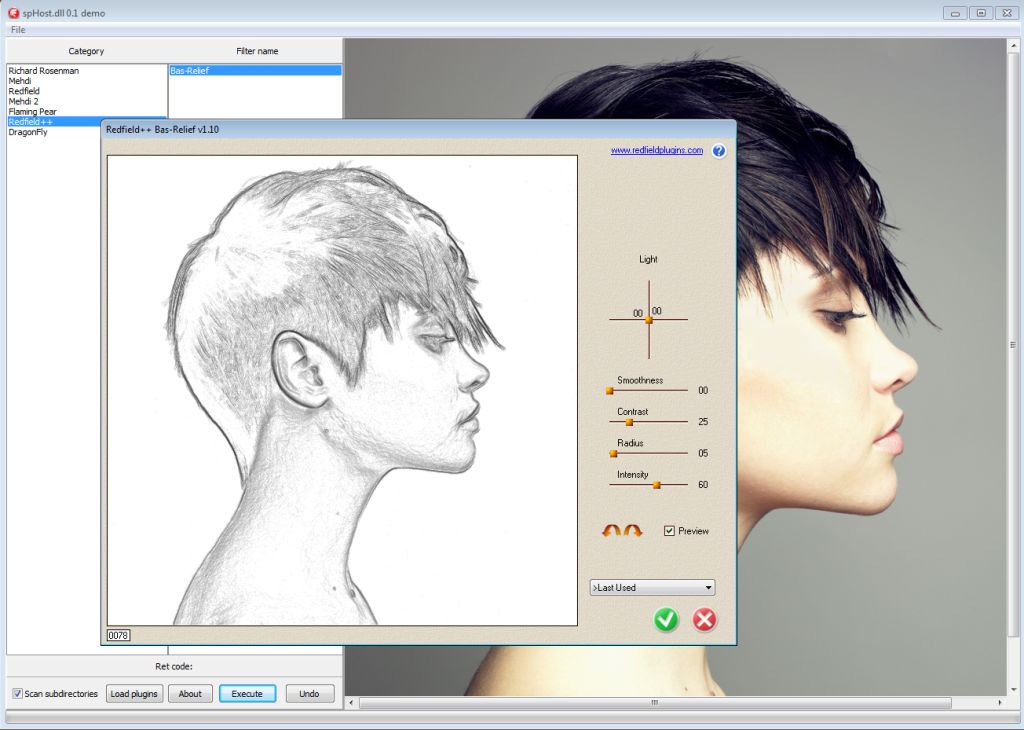
The same model as with drawing engine, but much simpler. Only ten functions
and one typedef. I even wrote a Delphi demo and unbelievable, it works...well, for most filters (some newer ones tend to crash badly).
Here is the zip file:
http://www.sigmapi-design.com/archive/spHost.zip
Have fun,
Siniša
Reply author: xequte
Replied on: Feb 01 2017 01:43:35
Message:
Hi Sinisa
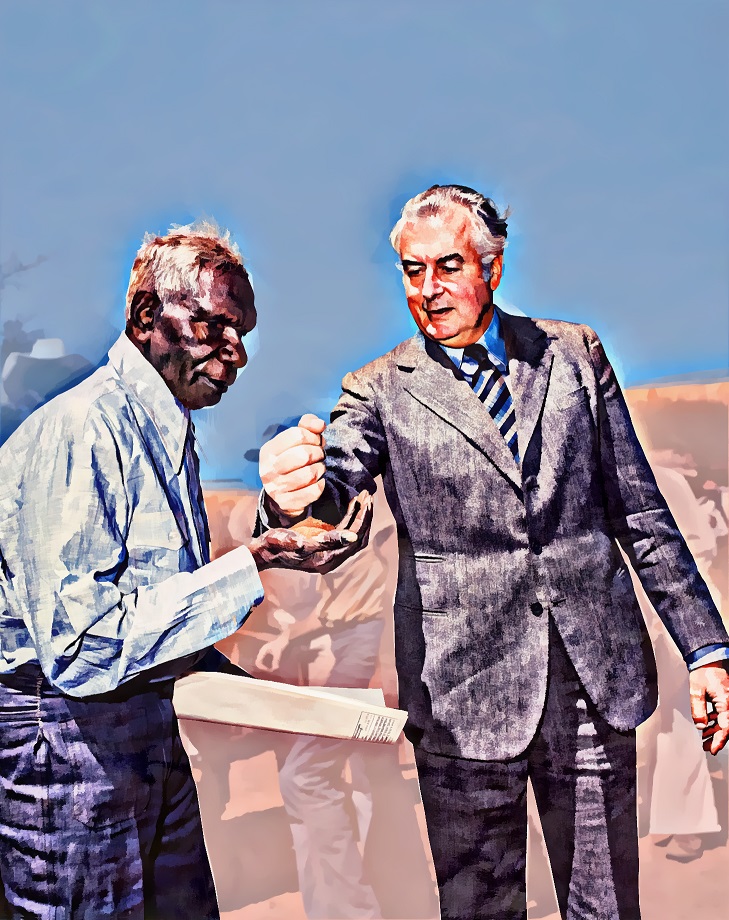
Thanks, it accesses some cool effects:
Nigel
Xequte Software
www.xequte.com
nigel@xequte.com
Reply author: w2m
Replied on: Mar 03 2017 14:57:12
Message:
[font=Arial]Scanning And Handling Multiframe TIFF Images
By Bill Miller Adirondack Software & Graphics
Full Source Demo Project
Compiled with Delphi 10 Seattle
This is a beta demo that handles scanning, processing and creating multiframe TIFF files.
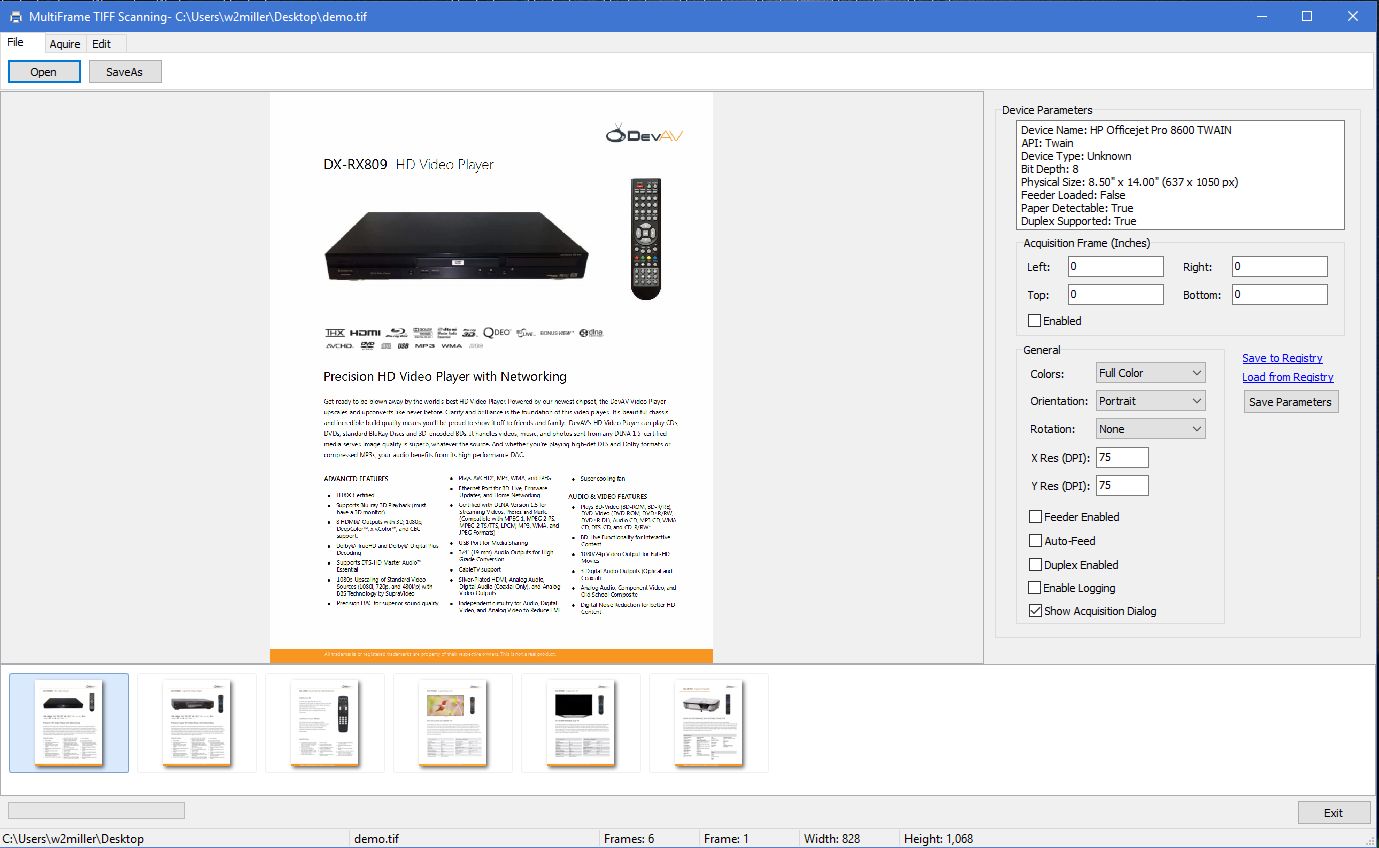
You may download it here:
http://www.ImageEn.com/files/WMDemos/ScanAndSaveTIFF.zip
3190.51 KB
Bill Miller
Adirondack Software & Graphics
Email: w2m@hughes.net
EBook: http://www.imageen.com/ebook/
Custom Commercial ImageEn Development
Reply author: xequte
Replied on: Mar 04 2017 19:52:43
Message:
Nice work, Bill. Lots of features!
Nigel
Xequte Software
www.xequte.com
nigel@xequte.com
Reply author: w2m
Replied on: Apr 20 2017 13:26:36
Message:
ImageEn 7.0 MultiFrame Editor Demo With Frames, Layers and Brush Paint With IEBitmap Canvas And Alpha Channel
By Bill Miller Adirondack Software & Graphics
Full Source Demo Project
Compiled with Delphi 10 Seattle
Requires Delphi Seattle or Higher
Requires ImageEn Version 7.0 or Higher
This project supports multiframes, ImageEn version 7.0 image, text and shape layers, brush, line, rectangle and round rectaangle painting with IEBitmap, AlphaChannel and GDICanvas, PDF images with optional support for the WPCubed PDF PlugIn, printing, scanning, deskew and crop, resample, resize, croptool, curves, filling IEColorPalette with custiom palettes, and VCL Themeing and Styles.
To support PDF images, obtain the WPCubed PDF PlugIn and uncomment the pdf code where indicated.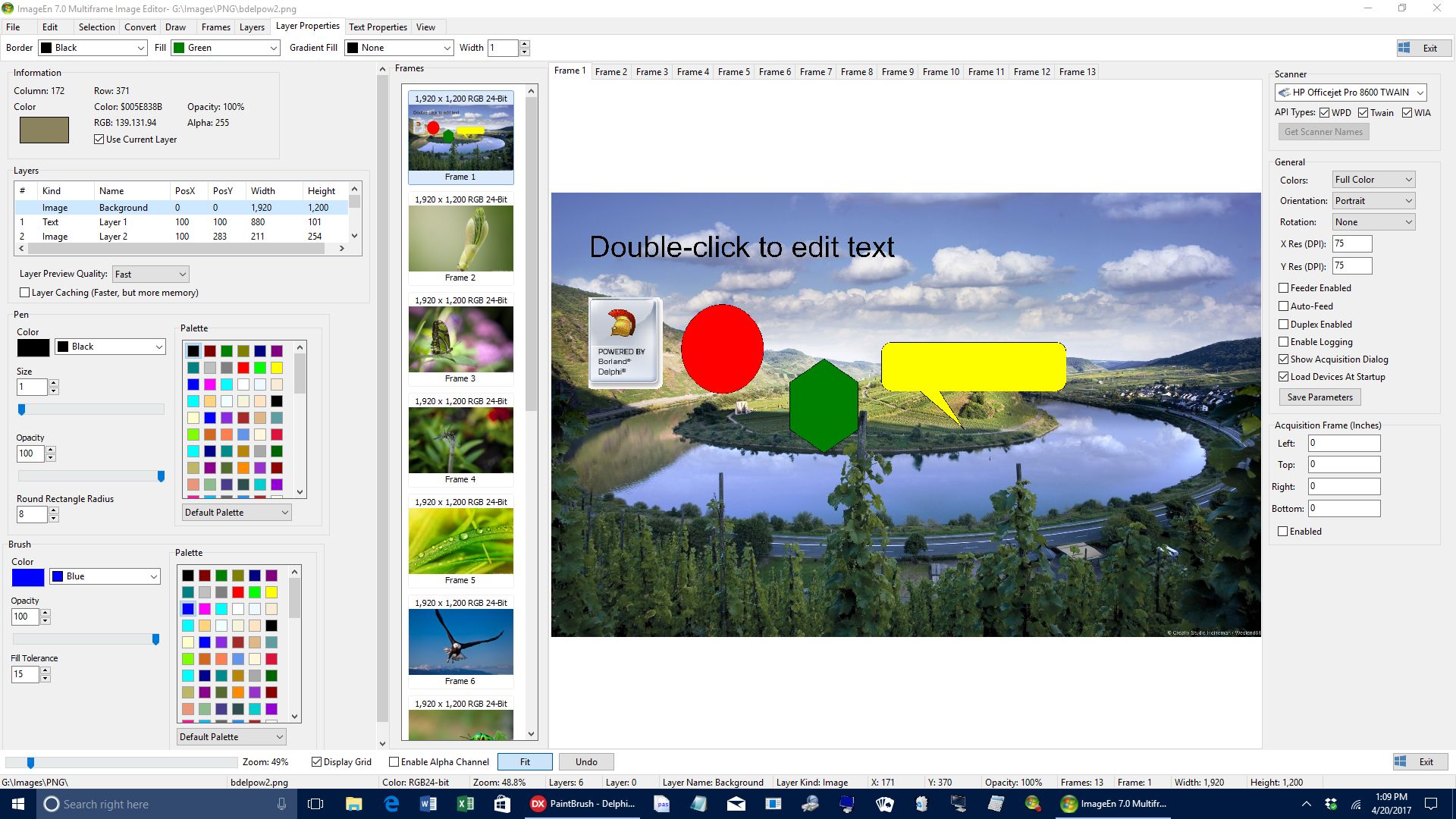
You may download it here:
http://www.ImageEn.com/files/WMDemos/ImageEnLayersPaintbrush.zip
3594.96 KB
Bill Miller
Adirondack Software & Graphics[/b]
Email: w2m@hughes.net
EBook: http://www.imageen.com/ebook/
Custom Commercial ImageEn Development
Reply author: w2m
Replied on: Apr 28 2017 08:33:44
Message:
ImageEn Version 7 Native File Formats With Image, Text, Shape, Polyline and Line Layers With Undo
Update 1
By Bill Miller Adirondack Software & Graphics
Full Source Demo Project
Compiled with Delphi 10 Seattle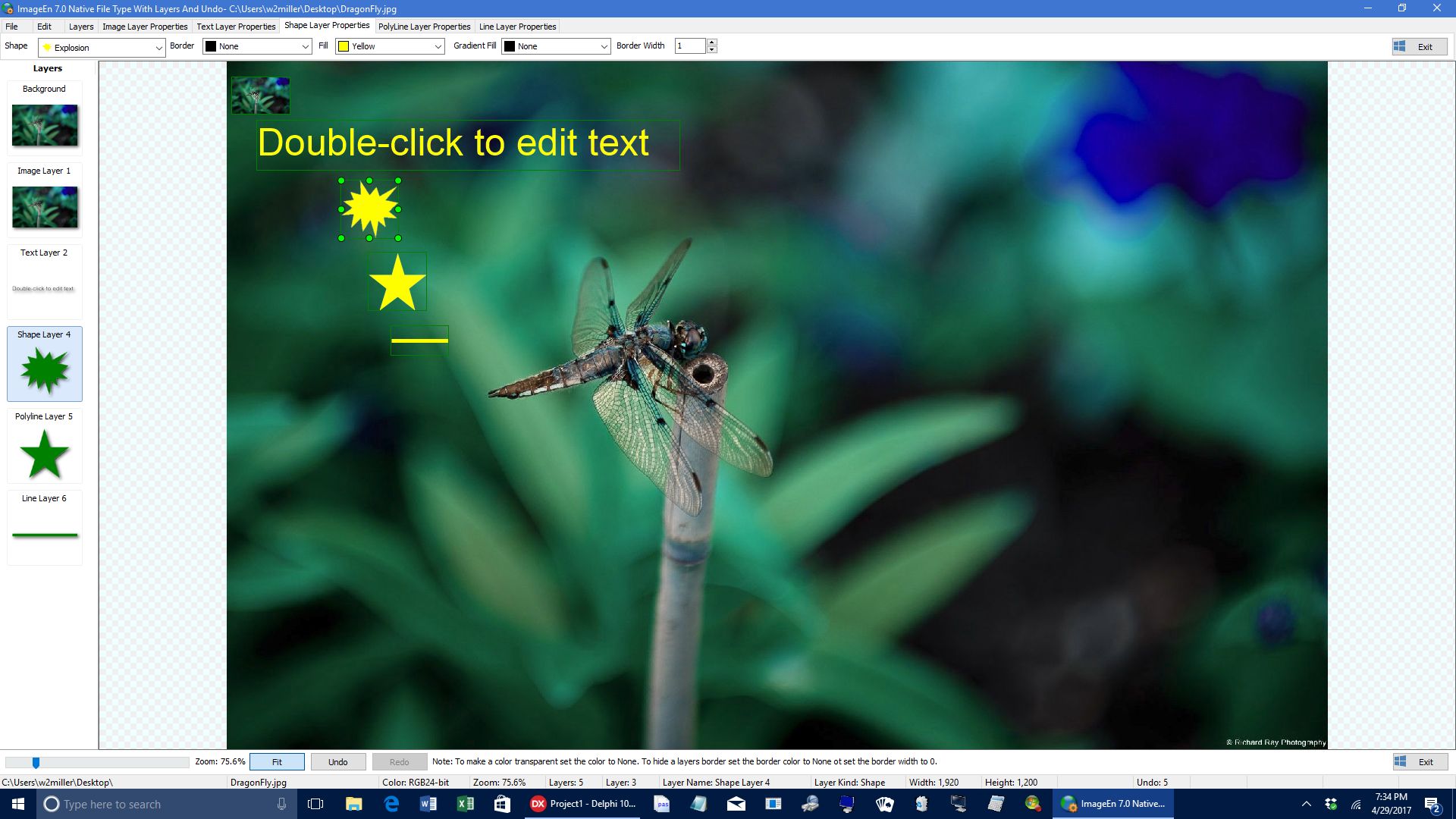
This demo is similar to the AllLayers Demo but adds Polyline custom Shapes and Loading and Saving to ImageEn Native file format (*ien) as well as Undo.
Standard image types such as JPEG and BMP, do not support layers, so to preserve layer information this demo supports the ImageEn Native Format (*.ien)
that loads and saves all layer information in the *.ien file.
Download Source and EXE:
http://www.ImageEn.com/files/WMDemos/ImageEnAllLayerTypes.zip
3359.45 KB
Bill Miller
Adirondack Software & Graphics
Email: w2m@hughes.net
EBook: http://www.imageen.com/ebook/
Custom Commercial ImageEn Development
Reply author: yogiyang
Replied on: Jun 16 2017 07:53:48
Message:
Thanks Bill for the code sample.
It is useful for me in many ways.
Yogi Yang
Reply author: DianaWelch
Replied on: Jun 16 2017 21:36:01
Message:
Yeah, it's really a big help. I didn't even realize that I can do that particular effect. Thumbs up for this!
Reply author: pierrotsc
Replied on: Feb 27 2018 15:27:32
Message:
@Spectric Thank you for the code to be able to load 8bf files. Really appreciate it. Will try to load some of my plugins to see on how they behave.
Best
Reply author: HeartWare
Replied on: Apr 26 2018 02:22:35
Message:
Colour Separation of 3D Anaglyph Images
Here's a small demo program on how to extract the individual images from a 3D Anaglyph image. Since there exists both Red/Green and Red/Blue versions of these, it extracts all three colour parts.
When starting up, you get the following screen: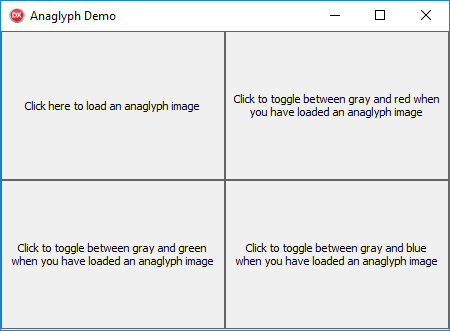
You can then click the upper left part and load an image, like this: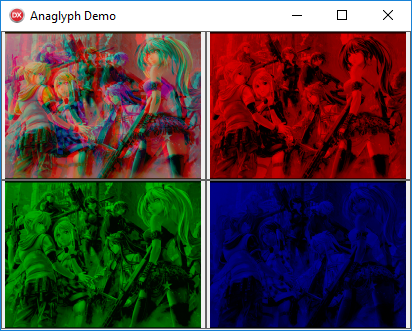
and if you then click on the Red/Green/Blue images, they will toggle between their primary colour and grayscale editions: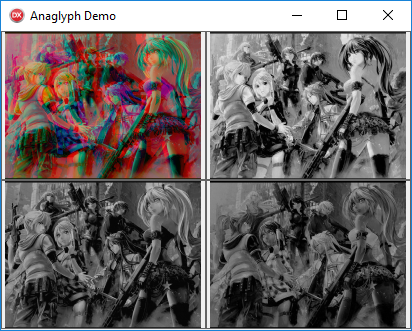
The full source of the demo can be downloaded here:
attach/HeartWare/201842621956_ColourSep.zip
55.81 KB
Compiled EXE of demo:
attach/xequte/2018426185833_ColourSep.zip
6422.32 KB
The image I used for this presentation can be downloaded here:
https://pre00.deviantart.net/64b5/th/pre/f/2017/198/6/b/image_relief_3d_anaglyph_rouge_bleu_by_fan2relief3d-d6n0na8.jpg
Reply author: xequte
Replied on: Apr 26 2018 19:10:50
Message:
Nice one, HeartWare. It works really well.
Nigel
Xequte Software
www.imageen.com
Reply author: w2m
Replied on: Jul 25 2018 11:14:36
Message:
ImageEn 8.0 MultiFrame Editor Demo With Frames, Layers and Brush Tools
By Bill Miller Adirondack Software & Graphics
Full Source Demo Project
Compiled with Delphi 10 Tokyo
This demo shows how to draw with new (version 8.0) brush tools, clone tools, crop tools and use of new image and text layers with undo, redo, resampling, resizing and converting bitdepths.
The demo also displays layer frames with multiframe images, screen captures, use of solid, gradient, spray, textured, center textured, textured spray, image and erase brushes along with showing how to use BrushTool.TransparencyMode.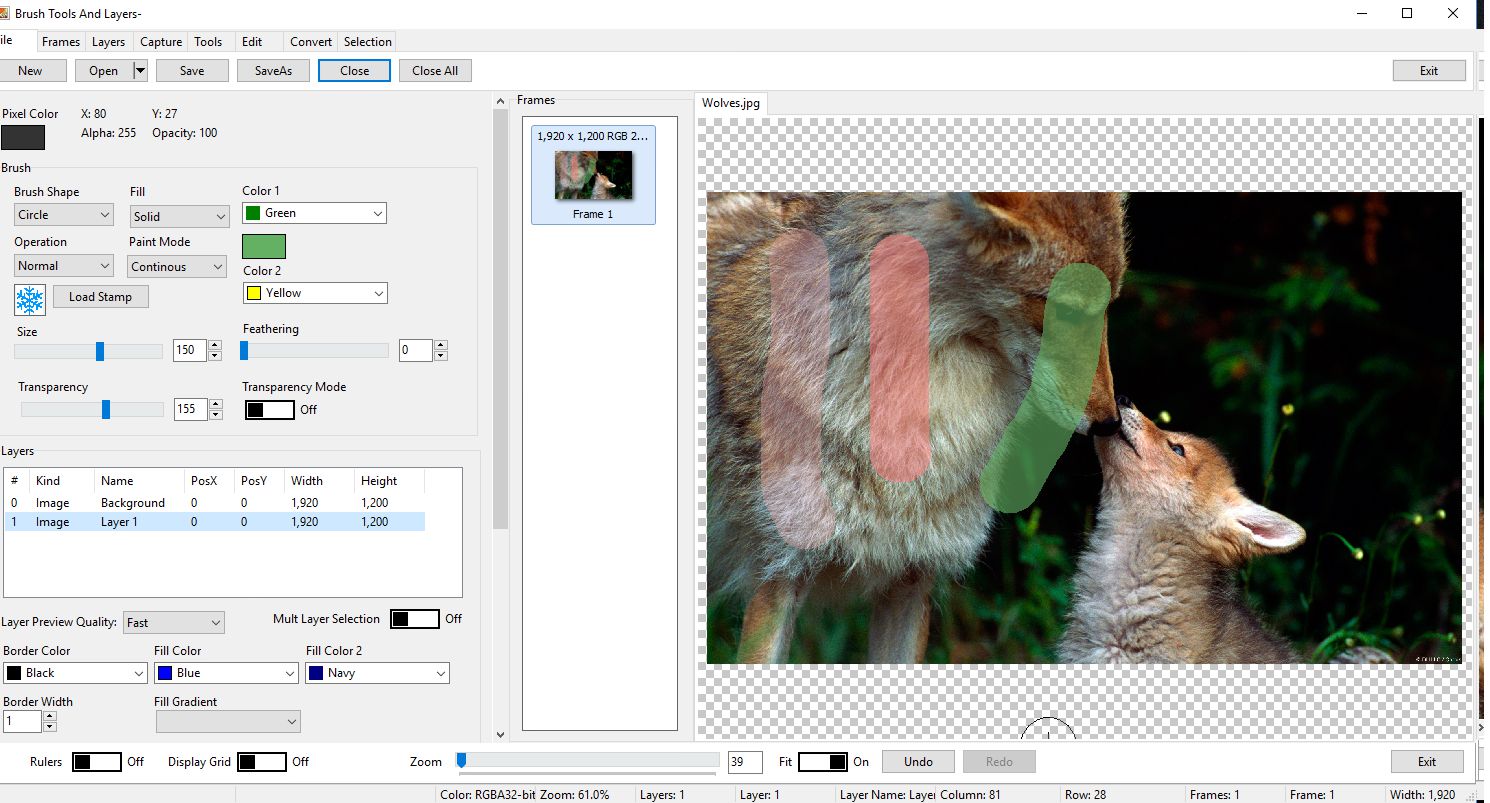
Download Link:
http://www.ImageEn.com/files/WMDemos/BrushTools.zip
3191.29 KB
Update 1: PalUtils.pas added to distribution. Eureka log defines removed from project. Performance improved by removing the call to DrawLayers in the OnMouseMove event.
Update 2 07/31/2918: Added missing dependent unit source files to distribution: RGBHSVUtils.pas, RGBHSLUtils.pas, RGBCIEUtils.pas, RGBCMYKUtils.pas, HTMLColors.pas. Work commenced on future update for Shape, Line and Polyline layer suppport.
Update 3 08/01/2018: Added missing Scanlines.pas unit.
This is a significant update. All layer types are now supported:
ielkImage TIEImageLayer Layer that contains an image
ielkShape TIEShapeLayer Layer that displays standard shapes (rectangles, ellipses, stars, etc)
ielkLine TIELineLayer Layer that displays a single line, optionally including a text label and start and ending arrows
ielkPolyline TIEPolylineLayer Layer that displays a polyline or polygon of multiple points
ielkText Layer that displays text
Update 4 08/10/2018: Added image processing and analysis functionality and Color Curves. Note the current version of iexColorCurve.pas will not function with 64-bit compile. The problem has been fixed so contact the developer if you need to use color curves with 64-bit.
Update 5 09/09/18 Final update- minor edits and some improvements.
Update 6 09/22/18 Added ImageEnLayerMView, ColorPicker and floodFill.
Update 7 10/05/18 Added Text of TImageEnLayerMView can be customized
Added BrushStep property for BrushTool Interaction
Update 8 12/05/18 Added mxs.inc used by palutils.pas.
Update 9 12/06/18 Corrected error in Open1Click procedure.
Bill Miller
Adirondack Software & Graphics
Email: w2m@hughes.net
EBook: http://www.imageen.com/ebook/
Custom Commercial ImageEn Development
Reply author: w2m
Replied on: Oct 20 2018 15:15:00
Message:
Raize DropMaster Demos
By Bill Miller Adirondack Software & Graphics
Full Source Demo Projects
Compiled with Delphi 10 Tokyo
Requires ImageEn And Raize DropMaster Components
Raize Graphic Source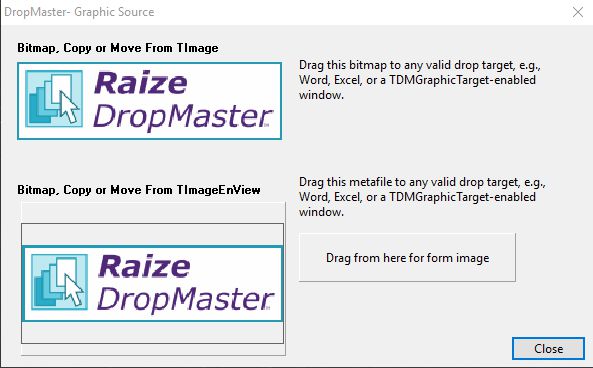
Raize Graphic Target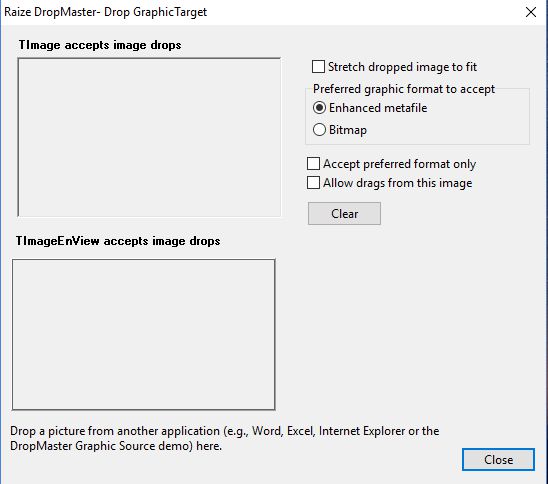
These demos show how to drag images from one application to another utilizing OLE drag and drop. VCL drag and drop does not allow drag drop between applications,
but OLE does. OLE drag and drop is usually implemented by delphi components. I know of three such components:
1. Melander DragAndDrop component- Open source http://melander.dk/delphi/dragdrop/
2. Raize Software DropMaster components- $99 https://raize.com/dropmaster/
3. LMD NG Drag&DropPack- $75 https://lmdinnovative.com/shopping
I recommend the Raize Software DropMaster component because it is easy to use,
works well with ImageEn and requires little source code to implement.
DropMaster is a set of components for adding inter-application drag-and-drop
support to Delphi and C++Builder applications for Microsoft Windows.
DropMaster supports dragging and dropping text-based data, graphics, and
custom formats. DropMaster comes with a collection of more than 40 sample
apps, which represent the results of extensive research into the drag and
drop behavior of many popular commercial applications.
I have used the Melander DragAndDrop component in older versions of Delphi but is several years old now and unfortunately, I have not been able to get it to compile in Delphi Tokyo.
These demos consist of two applications:
1. DropMaster Graphic Source Demo
2. DropMaster Graphic Target Demo
The Graphic Source Demo allows dragging an image from TImage and TImageEnView to OLE enabled drag and drop applications such as Microsoft Word, Microsoft Edge and the DropMaster Graphic Target Demo.
Download Link:
Graphic Source: attach/w2m/20181020152349_Source.zip
155.64 KB
Graphic Target: attach/w2m/20181020152422_Target.zip
143.88 KB
Graphic Source and EXE with source: attach/w2m/201810229055_DropMasterSource.zip
3067.08 KB
Graphic Target and EXE with source: attach/w2m/201810229255_DropMasterTarget.zip
3146.17 KB
Bill Miller
Adirondack Software & Graphics
Email: w2m@hughes.net
EBook: http://www.imageen.com/ebook/
Custom Commercial ImageEn Development
Reply author: w2m
Replied on: Oct 21 2018 15:31:50
Message:
LMD NG DragAndDrop Demos
By Bill Miller Adirondack Software & Graphics
Full Source Demo Projects
Compiled with Delphi 10 Tokyo
Requires ImageEn
LMD NG Drag&Drop is a part of Next Generation (NG) package suite. All these packages are based on new IDE and language features of latest Delphi IDE versions. NG Drag&Drop provides the ability to exchange data with other applications via standard Windows OLE drag&drop protocol.
These demos show how to drag images from one application to another utilizing OLE drag and drop. VCL drag and drop does not allow drag drop between applications, but OLE does. OLE drag and drop is usually implemented by delphi components. These demos utilize the LMD NG DragAndDrop components.
LMD NG Drag&DropPack- $75 https://lmdinnovative.com/shopping
LMD NG Drag&DropPack Trial- https://lmdinnovative.com/products/vcl/ngdragdrop/
LMD NG DragAndDrop
These demos consist of two applications:
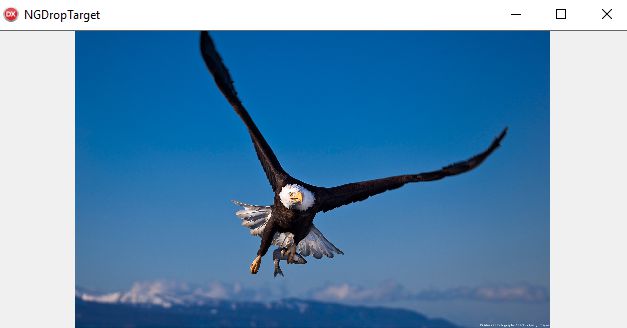
NGDropTarget Demo which uses TNGDropSource to configure dragging data and initiate drag&drop operation (source side).
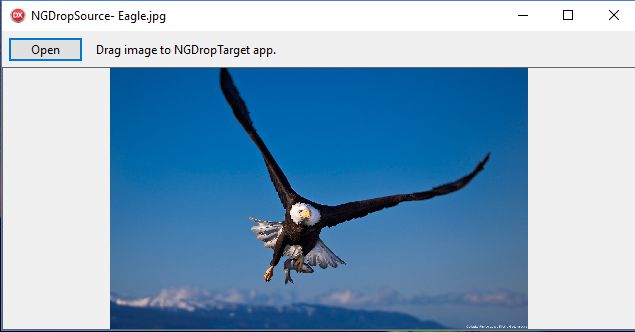
NGDropSource Demo which uses TNGDropTarget to receive dragging data by registering some application's control as a drop target and providing related events like OnDragEnter, OnDragOver, OnDragLeave, OnDrop; and a single OnDragAction event, which can be used instead of all previously mentioned events to simplify code.
Download Links:
NGDropSourceDemo: attach/w2m/20181022992_NGSource.zip
828.57 KB
NGDropTargetDemo: https://www.dropbox.com/s/7ac00l24gkufuzr/NGDestination.zip?dl=0
Bill Miller
Adirondack Software & Graphics
Email: w2m@hughes.net
EBook: http://www.imageen.com/ebook/
Custom Commercial ImageEn Development
Reply author: yogiyang
Replied on: Oct 26 2018 03:33:28
Message:
Hello Siniša,
Are you planning to build and release x64 version of spHost?
Regards,
Yogi Yang
Reply author: spetric
Replied on: Nov 07 2018 14:36:54
Message:
Hi yogi,
I don't know if old Adobe SDK I have is suitable for 64-bit version,
but I can try to build 64-bit version. Somehow I doubt it will work.
Reply author: dumbow
Replied on: Jan 07 2019 09:12:28
Message:
Hi wesleybobato, Can you kindly share your GPU Chromekey project?
Thank you very much.
Image Delphier
Reply author: w2m
Replied on: Feb 27 2019 14:02:26
Message:
ImageEn 8.3 WindowsGetExplorerThumbnail Demo
By Bill Miller Adirondack Software & Graphics
Full Source Demo Project
Compiled with Delphi 10 Tokyo
This demo shows how to use the WindowsGetExplorerThumbnail function to get videos thumbnails and also SVG images as a raster images.
A Google Windows Explorer extension to preview SVG files with fast speed and good quality must be installed:
https://code.google.com/archive/p/svg-explorer-extension/downloads
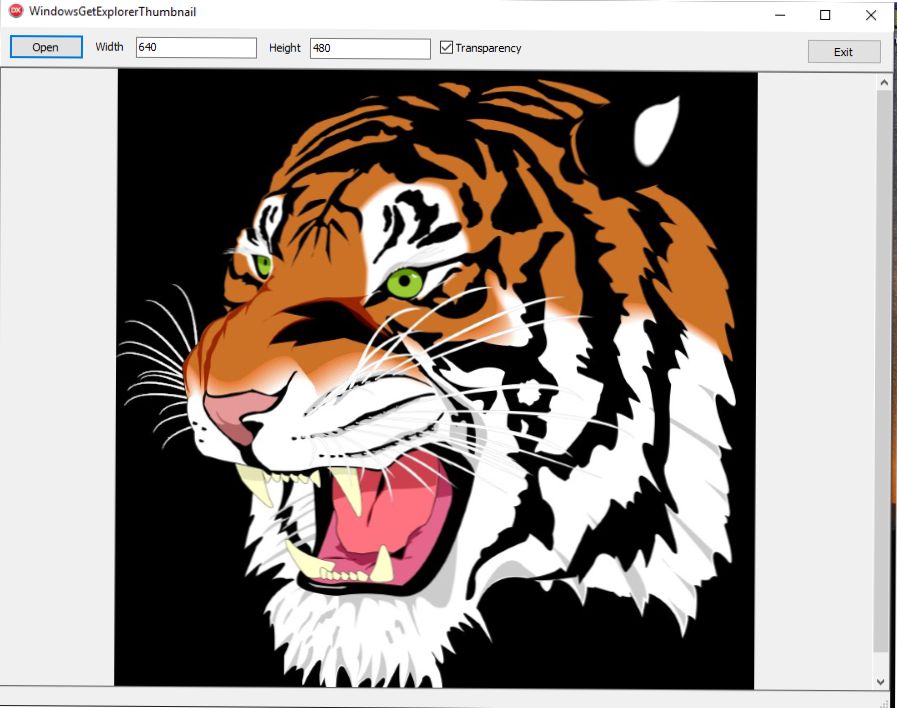
A link to an excellent article that describes the difference between vector images and raster (Bitmap) Images:
https://ryanboltondesign.com/difference-vector-images-raster-bitmap/
Thumbnails may be opened in various dimensions specified by the Width and Height parameters of the WindowsGetExplorerThumbnail function.WindowsGetExplorerThumbnailndowsGetExplorerThumbnal
WindowsGetExplorerThumbnail
Declaration
function (const Filename : string; Bitmap : TBitmap; iWidth : Integer = 120; iHeight : Integer = 120; bWantTransparency: Boolean = False) : Boolean; overload;
Function (const Filename : string; IEBitmap : TIEBitmap; iWidth : Integer = 120; iHeight : Integer = 120; bWantTransparency: Boolean = False) : Boolean; overload;
Description
Returns the thumbnail from Windows Explorer for the specified file, which can be an image or a video file.
Result is false if no thumbnail is available for the file.
Download: http://www.ImageEn.com/files/WMDemos/WindowsGetExplorerThumbnail.zip
7259.67 KB
Bill Miller
Adirondack Software & Graphics
Email: w2m@hughes.net
EBook: http://www.imageen.com/ebook/
Custom Commercial ImageEn Development
Reply author: spetric
Replied on: Mar 06 2019 03:54:33
Message:
Lips - Lua Image Processing System
The core of the system are two DLLs: lipsEngine.dll and ocvWrapper.dll.
The first one deals with LuaJIT engine, the second one is a wrapper for a limited set of OpenCV 4.0 filters and image processing routines.
The architecture is very simple:
Host application (C++/Delphi) -> lipsEngine.dll -> ocvWrapper.dll.
Note for Delphi users:
To use Lua engine you need to convert lipsEngineDLL.h and lipsGlobals.h to respective pas files.
If you want to use ocvWrapper.dll directly from Delphi, you need to convert ocvWrapper.h and ocvGlobals.h to respective pas files.
Few host application screenshots: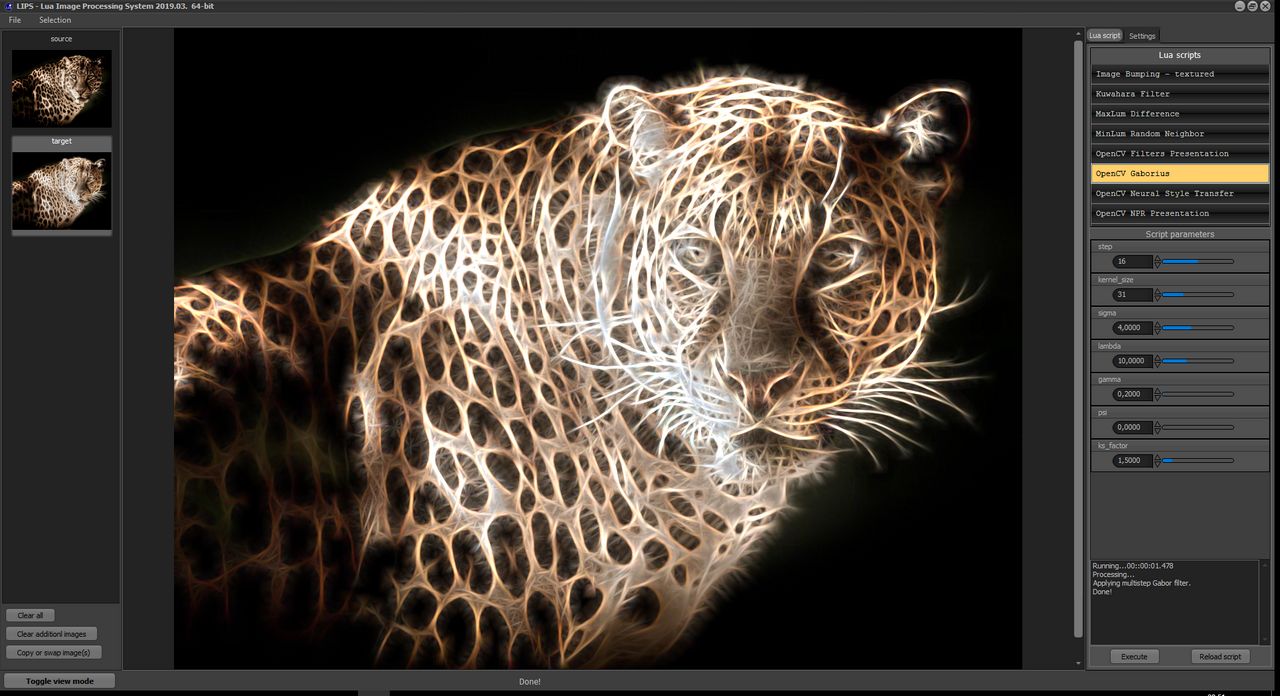
OpenCV Gaborius filter (Fractalius-like effect)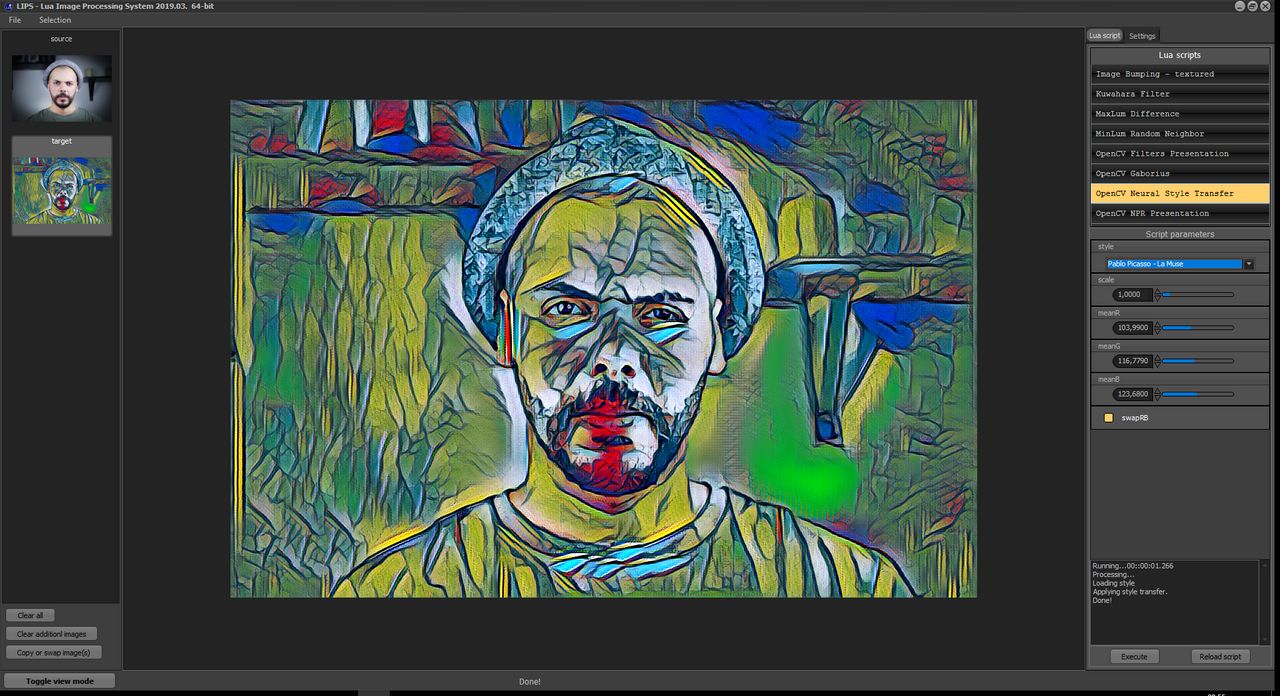
OpenCV Neural Style Transfer (Pablo Picasso - La Muse)
Complete source code and prebuilt binaries on
https://github.com/spetric/Lips
Reply author: xequte
Replied on: Mar 12 2019 23:22:28
Message:
Nice one, Spetric. It gives access to some very cool effects.
Nigel
Xequte Software
www.imageen.com
Reply author: xequte
Replied on: Jul 01 2019 18:09:02
Message:
Anonymize Number Plates
by Xequte Software
EXE and Full Source
Delphi 6 or higher.
Uses IEVision:
https://www.imageen.com/help/TIEVisionObjectsFinder.html
And the Pixelize method:
https://www.imageen.com/help/TImageEnProc.Pixelize.html
To blur number plates in an image. Works best with Russian number plates.
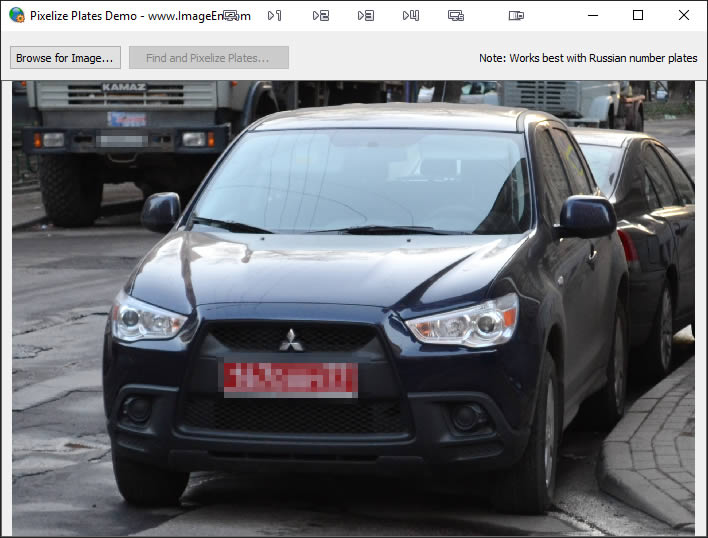
Download: www.ImageEn.com/files/OtherDemos/PixelizePlate.zip
11.9 MB
Nigel
Xequte Software
www.imageen.com
Reply author: siavash82ir
Replied on: Jul 14 2019 06:35:17
Message:
Thanks Spetric!
Reply author: faaramin
Replied on: Jul 27 2019 12:21:11
Message:
Hi Roy
That's a really cool demo. It was really useful.
I had a look at some of the other demos too at rmklever.com. Nice work.
Reply author: jrpcguru
Replied on: Jan 30 2020 18:38:28
Message:
This is a demo of TIERichEdit. I just modified the provided demo to include some useful features. The .EXE was compiled with 10.3.
Free.
Be sure to update C:\ProgramData\ImageEn\Source\ie.inc and update to make sure it is in your library path.
ie.inc now look like this:
// Support for Find and Replace dialogs in TIERichEdit (8KB)
{$define RichEditFindAndReplace}
// Support for popup toolbar for TIERichEdit and TIETextLayer (trims about 5KB)
{$define RichEditPopUpToolbar}
There are additional options for using TIERichEdit that are not needed by the demo.
I did not succeed in using the internal Find/Replace for TIERichEdit. But those are based on TFindDialog and TReplaceDialog so I just used those dialogs. I have attached the modified demo program, in hopes that someone else will benefit from a decent starting point. It includes the source code and is free to all.
In the demo I added a menu bar with a set of options for Find, Next, Previous, and Replace. I've never seen code for searching backwards in a TRichEdit, but TIERichEdit supports this both with the backwards search option in TFindDialog and with the code I've provided in the Previous menu option.
I felt it was worth using TIERichEdit because I liked the URL launching, backwards searching, popup toolbar and image pasting. There are other possible areas to benefit but my current project doesn't require them - yet. That includes the ability to import DOCX and PDF files. I did add error traps for those features using the CanImportExport function.
2/5/2020
I found a bug in the code for finding Previous in the FindDialog1Find and the Previous menu option: FindPrevious. In both cases the section of code for backwards searching should be changed to:
begin //backwards searching
mySearchTypes := mySearchTypes + [stBackward];
StartPos := imin(SelStart, SelStart + SelLength) -1;
ToEnd := StartPos + 1;
end;
attach/jrpcguru/2020130183529_RichEdit.zip
2926.96 KB
J.R.
Reply author: rmklever
Replied on: Mar 30 2020 17:50:16
Message:
Here is a demo of one way of doing threaded fx in ImageEn
Source code and Exe included :)
Have fun!
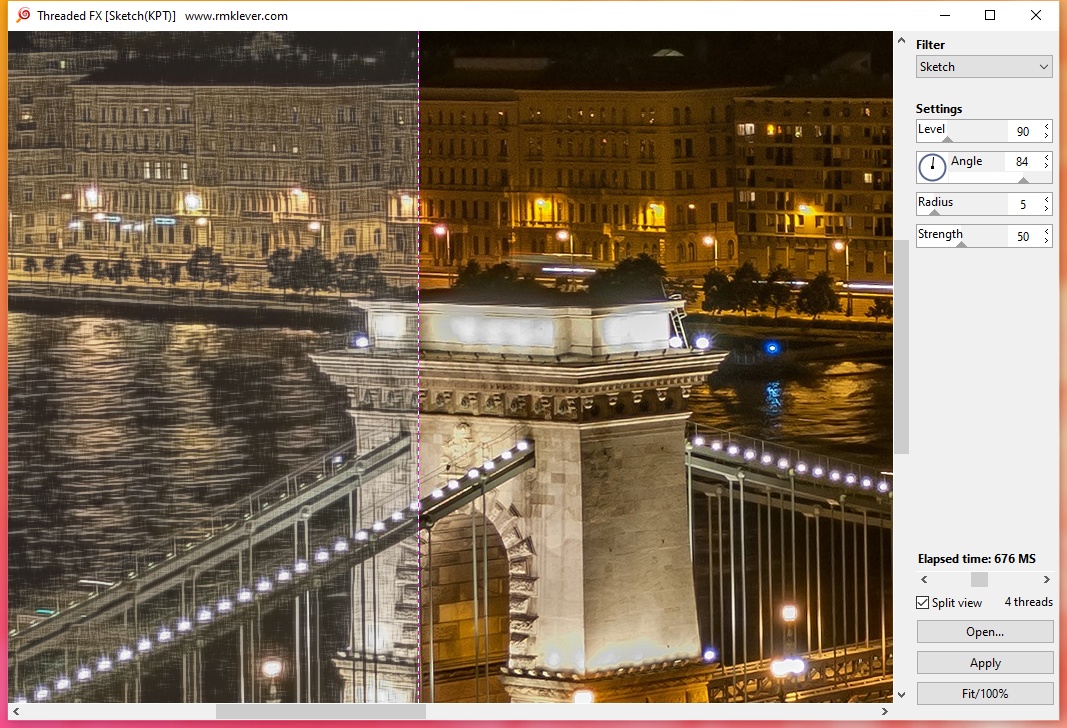
http://www.ImageEn.com/files/OtherDemos/ThreadedFX.zip
2537.83 KB
Roy M Klever
Klever on Delphi - www.rmklever.com
Reply author: xequte
Replied on: Apr 01 2020 16:01:06
Message:
Hi Roy
That works really well. What was the source for all your effects?
Nigel
Xequte Software
www.imageen.com
Reply author: xequte
Replied on: Apr 19 2020 16:36:07
Message:
Custom Scrollbars
by Xequte Software
EXE and Full Source
Delphi 5 or higher.
Shows how to replace ImageEn scrollbars with your own.
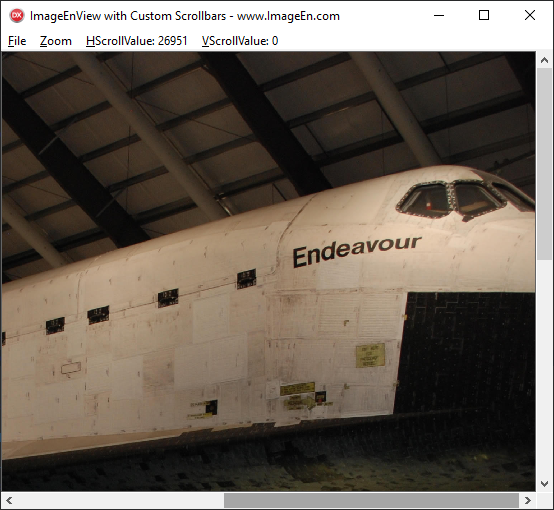
Download: www.ImageEn.com/files/OtherDemos/CustomScrollBars.zip
3.4 MB
Nigel
Xequte Software
www.imageen.com
Reply author: kturkay
Replied on: Jul 21 2020 12:13:08
Message:
Demo app that mimics imageen polyline and circle using brush tool on imageenview.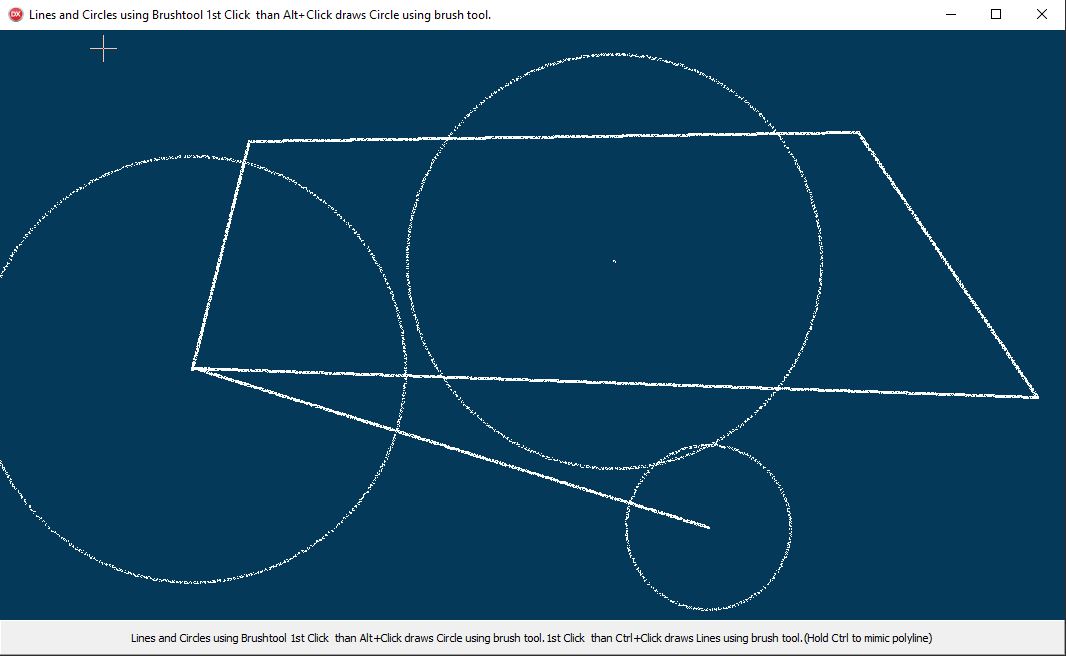
Demo Source and EXE:
http://www.ImageEn.com/files/OtherDemos/LinesAndCircles.zip
3356.89 KB
Reply author: xequte
Replied on: Jul 21 2020 18:18:13
Message:
Nice one. It gives a nice chalk like drawing effect.
Nigel
Xequte Software
www.imageen.com
Reply author: spetric
Replied on: Aug 14 2020 15:20:12
Message:
NiGulp 0.9
Fully functional (well, I hope so) application for enumerating and executing Photoshop 8bf filters via pspiHost engine. Uses ImageEn for loading, viewing and creating filter mask from selections. 32 and 64-bit binaries with source code available on GitHub.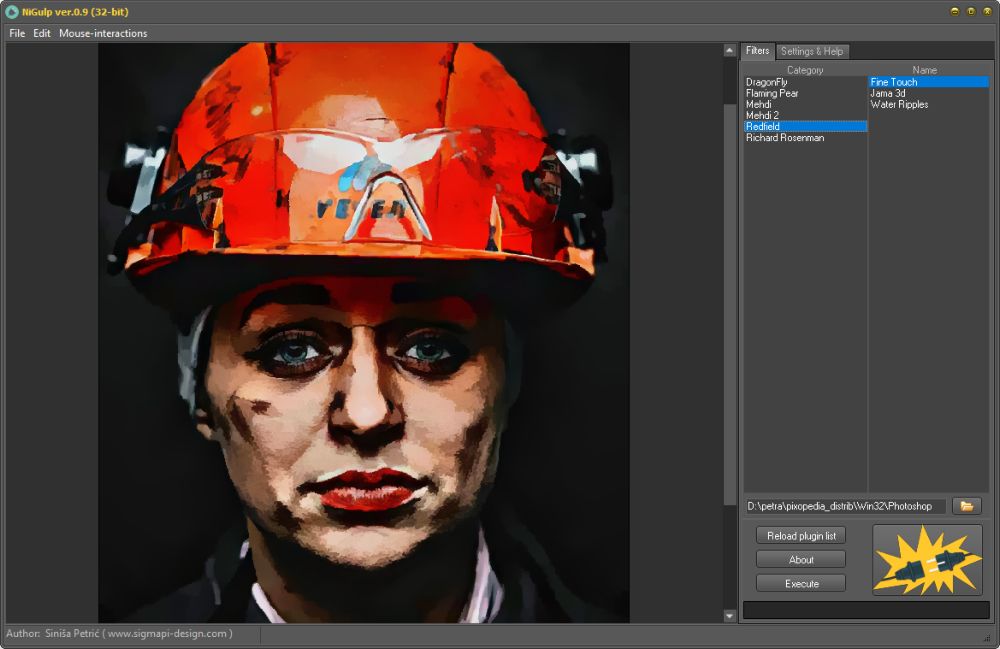
Binaries and complete source code:
https://github.com/spetric/Photoshop-Plugin-Host/releases/tag/v.0.9
For more info check:
https://github.com/spetric/Photoshop-Plugin-Host/blob/master/NiGulp/Readme.md
Note:
- all pspiHost API calls can be found in frmNiGulpU.cpp
- call-back functions can be found in TNhelper.cpp
I hope I wrote readable source code and it can be easily translated to Delphi.
Thanks Nigel for C++ to Pascal headers conversion and for testing the engine with Delphi.
Reply author: xequte
Replied on: Aug 15 2020 18:51:16
Message:
Thanks Spetric
Here's the complete package of source code, plug-ins, Delphi demos and EXEs:
https://www.imageen.com/files/plugins/NiGulpPlugIn2025.zip
43.77 MB
Nigel
Xequte Software
www.imageen.com
Reply author: yogiyang
Replied on: Aug 21 2020 07:40:12
Message:
Hello Spetric,
Thanks for releasing Plugin Host for 64bit.
I have personally have been waiting for this for quite some time.
On initial testing it is working like a charm!
I have one request:
How can we execute a plugin so that it applies its effects without showing its UI.... Can you provide some way by which we can do this?
TIA
Yogi Yang
Reply author: spetric
Replied on: Aug 21 2020 13:39:20
Message:
@yogiyang
It can be done: First time, filter is called with UI and other times it can be called without UI with saved parameters. However, I did not implement this feature. Maybe in one of the next versions. Bugs first, then big documents for newer 64-bit filters, etc...
Reply author: Laser AOC
Replied on: Oct 29 2020 10:52:08
Message:
Hello All,
Finally after coding and re-coding and re-coding... for 700 days we have finally completed our flagship Image Editor.
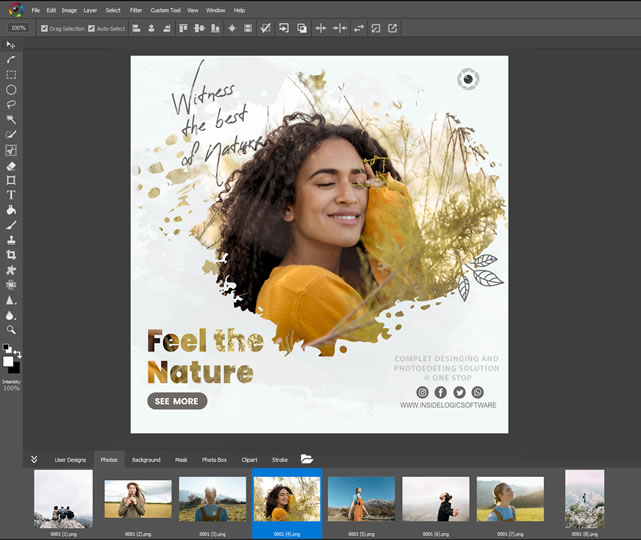
For more information please watch our promo video:
https://www.youtube.com/watch?v=OfoRqHNHtnQ
I will post the download link soon as we are launching the basic version for FREE!
It has all the features of market leader Image Editor and we have tried to build our UI as close to market leader as possible including short cur keys and dialog layouts!
Please send me your reactions/reviews by mail from my profile page.
https://www.imageen.com/ieforum/pop_profile.asp?mode=display&id=5014
Regards,
For,
Laser AOC
Reply author: xequte
Replied on: Oct 29 2020 23:42:53
Message:
Nice one, Yogesh, that is a fantastic looking application.
Promo looks very professional too.
Nigel
Xequte Software
www.imageen.com
Reply author: Laser AOC
Replied on: Oct 30 2020 02:49:29
Message:
Hello All,
You can download Photo Sense from here: https://www.insidelogicsoftware.com/
Please open this link and click on "Free Download" button to get the software. It is FREE!
Special thanks goes to (in no particular order):
- Siniša(Spetric) for sharing his hard work which allowed us to add support for third party Photoshop compatible filters.
- Bill Miller (w2m) for your sample codes and posts has taught us many things.
- Roy M Klever (rmklever) your Picture Color EQ got us started on how to implement lightning fast color/tone/etc. corrections and we have implemented an AI based photo correction in may of our Image->Adjustments.
- Ma Xiaoguang and Ma Xiaoming (twin brothers) who helped in implementing a perfect Levels feature which gives result equivalent and at times better then other tools in the market.
- Last but not the least to IE and Nigel without whom we would not have thought of building such a tool.
Regards,
For,
Laser AOC
Reply author: Arash
Replied on: Jan 04 2021 12:26:26
Message:
Hello rmklever
I hope you are well
i have a question about your code:
https://www.imageen.com/ieforum/topic.asp?TOPIC_ID=1446&whichpage=4
Perspective correction project
can you please tell me about
DelX1, DelY1, DelX2, DelY2, DelX3, DelY3
what are these parameters? I understand you want to create an adjugate matrix but i didn't understand what are these parameters
Thank you
Reply author: xequte
Replied on: Jan 16 2021 17:55:35
Message:
Hi Arash
Perspective correction is now built into ImageEn.
Please see:
https://www.imageen.com/help/TImageEnView.CropTool.html
And try the demo:
\Demos\ImageEditing\CropTool\CropTool.dpr
Nigel
Xequte Software
www.imageen.com
Reply author: Arash
Replied on: Jan 17 2021 08:41:00
Message:
Thank you dear Nigel
Reply author: AScomp
Replied on: Jan 17 2021 12:22:50
Message:
Hi all,
we just released Image Former, which is a small tool to batch-edit any number of files. Right now, there are just a few functions included, but we will add more and more with time:
http://www.image-former.com
Thank you @Nigel for the quick support and the whole company for a great and easy-to-use library!
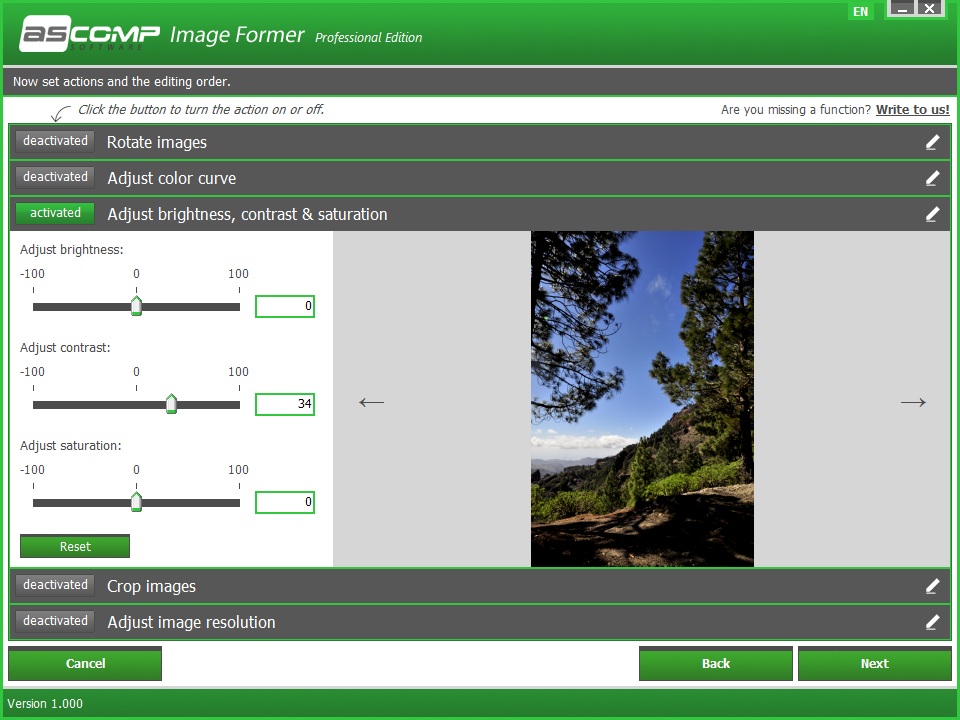
Kind regards
Andreas
Reply author: xequte
Replied on: Apr 05 2021 23:15:49
Message:
Nice work, Andreas and Kursat
Nigel
Xequte Software
www.imageen.com
Reply author: kturkay
Replied on: Apr 08 2021 06:56:39
Message:
Howto import SVG vectors.
(imageenmfolderview also displays svg files. using similar method. I just forgot to add for now. but will add it to this demo in next my freetime.)
(My code is not crystal clear and buggy (forgot to freeandnil the svgdoc in demo). notime. but you got the idea)
happy build vectorial apps with imageen.
attach/kturkay/20214865154_VectorInImageen202104081344.zip
3859.74 KB
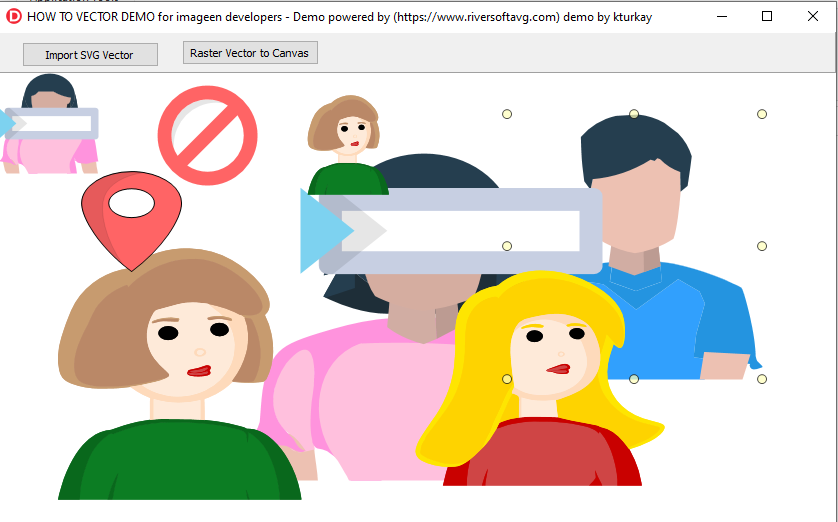
Note: Demo uses TImageEnVect and third party SVG support. SVG is now built into ImageEn
Kind Regards.
Reply author: PeterPanino
Replied on: Apr 10 2021 07:49:11
Message:
Here is my demo of a rectangle version of the COLOR WHEEL ("Squaring the circle"), using the HSV color model.
Different color wheel schemes can be selected:
• All Colors
• Complementary Colors
• Analogous Colors
• Split Complementary Colors
• Triadic Colors
• Tetradic Colors
• Less Analogous Colors
Featuring these ImageEn controls:
• TIEColorPalette
• TIEColorButton
http://www.imageen.com/files/OtherDemos/ColorSchemes.zip
3331 KB
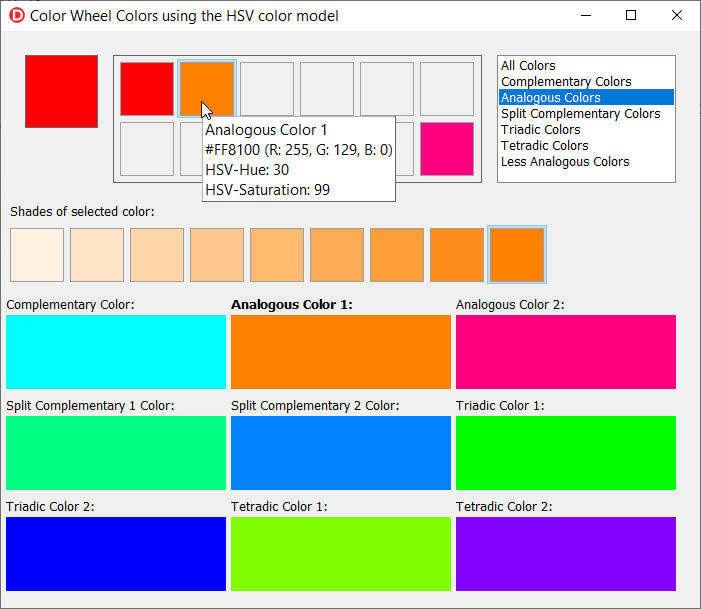
Reply author: xequte
Replied on: Apr 13 2021 05:53:38
Message:
Hi Kursat
You don't need an external library for SVG vector support. You can use the ImageMagick plug-in from our download page. I've added a demo in 10.0.0 showing how to do render SVG layers:
\Demos\LayerEditing\SVGVectorLayers\SVGLayers.dpr
You can run it directly too:
https://www.imageen.com/files/demos/run/LayerEditing/SVGVectorLayers/SVGLayers.zip
I like your CreaLesson app. What is the method you use for the chalk text effect?
Nigel
Xequte Software
www.imageen.com
Reply author: kturkay
Replied on: Apr 13 2021 07:21:19
Message:
if (isChalk) then
Iv.BrushTool.BrushFill := iebfSpray;
Reply author: xequte
Replied on: Apr 14 2021 05:29:56
Message:
Hi Kursat
iebfSpray? Wow, it looks really good as a chalk effect.
Nigel
Xequte Software
www.imageen.com
Reply author: Tom
Replied on: Feb 03 2022 08:09:56
Message:
Hi!
We also used this software and this library to develop an application for our client. Thank you, it's helpful.
Reply author: xequte
Replied on: Feb 08 2022 22:47:55
Message:
Resource Extractor Demo
View and extract resources from EXE, DLL and ICON files
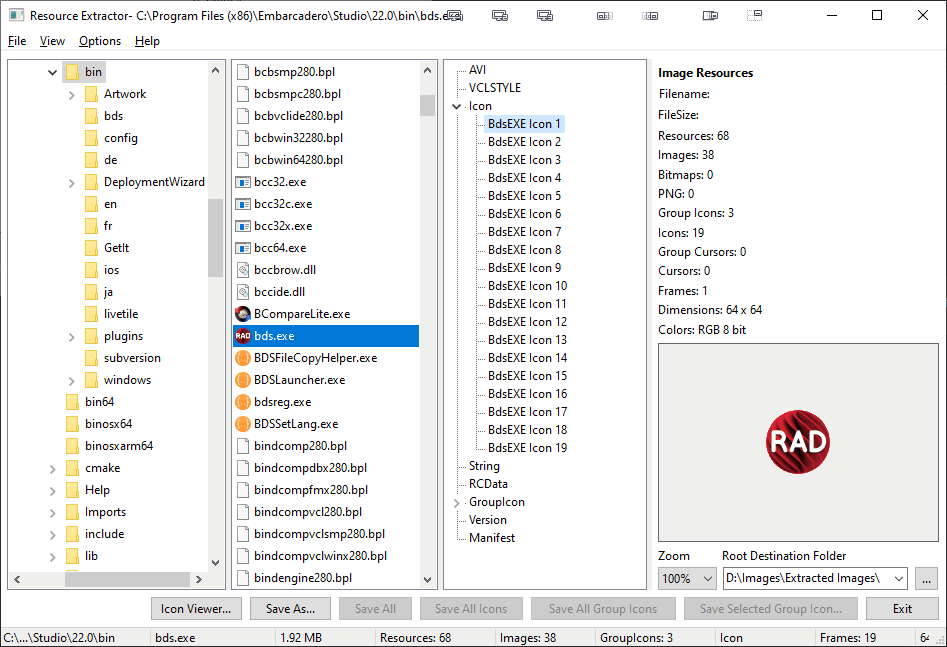
Full Source and Demo EXE: http://www.ImageEn.com/files/WMDemos/ResourceExtractor.zip
*** NOTE: There is an official ImageEn resource extraction demo at:
\Demos\InputOutput\ResourceLoader\ResourceLoader.dpr
William Miller
Adirondack Software & Graphics
Email: w2m@frontiernet.net
EBook: http://www.imageen.com/ebook/
Apprehend: http://www.frontiernet.net/~w2m/index.html
Custom ImageEn Development
Reply author: xequte
Replied on: Mar 03 2022 19:02:35
Message:
Threaded Processing Demo
Applying image effects in a background thread.
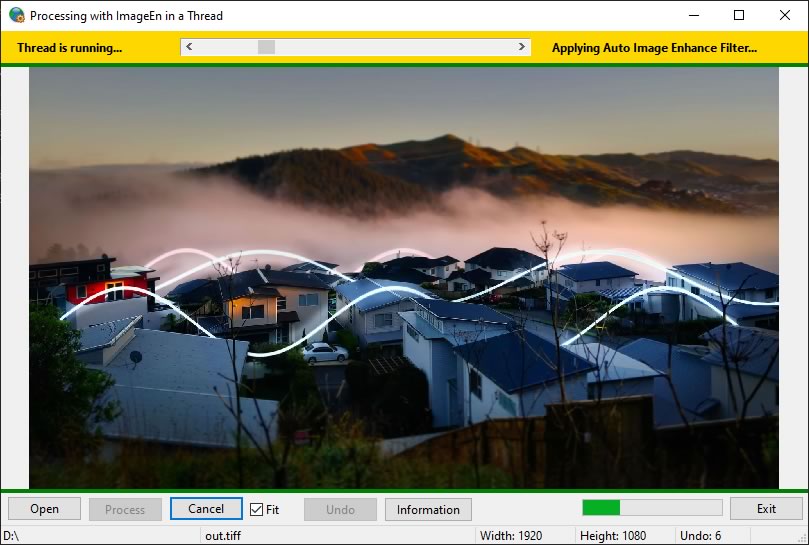
Full Source and Demo EXE: http://www.ImageEn.com/files/WMDemos/ImageProcessingInAThread.zip
*** NOTE: There is an official ImageEn threading demo at:
\Demos\ImageEditing\ThreadedProcessing\ThreadTest.dpr
William Miller
Adirondack Software & Graphics
Email: w2m@frontiernet.net
EBook: http://www.imageen.com/ebook/
Apprehend: http://www.frontiernet.net/~w2m/index.html
Custom ImageEn Development
Reply author: Laser AOC
Replied on: Mar 09 2022 05:35:31
Message:
Hello All,
We have just updated our world class photo editing and designing product PhotoSense.
Now we can safely say that it is the best alternative to Photoshop and many other main stream image editing software.
I want to mention one notable feature and that is we have integrated AI in image correction functionality so that a user can make better image corrections with minimum of efforts and get consistent results.
Another very powerful and notable feature is Cutout. It is the worlds fastest & easiest and it is non destructive!!
The Feature List is very long so instead of pasting it here I would ask you to visit our product's website and see for yourself.
You can download PhotoSense from here: https://photosense.net/
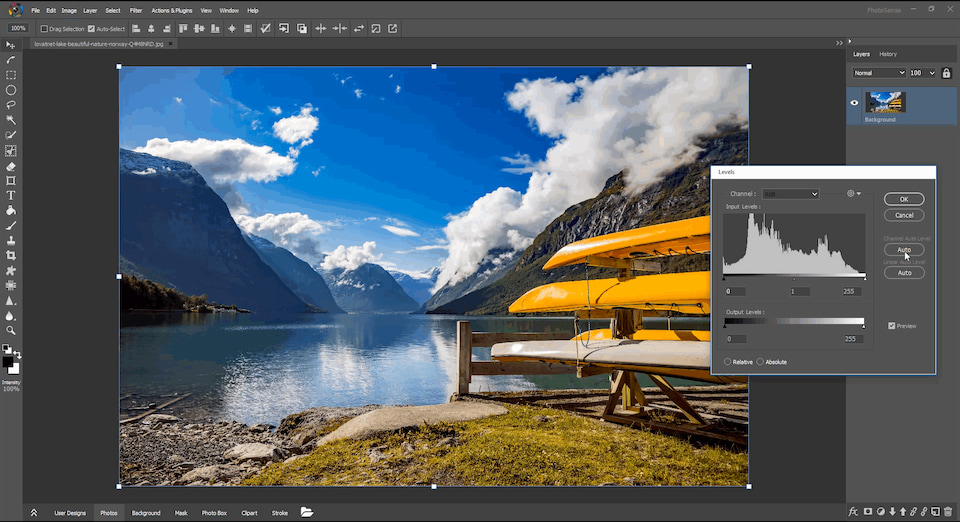
Regards,
For,
Laser AOC
Reply author: xequte
Replied on: Oct 06 2022 01:09:36
Message:
Nice work, Laser AOC!
Nigel
Xequte Software
www.imageen.com
Reply author: xequte
Replied on: Jul 27 2023 23:55:46
Message:
ICC Profile Properties
by Xequte Software
EXE and Full Source
Delphi 5 or higher
Display all string properties of an ICC color profile.
Download: www.ImageEn.com/files/OtherDemos/ICCProfileProps.zip
3.4 MB
Nigel
Xequte Software
www.imageen.com
Reply author: Genricxs
Replied on: Feb 17 2025 17:37:46
Message:
Thanks for sharing. 
Reply author: xequte
Replied on: Aug 27 2025 23:24:34
Message:
Demos of Bill Miller
The following are demos produced by the late Bill Miller, developer and ImageEn enthusiast.
BackBuffer Grid
Using the OnDrawBackBuffer event to draw a grid onto the control
Download: www.ImageEn.com/files/WMDemos/BackBufferGrid.zip
Brush Tools
Demo of the brush tools in ImageEn, including the Crop Tool and Clone Tool
Download: www.ImageEn.com/files/WMDemos/BrushTools.zip
Draw a Globe
Using various canvas and GDI+ methods to draw a globe
Download: www.ImageEn.com/files/WMDemos/DrawAGlobe.zip
Convert to Thumbnail
Using the IEConvertToThumbnail method to create thumbnails from full size images
Download: www.ImageEn.com/files/WMDemos/IEConvertToThumbnail.zip
Drag Drop to MView
Using TIEFileDragDrop to allow images to be dragged from Windows Explorer
Download: www.ImageEn.com/files/WMDemos/IEFileDragDropToMView.zip
iexHelperFunctions
Demo of all ImageEn methods in iexHelperFunctions units
Download: www.ImageEn.com/files/WMDemos/iexHelperFunctions.zip
All ImageEn Layer Types
Demo of all the layer types available in ImageEn
Download: www.ImageEn.com/files/WMDemos/ImageEnAllLayerTypes.zip
ImageEn Image List
Using TIEImageList to store image lists
Download: www.ImageEn.com/files/WMDemos/ImageEnImageList.zip
ImageEnIO
Demonstrates over 100 TImageEnIO methods
Download: www.ImageEn.com/files/WMDemos/ImageEnIO.zip
ImageEnIO DoPreviews
Demonstrates the TImageEnIO.DoPreviews() dialog
Download: www.ImageEn.com/files/WMDemos/ImageEnIODoPreviews.zip
ImageEnIO PrintImagesToFile
Demonstrates the TImageEnMIO Print to File functionality
Download: www.ImageEn.com/files/WMDemos/ImageENIOPrintImagesToFileII.zip
ImageEn LayersPaint brush
Advanced layer editing demo
Download: www.ImageEn.com/files/WMDemos/ImageEnLayersPaintbrush.zip
ImageEnMIO PrintImagesToFile
Demonstrates the TImageEnMIO Print to File functionality (with background thread)
Download: www.ImageEn.com/files/WMDemos/ImageEnMIOPrintImagesToFile.zip
ImageEnMView
Demonstrates over 100 TImageEnMView methods
Download: www.ImageEn.com/files/WMDemos/ImageEnMView.zip
ImageEnMView Move
Moving and copying content between two TImageEnMViews
Download: www.ImageEn.com/files/WMDemos/ImageEnMViewMove.zip
ImageEnMView Proc
Apply effects to checked images in a TImageEnMView
Download: www.ImageEn.com/files/WMDemos/ImageEnMViewProc.zip
ImageEnMView Thumbnail Spacing
Shows all TImageEnMView spacing options
Download: www.ImageEn.com/files/WMDemos/ImageEnMViewThumbnailSpacing.zip
ImageEn Procedures
Demonstrates over 100 ImageEn methods
Download: www.ImageEn.com/files/WMDemos/ImageEnProcedures.zip
ImageEn PSD
Working with multi-layer PSD files
Download: www.ImageEn.com/files/WMDemos/ImageEnPSD.zip
ImageEnView BitDepth
Demonstrates screen capturing, changing bit depth and undo
Download: www.ImageEn.com/files/WMDemos/ImageEnViewBitDepth.zip
ImageEnView BitDepth 2
Demonstrates screen capturing, changing bit depth and undo (Advanced version)
Download: www.ImageEn.com/files/WMDemos/ImageEnViewBitDepth2.zip
ImageEnView DrawBackBuffer
Demonstrates use of the TImageEnView.OnDrawBackBuffer event
Download: www.ImageEn.com/files/WMDemos/ImageEnViewDrawBackBuffer.zip
ImageEnView Layers Drag and Drop
Glyph generation application using layers
Download: www.ImageEn.com/files/WMDemos/ImageEnViewLayersDragAndDrop.zip
ImageEnView Sync
Synchronizing the display of two TImageEnViews
Download: www.ImageEn.com/files/WMDemos/ImageEnViewSync.zip
Image Processing in a Thread
Applying editing effects to an image within threads (Simple)
Download: www.ImageEn.com/files/WMDemos/ImageProcessingInAThread.zip
Image Processing in a Thread 2
Applying editing effects to an image within a thread
Download: www.ImageEn.com/files/WMDemos/ImageProcessingInAThread2.zip
Image Processing in a Thread 3
Applying editing effects to an image within threads (Advanced)
Download: www.ImageEn.com/files/WMDemos/ImageProcessingInAThread3.zip
Image Processing Thread
Image processing in a secondary thread
Download: www.ImageEn.com/files/WMDemos/ImageProcessingThread.zip
Image Properties
Displaying the meta-data and properties of an image
Download: www.ImageEn.com/files/WMDemos/ImageProperties.zip
New Transparent IEBitmap
Miscellaneous methods to create a new transparent bitmap
Download: www.ImageEn.com/files/WMDemos/NewTransparentIEBitmap.zip
Paint Brush
Fast brush painting using the GDI+ canvas
Download: www.ImageEn.com/files/WMDemos/PaintBrush.zip
Post Messages
How to post messages to a form to delay until form becomes visible
Download: www.ImageEn.com/files/WMDemos/PostMessages.zip
Resource Extractor
Application to extract resources from EXE and other files
Download: www.ImageEn.com/files/WMDemos/ResourceExtractor.zip
RGB Channels
Show RGB channels of image, modify color channel and then recombine
Download: www.ImageEn.com/files/WMDemos/RGBChannels.zip
Scan and Save TIFF
Scanning, processing and creating multiframe TIFF files
Download: www.ImageEn.com/files/WMDemos/ScanAndSaveTIFF.zip
Select Similar Palette Colors
Analyzing and updating the colors in an image palette
Download: www.ImageEn.com/files/WMDemos/SelectSimilarPaletteColors.zip
Simple GDI+
Demo of methods of TIECanvas and GDI+
Download: www.ImageEn.com/files/WMDemos/SimpleGDIPlus.zip
Simple ImageEn List
Demo of TIEImageList
Download: www.ImageEn.com/files/WMDemos/SimpleImageEnList.zip
Smooth Zoom
Demo of TImageEnView.SetZoomSmooth
Download: www.ImageEn.com/files/WMDemos/SmoothZoom.zip
File Dialogs with ImageEn
Customizing the VCL TFileDialog to use with ImageEn
Download: www.ImageEn.com/files/WMDemos/TFileDialogsWithImageEn.zip
Threaded ImageEnMView Thumbnails
Creating thumbnails in a separate thread and adding to TImageEnMView
Download: www.ImageEn.com/files/WMDemos/ThreadedImageEnMViewThumbnails.zip
Threaded Image Rendering
Rendering images to a canvas in a thread
Download: www.ImageEn.com/files/WMDemos/ThreadedImageRendering.zip
Thresholding
Demo of TImageEnProc.Threshold
Download: www.ImageEn.com/files/WMDemos/Thresholding.zip
Thumbnails - Five Ways
Visually compare five different ways of creating thumbnails with ImageEn
Download: www.ImageEn.com/files/WMDemos/Thumbnails5Ways.zip
TIFF Editor
TIFF editing demo
Download: www.ImageEn.com/files/WMDemos/TIFFEditor.zip
Timage and TImageEnView
Transferring content between Timage and TImageEnView
Download: www.ImageEn.com/files/WMDemos/TImageTImageEnView.zip
WindowsGetExplorerThumbnail
Extracting thumbnails from videos using the Windows API
Download: www.ImageEn.com/files/WMDemos/WindowsGetExplorerThumbnail.zip
Windows Photo Wizard
Use of the ShowPhotoPrintingWizard API function
Download: www.ImageEn.com/files/WMDemos/WindowsPhotoWizard.zip
Note: Some of these demos are no longer up-to-date (to match current ImageEn functionality). If you need us to update any of these demos, let us know.
Nigel
Xequte Software
www.imageen.com
ImageEn Forum : http://www.imageen.com/ieforum/
© Xequte Software