TImageEnView.Channel
Declaration
property Channel: TIEViewChannel;Description
Specify which RGBA channel to display. This allows editing of just a single channel, e.g. to manipulate the Alpha channel.Revert to ievcAll to apply any changes made to R,G,B color channels (changes are applied automatically with the alpha channel).
| Value | Description |
|---|---|
| ievcAll | Display the complete image |
| ievcRed | Display only the Red channel (ie8g) |
| ievcGreen | Display only the Green channel (ie8g) |
| ievcBlue | Display only the Blue channel (ie8g) |
| ievcAlpha | Display only the Alpha channel i.e. transparency (ie8g) |

Note:
◼All TImageEnProc editing operations will operate only on the active channel. You should avoid operations that will change the size of the image (e.g. rotation)
◼All TImageEnIO I/O operations will operate on the entire image. If you use IO to load or save an image, Channel will be reset to ievcAll
◼To load/save the active channel only, use TIEBitmap method, e.g. ImageEnView1.IEBitmap.LoadFromFile( 'D:\Image.png' );
◼If you set Channel to ievcAlpha, an Alpha channel will be created even if it does not have one. You should check HasAlphaChannel
◼The Undo stack is cleared when changing the channel
Default: ievcAll
Unsupported Features
The following features are not supported when Channel is not ievcAll:◼Layer editing: Adding a layer will reset Channel to ievcAll
◼PDF Viewing: Channel will have no effect when viewing PDF images using the PdfViewer
◼CropTool and RotateTool: An exception will be raised
◼Any methods that manipulate the alpha channel: An exception will be raised for any of the following:
AddSoftShadow, AddInnerShadow, CastAlpha, CastColor (If Alpha is specified),
PerspectiveDraw, ProjectDraw, Reflection, RemoveChromaKey, RoundImage
◼Methods that crop the image: An exception will be raised for any of the following:
AutoCrop, AutoCrop2, Crop, CropSel, RotateAndCrop
◼Other methods that change the size of the image: Can be used but result will likely be undesirable:
Rotate, ImageResize, Resample
◼The following tabs when using DoPreviews will be automatically hidden: peRGB, peRotate, peResize, peSoftShadow, peCrop, peTransparency, peOtherColor, peOtherEffects
◼The following BrushTool: iebfSmartEraser
Demo
 | Demos\ImageEditing\CompleteEditor\PhotoEn.dpr |
| | Demos\ImageEditing\IconEditor\IconEditor.dpr |
Examples
// Display all channelsImageEnView1.Channel := ievcAll;
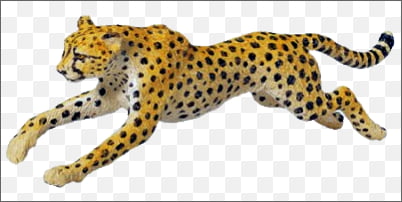
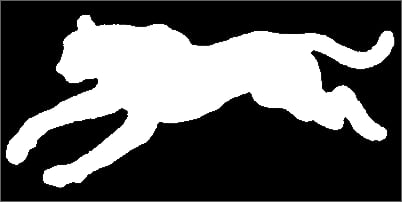
// Display only the alpha channel (transparency)
ImageEnView1.Channel := ievcAlpha;
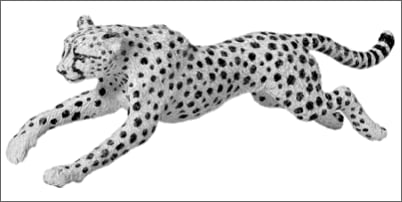
// Display only the red channel
ImageEnView1.Channel := ievcRed;
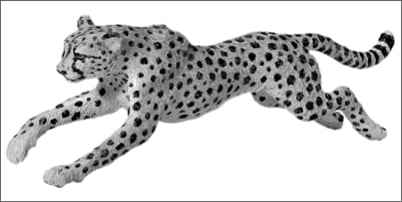
// Display only the green channel
ImageEnView1.Channel := ievcGreen;
// Display only the blue channel
ImageEnView1.Channel := ievcBlue;
// Confirmation before adding an alpha channel
procedure TMainForm.miShowAlphaChannelClick(Sender: TObject);
begin
ImageEnView1.Channel := ievcAll; // Set to all so we can test whether there is an alpha channel
if ImageEnView1.IEBitmap.HasAlphaChannel or
( MessageDlg( 'The current image does not have an alpha channel. Do you want to add one?',
mtConfirmation, [ mbYes, mbNo ], 0 ) = mrYes ) then
ImageEnView1.Channel := ievcAlpha;
end;
See Also
◼AlphaChannel◼HasAlphaChannel