Code samples for SetShape.
Automatically generated by the Every Method demo.
// Automated test of SelectionMask - Shape - Typical Values
// Apply a custom Selection Mask (Heart) and colorize (Sepia)
ImageEnView1.SelectionMaskDepth := 8;
ImageEnView1.SelectionMask.SetShape( 80, 80, ImageEnView1.IEBitmap.Width - 80, ImageEnView1.IEBitmap.Height - 80, iesHeart )
ImageEnView1.InvertSelection( True );
ImageEnView1.Proc.Colorize( 34, 50, 1.10 );



// Automated test of SelectionMask - Shape - Alpha Channel - Typical Values
// Apply a custom Selection Mask (Heart) and colorize (Sepia)
ImageEnView1.SelectionMaskDepth := 8;
ImageEnView1.SelectionMask.SetShape( 80, 80, ImageEnView1.IEBitmap.Width - 80, ImageEnView1.IEBitmap.Height - 80, iesHeart )
ImageEnView1.InvertSelection( True );
ImageEnView1.Proc.Colorize( 34, 50, 1.10 );
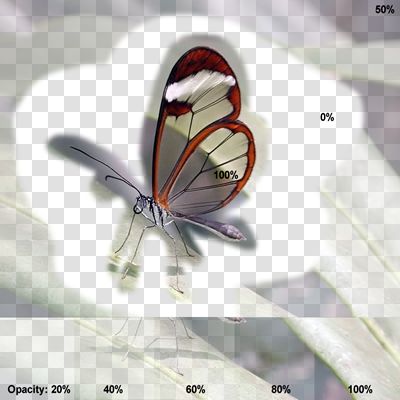

// Automated test of SelectionMask - Shape - 32-Bit RGBA - Typical Values
// Apply a custom Selection Mask (Heart) and colorize (Sepia)
ImageEnView1.SelectionMaskDepth := 8;
ImageEnView1.SelectionMask.SetShape( 80, 80, ImageEnView1.IEBitmap.Width - 80, ImageEnView1.IEBitmap.Height - 80, iesHeart )
ImageEnView1.InvertSelection( True );
ImageEnView1.Proc.Colorize( 34, 50, 1.10 );


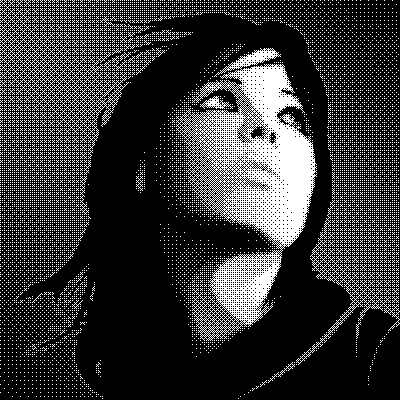
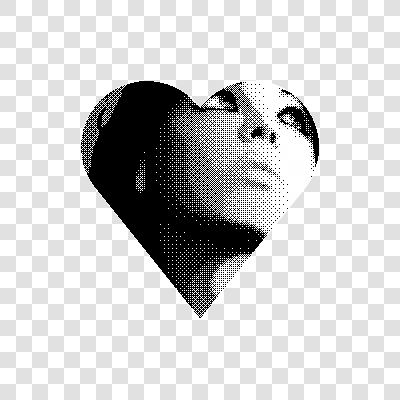
// Automated test of SelectionMask - Shape - 1-bit - Typical Values
// Apply a custom Selection Mask (Heart) and clear
ImageEnView1.SelectionMaskDepth := 8;
ImageEnView1.SelectionMask.SetShape( 80, 80, ImageEnView1.IEBitmap.Width - 80, ImageEnView1.IEBitmap.Height - 80, iesHeart )
ImageEnView1.InvertSelection( True );
ImageEnView1.Proc.ClearSel( True );
// Automated test of SelectionMask - Shape - Random Values
// Apply a custom Selection Mask (Dinosaur) and discard red and green channels
ImageEnView1.SelectionMaskDepth := 8;
ImageEnView1.SelectionMask.SetShape( 80, 80, ImageEnView1.IEBitmap.Width - 80, ImageEnView1.IEBitmap.Height - 80, iesDinosaur )
ImageEnView1.MakeSelectionFeather( 15 );
ImageEnView1.Proc.Proc.DisposeChannels( 'B00' );
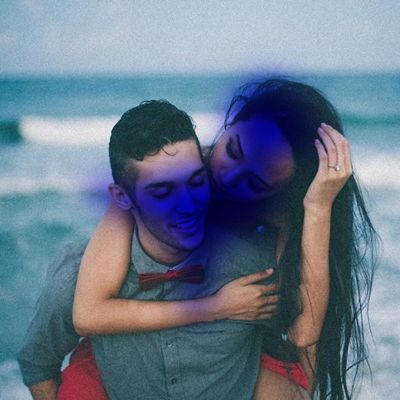
// Automated test of SelectionMask - Shape - Alpha Channel - Random Values
// Apply a custom Selection Mask (Dinosaur) and discard red and green channels
ImageEnView1.SelectionMaskDepth := 8;
ImageEnView1.SelectionMask.SetShape( 80, 80, ImageEnView1.IEBitmap.Width - 80, ImageEnView1.IEBitmap.Height - 80, iesDinosaur )
ImageEnView1.MakeSelectionFeather( 15 );
ImageEnView1.Proc.Proc.DisposeChannels( 'B00' );

// Automated test of SelectionMask - Shape - 32-Bit RGBA - Random Values
// Apply a custom Selection Mask (Dinosaur) and discard red and green channels
ImageEnView1.SelectionMaskDepth := 8;
ImageEnView1.SelectionMask.SetShape( 80, 80, ImageEnView1.IEBitmap.Width - 80, ImageEnView1.IEBitmap.Height - 80, iesDinosaur )
ImageEnView1.MakeSelectionFeather( 15 );
ImageEnView1.Proc.Proc.DisposeChannels( 'B00' );

// Automated test of SelectionMask - Shape - 1-bit - Random Values
// Apply a custom Selection Mask (Dinosaur) and clear
ImageEnView1.SelectionMaskDepth := 8;
ImageEnView1.SelectionMask.SetShape( 80, 80, ImageEnView1.IEBitmap.Width - 80, ImageEnView1.IEBitmap.Height - 80, iesDinosaur )
ImageEnView1.MakeSelectionFeather( 15 );
ImageEnView1.Proc.ClearSel( True );
