TIEVisionImage.findContours
Declaration
function findContours(mode: TIEVisionContourRetrMode; method: TIEVisionContourApproxMethod; offset: TIEVisionPoint): TIEVisionVectorObjRef; safecall;Description
Find contours in the current image.The image must be ievUINT8, 1 channel. Result will be a vector of a vector of points, i.e. a 2D point array (TIEVisionVectorObjRef will contain TIEVision VectorPoint objects).
| Parameter | Description |
|---|---|
| mode | Contour retrieval mode |
| method | Contour approximation method |
| offset | Optional offset by which every contour point is shifted |
Demo
 | Demos\IEVision\TrackObjects_Video_LowLevel\TrackObjects.dpr |
Examples
Also see: Automated Samples
// Extract all contourscontours := backProj.findContours(ievEXTERNAL, ievCHAIN_APPROX_SIMPLE, IEVisionPoint(0, 0));
// Load test image
ImageEnView1.IO.LoadFromFile( 'D:\TestImage.jpg' );

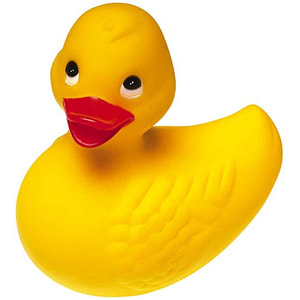
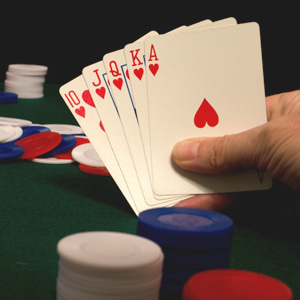
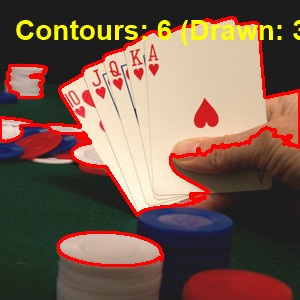
// Find the outlines of shapes in a thresholded copy of the image and draw them over the image
bmp := TIEBitmap.Create( ImageEnView1.IEBitmap );
bmp.PixelFormat := ie8g; // findContours requires a binary 8bit, 1 channel image
bmp.GetIEVisionImage().threshold( 0, 255, ievTHRESH_BINARY or ievTHRESH_OTSU );
contours := bmp.GetIEVisionImage().findContours( ievEXTERNAL, ievCHAIN_APPROX_SIMPLE, IEVisionPoint( 0, 0 ));
bmp.Free();
for i := 0 to contours.size() - 1 do
if IEVisionLib().createMath().contourArea( TIEVisionVectorPoint( contours.getObj( i ))) >= 500 then
IEVisionLib().createDrawing().drawContours( ImageEnView1.IEBitmap.GetIEVisionImage(), contours, IEVisionScalar( 0, 0, 255 ), i, 2 );
ImageEnView1.Update();
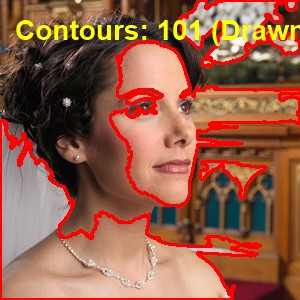
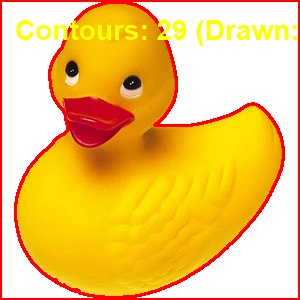
See Also
◼SeparateObjects◼getConnectedComponents
◼TIEVisionBlobDetector