TImageEnMIO.DoPreviews
Declaration
function DoPreviews(Index: Integer; ParamPages: TPreviewParams = [ppAll]): Boolean;Description
Executes the Previews dialog for the image at Index. This allows your users to view and change the parameters of image file formats.Result is true if user did not cancel out of the dialog.
Index can also be IEM_ALL_IMAGES to act on all images or IEM_SELECTED_IMAGES to act on the selected images in the attached TImageEnMView.
ParamPages is the set of the image format parameters to be displayed by the dialog.
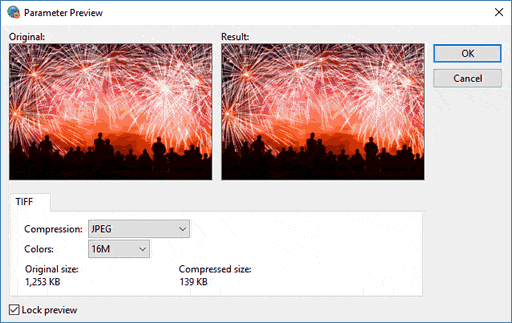
Note: You can customize the dialog using OnShowDialog
Demo
 | Demos\ImageEditing\EveryMethod\EveryMethod.dpr |
Example
ImageEnMView1.Clear(); // Clear TImageEnMViewImageEnMView1.MIO.LoadFromFile( 'C:\myimage.gif' ); // Load GIF image
ImageEnMView1.MIO.DoPreviews( IEM_ALL_IMAGES, [ppGIF] ); // Set GIF parameters (background, transparency...) for ALL images
ImageEnMView1.MIO.SaveToFile( 'D:\newimage.gif' ); // Save image with new parameters