TImageEnView.MakeSelectionFeather
Declaration
procedure MakeSelectionFeather(Radius: Double);Description
Modifies the current selection by applying a blur effect to make soften the borders.Radius specifies the feathering intensity (amount of blur).
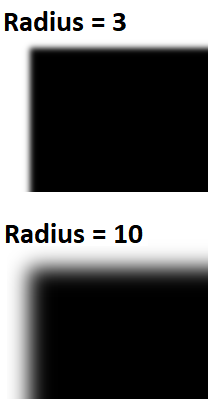
Note: If SelectionMaskDepth is 1 bit, it will be promoted to 8 bit.
Demo
 | Demos\ImageEditing\SoftSelections\SoftSel.dpr |
Examples
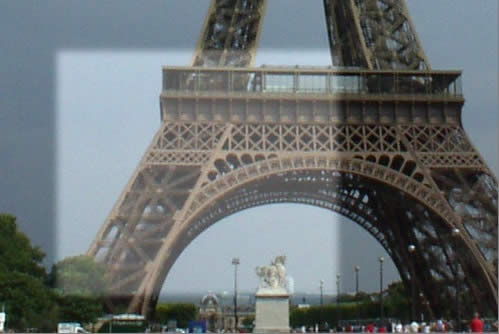
ImageEnView1.SelectionMaskDepth := 8;ImageEnView1.Select( 10, 10, 100, 100 );
ImageEnView1.MakeSelectionFeather( 4 );
// Add a circular selection and colorize (Sepia)
ImageEnView1.SelectionBase := iesbBitmap;
ImageEnView1.SelectEllipse( ImageEnView1.IEBitmap.Width div 2, ImageEnView1.IEBitmap.Height div 2, 480, 360 );
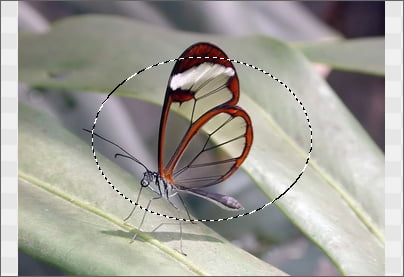
ImageEnView1.InvertSelection( True );
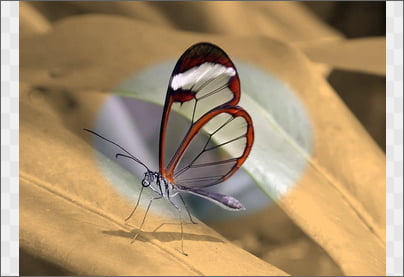
ImageEnView1.MakeSelectionFeather( 8 );
ImageEnView1.Proc.Colorize( 34, 50, 1.10 );
See Also
◼MakeSelectionAntiAliased◼SelectionMaskDepth