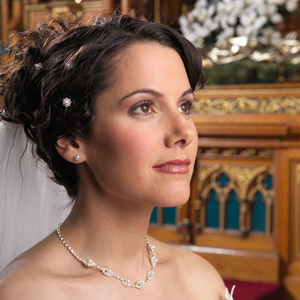
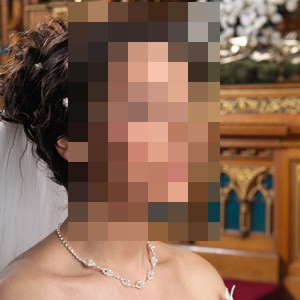
TIEBitmapHelper.BlurFaces
Declaration
function BlurFaces(Amount: Double = 0.1; Padding: Double = 0.2; MinScore: Double = 0.8): Integer;Description
Obscures every face in the image by pixelizing it (Pixelize). Useful to anonymize photos.Returns the number of faces that were obscured.
| Parameter | Description |
|---|---|
| Amount | Size of the blocks, as a fraction of the size of the covered area. E.g. 0.1 gives about ten blocks across it. Larger values obscure more |
| Padding | Space added on every side of each face, as a fraction of the face size, so the hair and edges of the face are also covered |
| MinScore | The minimum detection score for a face (0 to 1). Lower values also obscure less certain faces, which is safer for anonymizing, but may obscure things that are not faces |
Note:
◼You must add the iexHelperFunctions unit to your uses clause
◼Delphi/C++ 2005 or newer is required to use helper classes
◼Faces that are not detected are not obscured, so check the result if the image must be anonymized
◼If the image PixelFormat is not ie24RGB, it will be converted
◼Face detection requires IEVision. You will need to register it before calling the method
Demo
 | Demos\ImageEditing\EveryMethod\EveryMethod.dpr |
Examples
Also see: Automated Samples
// Anonymize a photocount := ImageEnView1.IEBitmap.BlurFaces();
ImageEnView1.Update();
ShowMessage( Format( '%d faces obscured', [ count ]));
// Pixelize every face in the image
count := ImageEnView1.IEBitmap.BlurFaces( 0.1, 0.2 );
ImageEnView1.Update();