TIEVisionDrawing.fillPoly
Declaration
procedure fillPoly(image: TIEVisionImage; points: TIEVisionVectorPoint; const color: TIEVisionScalar; linetype: int32_t = 8; shift: int32_t = 0); overload; safecall;procedure fillPoly(image: TIEVisionImage; polygons: TIEVisionVectorObjRef; const color: TIEVisionScalar; linetype: int32_t = 8; shift: int32_t = 0); overload; safecall;
Description
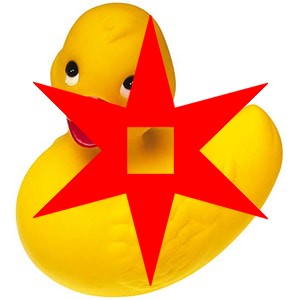
Fill a polygon, which may be concave or self-intersecting, or fill several polygons at once.With several polygons, areas enclosed by an even number of polygons are not filled, so a polygon inside another cuts a hole.
| Parameter | Description |
|---|---|
| image | Destination image (8 bit or more, 1 to 4 channels) |
| points | Polygon vertices |
| polygons | A list of polygons (TIEVisionVectorObjRef must contain TIEVisionVectorPoint objects), e.g. the result of findContours |
| color | Fill color in B:G:R orientation, e.g. for blue: IEVisionScalar(255, 0, 0) |
| linetype | 4 or 8 (connectivity of the edge pixels), or 16 for an antialiased edge |
| shift | Number of fractional bits in the point coordinates (0..16) |
Demo
 | Demos\ImageEditing\EveryMethod\EveryMethod.dpr |
Examples
Also see: Automated Samples
// Fill a star shape with redstar := IEVisionLib().createVectorPoint();
for i := 0 to 9 do
begin
if Odd( i ) then r := 40 else r := 100;
star.push_back( IEVisionPoint( 200 + Round( r * Sin( i * PI / 5 )), 150 - Round( r * Cos( i * PI / 5 ))));
end;
IEVisionLib().createDrawing().fillPoly( ImageEnView1.IEBitmap.GetIEVisionImage(), star, IEVisionScalar( 0, 0, 255 ), 16 );
ImageEnView1.Update();
// Fill a five point star at the center of the image
cx := ImageEnView1.IEBitmap.Width div 2;
cy := ImageEnView1.IEBitmap.Height div 2;
radius := Min( cx, cy ) * 9 div 10;
star := IEVisionLib().createVectorPoint();
for i := 0 to 9 do
begin
if Odd( i ) then r := radius * 45 div 100 else r := radius;
star.push_back( IEVisionPoint( cx + Round( r * Sin( i * PI / 5 )), cy - Round( r * Cos( i * PI / 5 ))));
end;
IEVisionLib().createDrawing().fillPoly( ImageEnView1.IEBitmap.GetIEVisionImage(), star, IEVisionScalar( 0, 0, 255 ), 16 );
ImageEnView1.Update();

See Also
◼fillConvexPoly◼drawContours