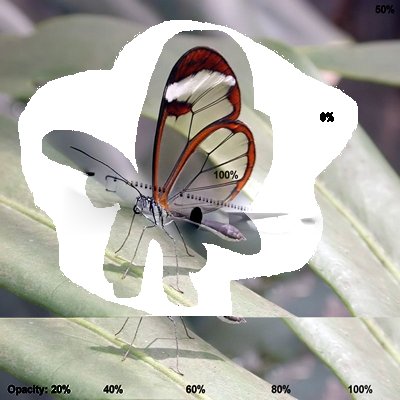
Code samples for seamlessClone (Automatically generated by the Every Method demo).
// Automated test of seamlessClone - Typical Values
// TIEVisionImage.seamlessClone: 140x52, Mode: ievNORMAL_CLONE, Flat fill + inflate: true (8 px) (click to place)
// Clone a transparent PNG using its alpha as the mask. For soft/feathered edges, blend it onto a flat colour and inflate the mask
bmp := TIEBitmap.Create( 'D:\Plane.png' );
bmp.Resize( 10, 10, 10, 10, 0, 0 ); // Transparent border
maskBmp := TIEBitmap.Create( bmp.AlphaChannel );
maskBmp.GetIEVisionImage().threshold( 0, 255, ievTHRESH_BINARY );
maskBmp.GetIEVisionImage().dilate( ievMORPH_ELLIPSE, 8 );
srcBmp := TIEBitmap.Create( bmp.Width, bmp.Height, ie24RGB, $616A7C ); // Average colour of the destination under the object
srcBmp.MergeWithAlpha( bmp );
srcBmp.RemoveAlphaChannel( False );
ImageEnView1.IEBitmap.AssignIEVisionImage( ImageEnView1.IEBitmap.GetIEVisionImage().seamlessClone( srcBmp.GetIEVisionImage(), maskBmp.GetIEVisionImage(), IEVisionPoint( 200, 200 ), ievNORMAL_CLONE ));
ImageEnView1.Update();



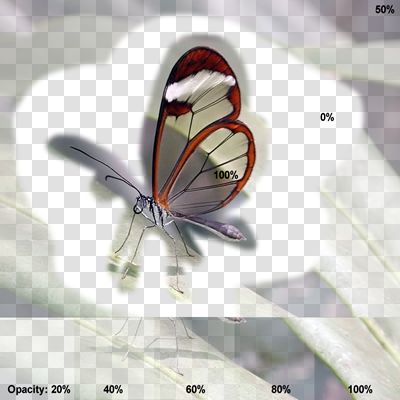
// Automated test of seamlessClone - Alpha Channel - Typical Values
// TIEVisionImage.seamlessClone: 140x52, Mode: ievNORMAL_CLONE, Flat fill + inflate: true (8 px) (click to place)
// Clone a transparent PNG using its alpha as the mask. For soft/feathered edges, blend it onto a flat colour and inflate the mask
bmp := TIEBitmap.Create( 'D:\Plane.png' );
bmp.Resize( 10, 10, 10, 10, 0, 0 ); // Transparent border
maskBmp := TIEBitmap.Create( bmp.AlphaChannel );
maskBmp.GetIEVisionImage().threshold( 0, 255, ievTHRESH_BINARY );
maskBmp.GetIEVisionImage().dilate( ievMORPH_ELLIPSE, 8 );
srcBmp := TIEBitmap.Create( bmp.Width, bmp.Height, ie24RGB, $83828C ); // Average colour of the destination under the object
srcBmp.MergeWithAlpha( bmp );
srcBmp.RemoveAlphaChannel( False );
ImageEnView1.IEBitmap.AssignIEVisionImage( ImageEnView1.IEBitmap.GetIEVisionImage().seamlessClone( srcBmp.GetIEVisionImage(), maskBmp.GetIEVisionImage(), IEVisionPoint( 200, 200 ), ievNORMAL_CLONE ));
ImageEnView1.Update();
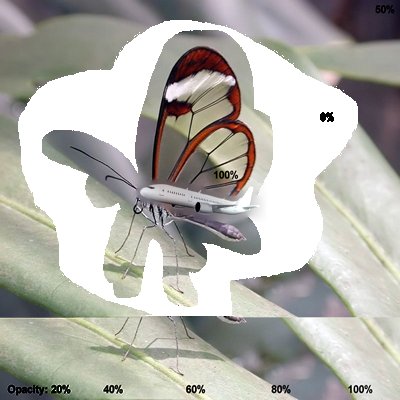
// Automated test of seamlessClone - Random Values
// TIEVisionImage.seamlessClone: 284x78, Mode: ievMIXED_CLONE, Flat fill + inflate: false (0 px) (click to place)
// Clone a transparent PNG using its alpha as the mask. For soft/feathered edges, blend it onto a flat colour and inflate the mask
bmp := TIEBitmap.Create( 'D:\Plane.png' );
bmp.Resize( 2, 2, 2, 2, 0, 0 ); // Transparent border
maskBmp := TIEBitmap.Create( bmp.AlphaChannel );
maskBmp.GetIEVisionImage().threshold( 127, 255, ievTHRESH_BINARY );
srcBmp := TIEBitmap.Create( bmp );
srcBmp.RemoveAlphaChannel( False );
ImageEnView1.IEBitmap.AssignIEVisionImage( ImageEnView1.IEBitmap.GetIEVisionImage().seamlessClone( srcBmp.GetIEVisionImage(), maskBmp.GetIEVisionImage(), IEVisionPoint( 200, 200 ), ievMIXED_CLONE ));
ImageEnView1.Update();
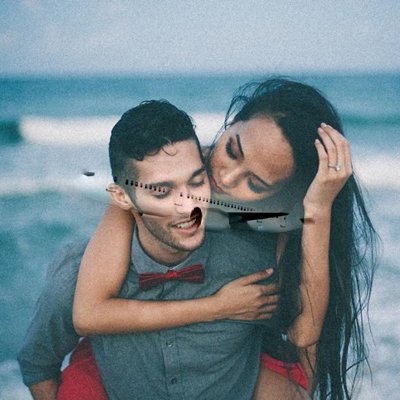
// Automated test of seamlessClone - Alpha Channel - Random Values
// TIEVisionImage.seamlessClone: 284x78, Mode: ievMIXED_CLONE, Flat fill + inflate: false (0 px) (click to place)
// Clone a transparent PNG using its alpha as the mask. For soft/feathered edges, blend it onto a flat colour and inflate the mask
bmp := TIEBitmap.Create( 'D:\Plane.png' );
bmp.Resize( 2, 2, 2, 2, 0, 0 ); // Transparent border
maskBmp := TIEBitmap.Create( bmp.AlphaChannel );
maskBmp.GetIEVisionImage().threshold( 127, 255, ievTHRESH_BINARY );
srcBmp := TIEBitmap.Create( bmp );
srcBmp.RemoveAlphaChannel( False );
ImageEnView1.IEBitmap.AssignIEVisionImage( ImageEnView1.IEBitmap.GetIEVisionImage().seamlessClone( srcBmp.GetIEVisionImage(), maskBmp.GetIEVisionImage(), IEVisionPoint( 200, 200 ), ievMIXED_CLONE ));
ImageEnView1.Update();