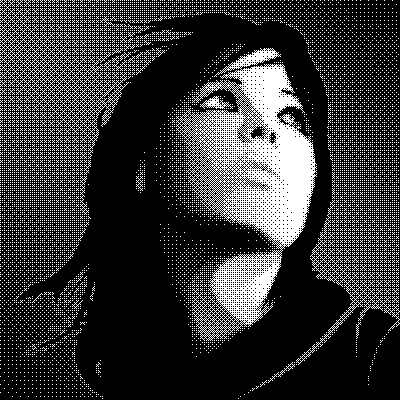
Code samples for TIOParams.
Automatically generated by the Every Method demo.
// Automated test of IOParams - Meta Data
// IOParams - Grainy_24.png - Portable Network Graphics (PNG) - 400 x 400 pixels, 16M Colors
Memo1.Lines.Add( 'Filename: ' + ImageEnView1.IO.Params.Filename );
Memo1.Lines.Add( 'File Type: ' + ImageEnView1.IO.Params.FileTypeStr );
Memo1.Lines.Add( 'Image Info: ' + ImageEnView1.IO.Params.ImageInfoStr );
Filename: D:\Images\Grainy_24.png
File Type: Portable Network Graphics (PNG)
Image Info: 400 x 400 pixels, 16M Colors

// Automated test of IOParams - Meta Data - Alpha Channel
// IOParams - Alpha_32.png - Portable Network Graphics (PNG) - 400 x 400 pixels, 16M Colors
Memo1.Lines.Add( 'Filename: ' + ImageEnView1.IO.Params.Filename );
Memo1.Lines.Add( 'File Type: ' + ImageEnView1.IO.Params.FileTypeStr );
Memo1.Lines.Add( 'Image Info: ' + ImageEnView1.IO.Params.ImageInfoStr );
Filename: D:\Images\Alpha_32.png
File Type: Portable Network Graphics (PNG)
Image Info: 400 x 400 pixels, 16M Colors
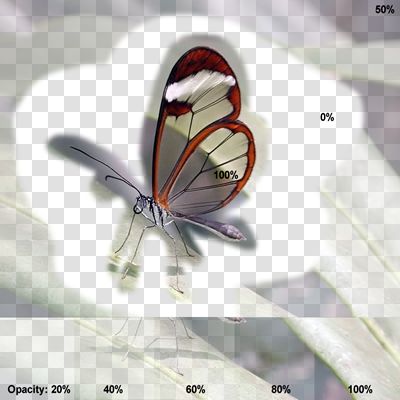
// Automated test of IOParams - Meta Data - 32-Bit RGBA
// IOParams - Dragon_32.png - Portable Network Graphics (PNG) - 400 x 400 pixels, 16M Colors
Memo1.Lines.Add( 'Filename: ' + ImageEnView1.IO.Params.Filename );
Memo1.Lines.Add( 'File Type: ' + ImageEnView1.IO.Params.FileTypeStr );
Memo1.Lines.Add( 'Image Info: ' + ImageEnView1.IO.Params.ImageInfoStr );
Filename: D:\Images\Dragon_32.png
File Type: Portable Network Graphics (PNG)
Image Info: 400 x 400 pixels, 16M Colors

// Automated test of IOParams - Meta Data - 1-bit
// IOParams - Girl_1bit.bmp - Windows Bitmap (BMP v3) - 400 x 400 pixels, 2 Colors
Memo1.Lines.Add( 'Filename: ' + ImageEnView1.IO.Params.Filename );
Memo1.Lines.Add( 'File Type: ' + ImageEnView1.IO.Params.FileTypeStr );
Memo1.Lines.Add( 'Image Info: ' + ImageEnView1.IO.Params.ImageInfoStr );
Filename: D:\Images\Girl_1bit.bmp
File Type: Windows Bitmap (BMP v3)
Image Info: 400 x 400 pixels, 2 Colors