TImageEnView.LayersShowPropertiesDialog
Declaration
function LayersShowPropertiesDialog(LayerIdx: Integer = LYR_SELECTED_LAYERS): Boolean;Description
Display the Layer Properties dialog for a layer, which allows the user to modify the style and other settings.Result is True, unless the user cancels out of the dialog.
If LayerIdx is LYR_SELECTED_LAYERS, then the current layer is edited.
Note:
◼Even if multiple layers are selected, only the current layer is modified.
◼The size of the dialog are specified by: LayerPropertiesDialogWidth and LayerPropertiesDialogHeight
◼You can customize the dialog using OnShowDialog
Demo
 | Demos\LayerEditing\Layers_AllTypes\Layers.dpr |
Example
// Display the properties dialog for the selected layerImageEnView1.LayersShowPropertiesDialog();
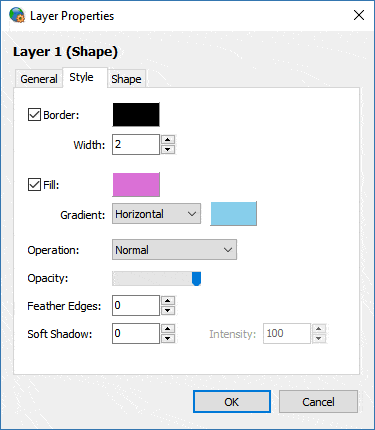
See Also
◼LayersNewLayerDialog◼OnShowDialog