Note: You must be registered in order to post a reply. To register, click here. Registration is FREE!
T O P I C R E V I E W
dreamnyj
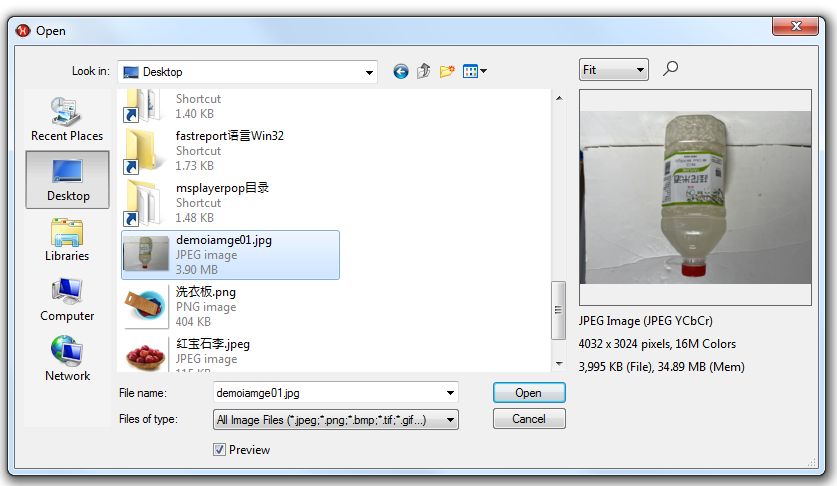
Posted - Apr 26 2026 : 21:03:45 I am using the TImageEnView control to load a jpg image taken by a mobile phone, but it is upside down. However, such images will automatically rotate in Windows. I don't know what the reason is. I have uploaded the 3.9mb image to the attachment. I would appreciate it if any experts could give me some guidance on how to automatically rotate this image. Or why it is upside down.
Thank you.
ImageEnView1.IO.ExecuteOpenDialog for loading images
Posted - Apr 28 2026 : 04:01:09 Thank you very much for your answer. According to the above settings, I successfully achieved automatic flipping of photos.
xequte
Posted - Apr 27 2026 : 20:40:29 Hi
This image is upside-down, and only the meta data makes it display correctly in Windows (EnableAdjustOrientation in ImageEn).
EnableAdjustOrientation is applied per TImageEnView/TIEBitmap. By default it is off, so to make it enabled universally (including in places that are difficult to set such as the open dialog, use:
Posted - Apr 26 2026 : 21:10:41 I have used the following code to try to achieve automatic rotation, but it seems to be ineffective. I would appreciate guidance from experts who know better.
 Search