ImageEn for Delphi and C++ Builder ImageEn for Delphi and C++ Builder


ImageEn Forum
Profile    Join    Active Topics    Forum FAQ    Search this forumSearch
 All Forums
 ImageEn Library for Delphi, C++ and .Net
 ImageEn and IEvolution Support Forum
 TextStyling.FillTransparency1 conflicts with Zoom

Note: You must be registered in order to post a reply.
To register, click here. Registration is FREE!

View 
UserName:
Password:
Format  Bold Italicized Underline  Align Left Centered Align Right  Horizontal Rule  Insert Hyperlink   Browse for an image to attach to your post Browse for a zip to attach to your post Insert Code  Insert Quote Insert List
   
Message 


Emoji
Smile [:)] Big Smile [:D] Cool [8D] Blush [:I]
Tongue [:P] Evil [):] Wink [;)] Black Eye [B)]
Frown [:(] Shocked [:0] Angry [:(!] Sleepy [|)]
Kisses [:X] Approve [^] Disapprove [V] Question [?]

 
Check here to subscribe to this topic.
   

T O P I C    R E V I E W
bajie Posted - May 11 2026 : 22:18:04

ImageEnView1.IO.LoadFromFile('C:\Users\test\Pictures\test.jpg');
ImageEnView1.AutoFit := True;

ImageEnView1.LayersAdd( ielkText ); // add a new textlayer
  lyr := TIETextLayer( ImageEnView1.CurrentLayer );
  lyr.Text := 'TEXT';
  lyr.Font.Color := clred;
  lyr.Font.Size := 100;
  lyr.AutoSize    := True;
  lyr.TextStyling.BorderWidth := 2;
  lyr.TextStyling.BorderColor := clblue;
  lyr.TextStyling.FillTransparency1 := 10;
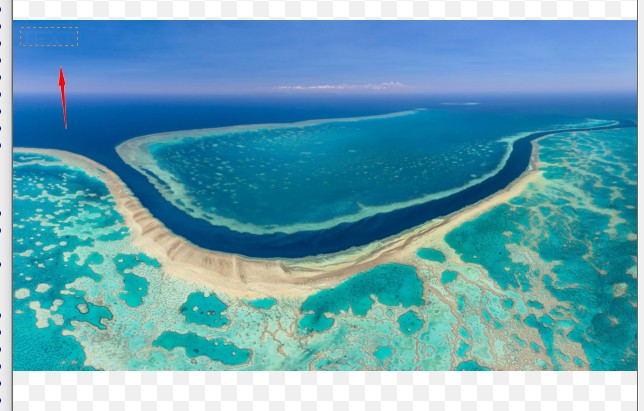


ImageEnView1.IO.LoadFromFile('C:\Users\test\Pictures\test.jpg');
  // ImageEnView1.AutoFit := True;

  ImageEnView1.LayersAdd( ielkText ); // add a new textlayer
  lyr := TIETextLayer( ImageEnView1.CurrentLayer );
  lyr.Text := 'TEXT';
  lyr.Font.Color := clred;
  lyr.Font.Size := 100;
  lyr.AutoSize    := True;
  lyr.TextStyling.BorderWidth := 2;
  lyr.TextStyling.BorderColor := clblue;
  lyr.TextStyling.FillTransparency1 := 10;
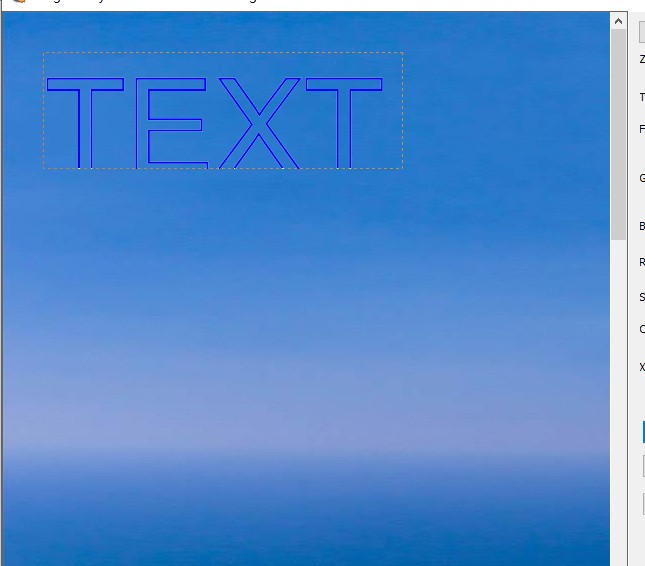


ImageEnView1.IO.LoadFromFile('C:\Users\test\Pictures\test.jpg');
ImageEnView1.AutoFit := True;

ImageEnView1.LayersAdd( ielkText ); // add a new textlayer
  lyr := TIETextLayer( ImageEnView1.CurrentLayer );
  lyr.Text := 'TEXT';
  lyr.Font.Color := clred;
  lyr.Font.Size := 100;
  lyr.AutoSize    := True;
  lyr.TextStyling.BorderWidth := 2;
  lyr.TextStyling.BorderColor := clblue;
  lyr.TextStyling.FillTransparency1 := 255;
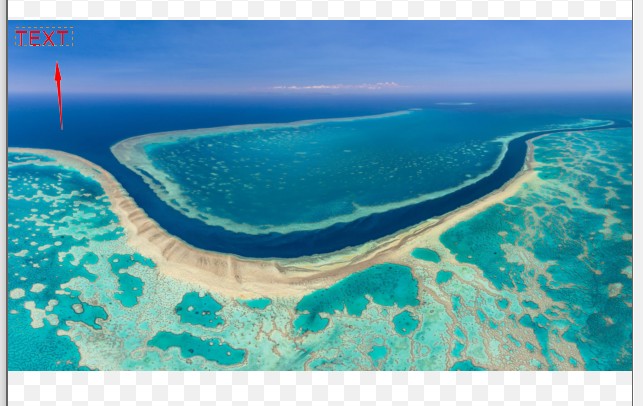


3   L A T E S T    R E P L I E S    (Newest First)
bajie Posted - May 13 2026 : 22:02:36
Ok
xequte Posted - May 12 2026 : 17:36:39
Hi

We've made some improvements to stylized text rendering in the current beta. Can you email me for it.

Nigel
Xequte Software
www.imageen.com
bajie Posted - May 12 2026 : 07:08:55
Zoom also conflicts with TextLayer.SoftShadow. When zoomed to a very small size, the text (TextLayer.SoftShadow.Enabled := True) fails to render.
