Note: You must be registered in order to post a reply. To register, click here. Registration is FREE!
T O P I C R E V I E W
yogiyang
Posted - Jun 09 2026 : 05:36:51 Hello,
I am trying to use the PDFViewer.Objects to select objects. I am able to select them manually but am finding it hard to select them programmatically.
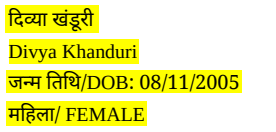
I have attached a screenshot of the objects that I want to select. I have highlighted the lines which I want to select the objects of each line.
Once a line of objects are selected I want (if possible) to merge them into one single object and also to enlarge them by 15%.
TIA
Yogi Yang
3 L A T E S T R E P L I E S (Newest First)
xequte
Posted - Jun 12 2026 : 02:09:20 Hi Yogi
If you mean iterate through all the objects on a page (or within a rect for example), then you can just use PDFViewer.Objects, check its position (X, Y, Width, Height) and if necessary enlarge it, e.g. by using the Scale method.
I don't think you want to convert them from a text object to an image object because then they will no longer be selectable in PDF viewing applications.
Thanks for your reply. But getting the exact number of the objects that needs to be selected is the issue. Coz the length of a line is variable I am not able to find a way to select all the objects of a line that I have marked in Yellow color.
Is it possible to enlarge all the selected objects in one go? I mean are there any functions that I can use to tell PDFViewer to enlarge all selected objects?
While reading the documentation I understood that it is possible to extract selected objects to IEView as bitmap on a separate layer. I think I can use this to extract selected objects and then enlarge them in IEView. Correct me if I am wrong here.
The actual issue is to be able to select all the objects from start of a line to the end of a line programmatically.
 Search