| T O P I C R E V I E W |
| Kang |
Posted - Jun 16 2026 : 04:59:28
Issue Reproduction Steps:#8203;
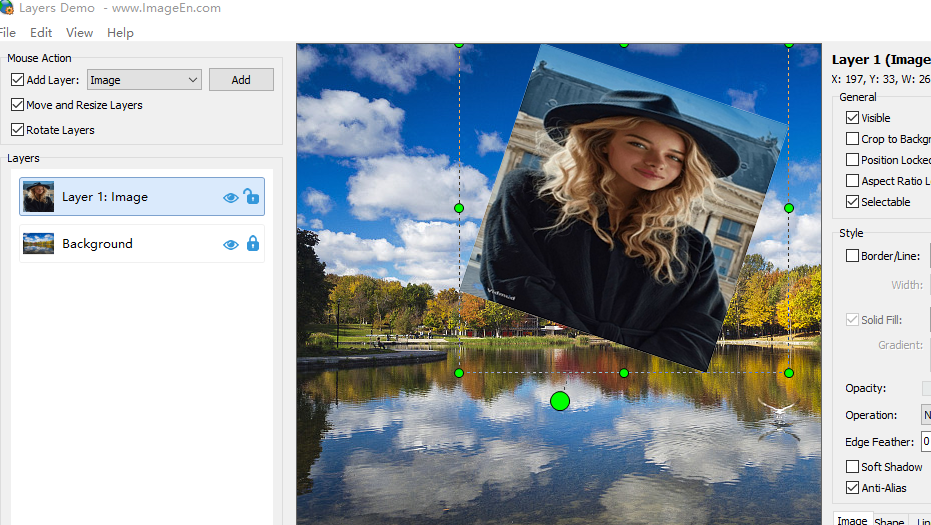
This issue can be reproduced by rotating an image layer and then moving its top-left corner outside the canvas so that the Y-coordinate becomes -1. The selection marquee will appear incorrectly oversized.
Do you have any recommended solutions or workarounds for this problem?
 |
| 2 L A T E S T R E P L I E S (Newest First) |
| Kang |
Posted - Jun 18 2026 : 03:31:32
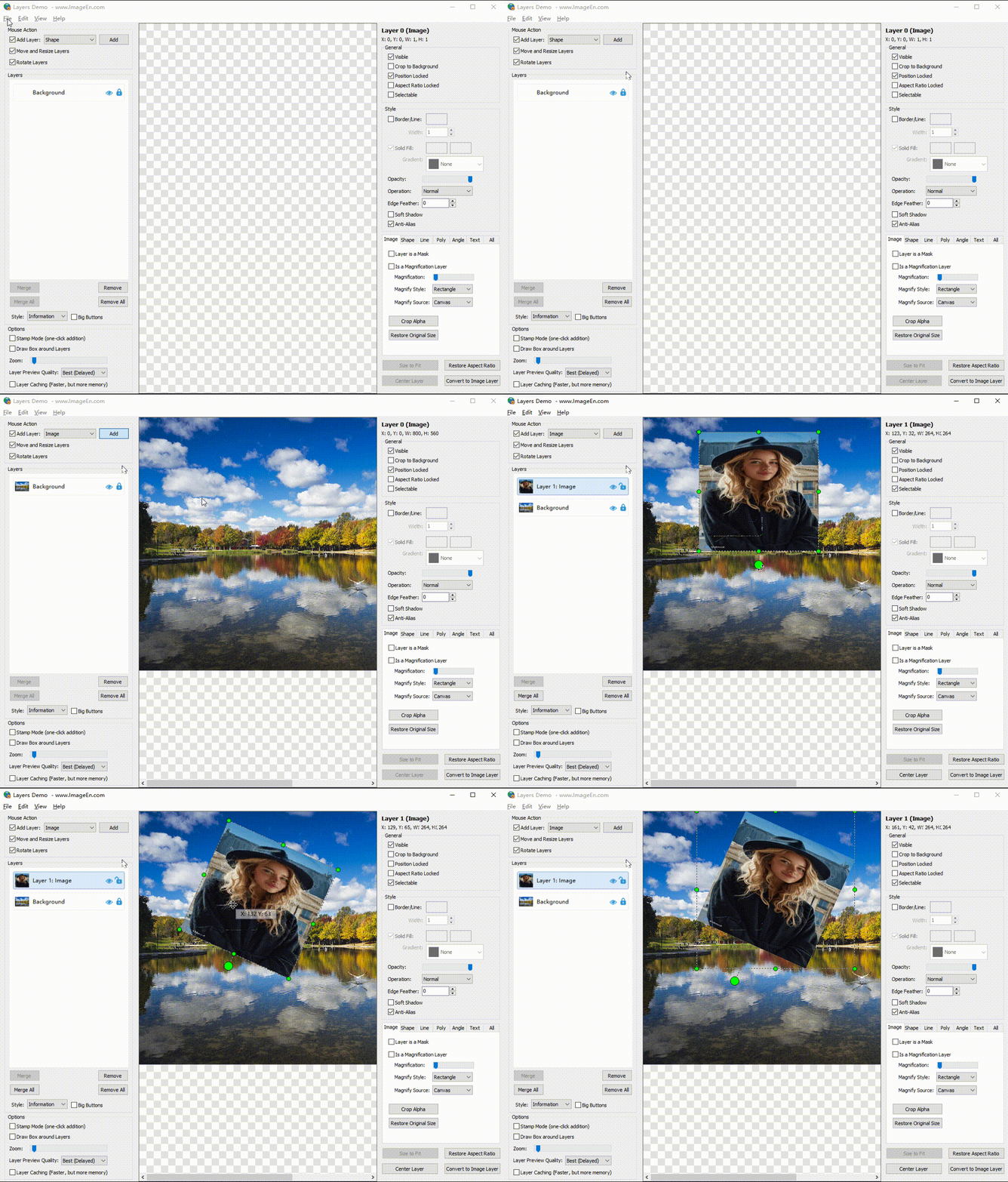
It doesn’t seem to be an aspect ratio issue.
I recorded the steps to reproduce the problem—could you take a look?
The layer selection rectangle becomes abnormally large and no longer fits tightly around the layer.
 |
| xequte |
Posted - Jun 17 2026 : 16:12:11
Hi
It looks like you have not locked the aspect ratio for the layer:
http://www.imageen.com/help/TIELayer.AspectRatioLocked.html
Nigel
Xequte Software
www.imageen.com
|
 Search



