ImageEn for Delphi and C++ Builder ImageEn for Delphi and C++ Builder


ImageEn Forum
Profile    Join    Active Topics    Forum FAQ    Search this forumSearch
Forum membership is Free!  Click Join to sign-up
Username:
Password:
Save Password
Forgot your Password?

 All Forums
 ImageEn Library for Delphi, C++ and .Net
 ImageEn and IEvolution Support Forum
 How to save selected layers as PNG?
 New Topic  Reply to Topic
Author Previous Topic Topic Next Topic  

whisper1980

USA
91 Posts

Posted - Jun 18 2026 :  16:50:15  Show Profile  Reply
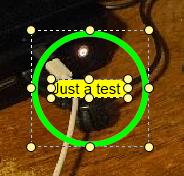
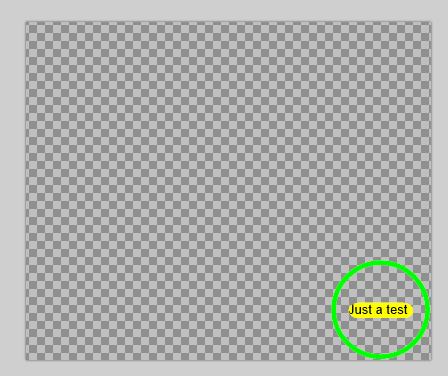
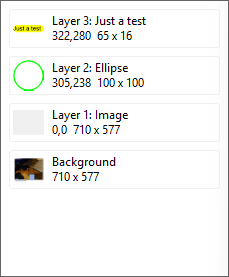
I have the need to save selected layers as an IEN object to be added to an image at a later date. I also need to display it as a PNG in a TListView. However, the way I'm attempting to do it doesn't work well. It is not trimming the PNG, and loading the IEN file loads it huge. What am I missing or am I way off base? Is creating a new TImageEnView not the way to go? I did that to isolate the selected layers and merge just those layers into both a PNG file and IEN file. Also, when I do load the IEN file to append, it adds an additional empty layer.

    var vStream := TBytesStream.Create;
    try
      ImageEnView1.LayersSaveToStream(vStream, IEN_Native_Uncompressed, True, True, true, False, nil);
      vStream.Position := 0;
      var vImageEnView := TImageEnView.Create(Self);
      try
        vImageEnView.IO.LoadFromStream(vStream);
        vStream.Position := 0;
        vImageEnView.LayersSaveMergedTo(SaveDialog1.FileName);
        vImageEnView.IO.Params.IEN_Compression := ioPNG + 10000;
        vImageEnView.IO.SaveToFileIEN(ChangeFileExt(SaveDialog1.FileName, '.ien'));
      finally
        vImageEnView.Free;
      end;
    finally
      vStream.Free;
    end;


Eric

whisper1980

USA
91 Posts

Posted - Jun 19 2026 :  17:27:43  Show Profile  Reply
Well, figured it out. Made changes that work for me perfectly:

    var vStream := TBytesStream.Create;
    try
      ImageEnView1.LayersSaveToStream(vStream, IEN_Native_Uncompressed, True, True, true, False, nil);
      vStream.Position := 0;
      var vImageEnView := TImageEnView.Create(Self);
      try
        vImageEnView.IO.LoadFromStream(vStream);
        vStream.Position := 0;
        vImageEnView.LayersCropBackground();
        vImageEnView.LayersRemove(0);
        vImageEnView.LayersSaveMergedTo(SaveDialog1.FileName);
        vImageEnView.IO.Params.IEN_Compression := ioPNG + 10000;
        vImageEnView.IO.Params.IEN_StoreBackground := false;
        vImageEnView.IO.SaveToFileIEN(ChangeFileExt(SaveDialog1.FileName, '.ien'));
      finally
        vImageEnView.Free;
      end;
    finally
      vStream.Free;
    end;

Eric
Go to Top of Page

xequte

39450 Posts

Posted - Jun 19 2026 :  18:22:57  Show Profile  Reply
Nice one, Eric

Nigel
Xequte Software
www.imageen.com
Go to Top of Page
  Previous Topic Topic Next Topic  
 New Topic  Reply to Topic
Jump To:
