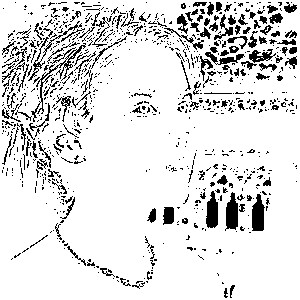
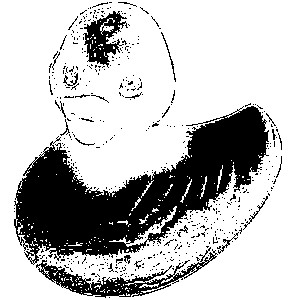
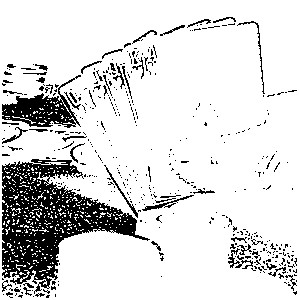
TImageEnProc.MedianFilter
Declaration
procedure MedianFilter(WindowX: Integer = 5; WindowY: Integer = 5; Brightness: Integer = 50; Contrast: Integer = 50; Multiplier: Integer = 1; Threshold: Integer = 50; MedianOp: TIEMedFilType = mfMedianFilter);Description
Perform median filtering on an image using windows from 3x3 to 19x19 maximum size. MedianFilter works only with True color images.Filtering can be of three types:
| mfMedianFilter | Substitute median if central point differs from median by a threshold amount |
| mfSharpen | High pass sharpening |
| mfEdgeExtract | Edge extraction |
Note:
◼If the image PixelFormat is not ie24RGB, it will be converted
◼For a faster exact 3x3 median aimed at impulse noise (including grayscale/48-bit), use MedianFilterFast
Operation
Histogram in moving window at beginning of line is initiated. Histogram is updated after each move subtracting left column values from previous window, adding right column values. Median updated by counting up or down number of pixels less than or greater than old median.
For color images, the grayscale intensity of a pixel is computed as a weighted linear combination of RGB and counted in the histogram. The pixel with the nearest (L1 norm) color to the average of all pixels in the moving window except the central point is used in place of the median.
The computation of the median for a color image has a complexity of O(N^4), whereas this technique is only O(N^2) or less and is as good when the window size is 19x19 when the median differs only by a small amount from the mean. For smaller windows performance degrades as the mean differs from the median, but it is still satisfactory down to a 5x5 window.
Adaptive thresholding is used to preserve sharp edges. A pixel is replaced by the median or its nearast average color equivalent if it lies outside the 1st and 3rd quantile of the intensity distribution. The user may modify the position of the quantiles interactively. Defaults are the first and third quartiles. For grayscale images, the quantiles and medians are used directly.
The green element of a TRGB record is used as an intensity measurement. The user must provide means of detecting whether or not an image is color or grayscale.
Author
I Scollar, following Huang, Yang, Tang, unpublished report submitted under Defense Advanced Research Projects Agency contract no. MDA 903-77-G-1, "A fast two dimensional median filtering algorithm" T.S.Huang, G.J.Yang, G.Y.Tang, School of Electrical Engineering, Purdue University, West Lafayette, Indiana 47907, USA.
First publication: TS Huang, GJ Yang, GY Tang, Proceedings IEEE Conference Pattern Recognition and Image Processing, Chicago 1978, p. 128 ff.
I Scollar, B Weidner, TS Huang, Image enhancement using the median and the interquartile distance, Computer Vision, Graphics and Image Processing, 25 1984 236-251
Original Fortran IV, 512x512 grayscale images GY Tang, 1976
Modifications
Large images on DEC PDP11, I Scollar Sept. 1978
Normalized sharpening, I Scollar Sept. 1980
Adaptive quantile thresholding, I Scollar Sept. 1980
Ported from DEC Fortran IV to Delphi 7 Pascal, I Scollar March 11, 2003
Extension to color images, I Scollar, March 13, 2003
MedianFilter vs MedianFilterFast
Use MedianFilterFast when you need a true 3x3 median to remove salt-and-pepper / impulse noise (hot pixels, speckles). It uses a Perreault sorting-network algorithm, always replaces each pixel with the exact median of its 3x3 neighbourhood, and supports grayscale and high-bit-depth formats (ie8g, ie16g, ie24RGB, ie48RGB). For denser noise, increase Passes to run the filter again on the result.Use MedianFilter for general median filtering with windows from 3x3 to 19x19, optional adaptive thresholding to preserve edges, and sharpen / edge-extract modes (mfMedianFilter, mfSharpen, mfEdgeExtract). It is based on a fast sliding-window histogram method (Huang / Scollar) and works on true-color images (ie24RGB; other formats are converted).
Demo
 | Demos\ImageEditing\EveryMethod\EveryMethod.dpr |
Examples
Also see: Automated Samples
ImageEnView1.IO.LoadFromFile( 'D:\TestImage.jpg' );
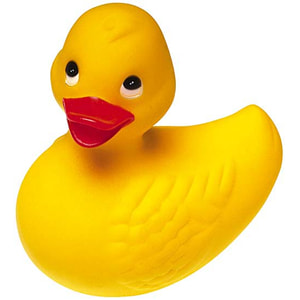
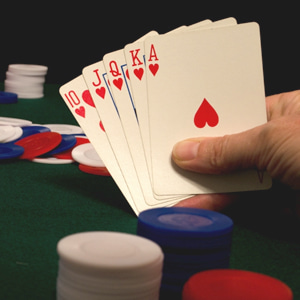
// Perform median filtering
ImageEnView1.Proc.MedianFilter();

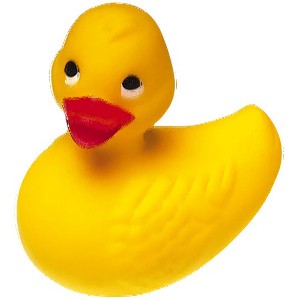
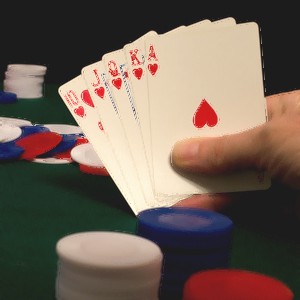
// Perform median filtering using high pass sharpening
ImageEnView1.Proc.MedianFilter( 5, 5, 50, 50, 1, 50, mfSharpen );

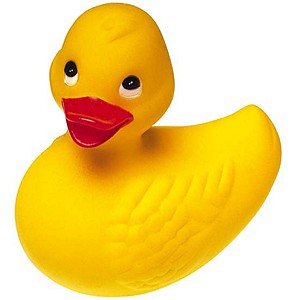
// Perform median filtering using edge extraction
ImageEnView1.Proc.MedianFilter( 5, 5, 50, 50, 1, 50, mfEdgeExtract );