ImageEn for Delphi and C++ Builder ImageEn for Delphi and C++ Builder


ImageEn Forum
Profile    Join    Active Topics    Forum FAQ    Search this forumSearch
 All Forums
 ImageEn Library for Delphi, C++ and .Net
 ImageEn and IEvolution Support Forum
 protect background against Ctrl+V

Note: You must be registered in order to post a reply.
To register, click here. Registration is FREE!

View 
UserName:
Password:
Format  Bold Italicized Underline  Align Left Centered Align Right  Horizontal Rule  Insert Hyperlink   Browse for an image to attach to your post Browse for a zip to attach to your post Insert Code  Insert Quote Insert List
   
Message 


Emoji
Smile [:)] Big Smile [:D] Cool [8D] Blush [:I]
Tongue [:P] Evil [):] Wink [;)] Black Eye [B)]
Frown [:(] Shocked [:0] Angry [:(!] Sleepy [|)]
Kisses [:X] Approve [^] Disapprove [V] Question [?]

 
Check here to subscribe to this topic.
   

T O P I C    R E V I E W
ZS Tekatec Posted - Mar 31 2025 : 15:58:01
Hello

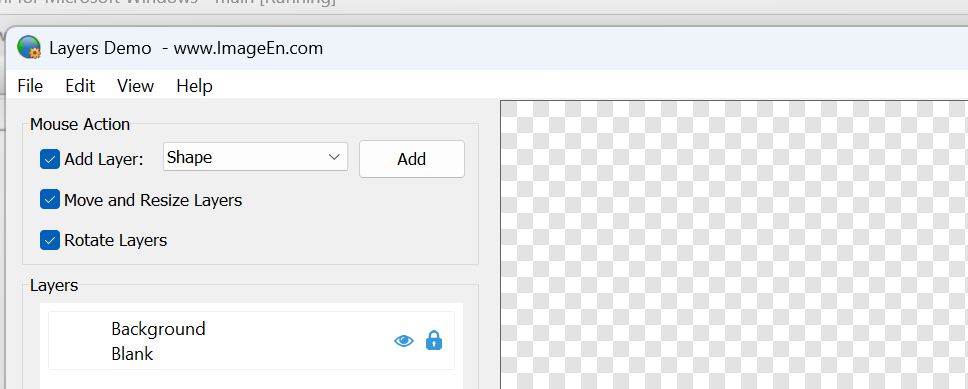
in your demo I've got empty background:


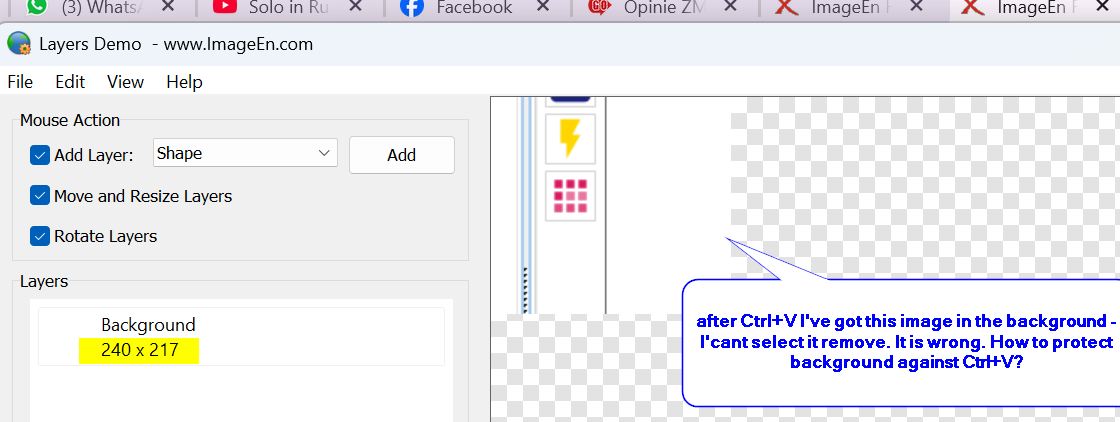
and then I click it and Paste (Ctrl+V) image from clipoard:


Is it possible that after Ctrl+V new image layer will be created and not background modified?

ZS
6   L A T E S T    R E P L I E S    (Newest First)
xequte Posted - Sep 25 2025 : 01:18:29
Yes, I think you should just use a special case in the OnKeyboardShortcut event, i.e. write your own code to paste content to the background (to get around the loProtectBackground exclusion).

Nigel
Xequte Software
www.imageen.com
ZS Tekatec Posted - Sep 24 2025 : 04:51:44
Hi Nigel,

I checked it once again why I can't paste (Ctrl+V) in "Layers Demo" and the problem occurs when loProtectBackground is set on.
I would like to protect my background that no one will delete it or remove it but in the same time I would like to be able to paste some picture when there is only background present.


ZS
xequte Posted - Sep 24 2025 : 02:11:54
Hi

You should re-enable the Ctrl+V shortcut, and use the OnKeyboardShortcut event to control when it is activated:

http://www.imageen.com/help/TIEView.OnKeyboardShortcut.html

Nigel
Xequte Software
www.imageen.com
ZS Tekatec Posted - Sep 23 2025 : 09:08:34
thank you, it works, but now ungrateful users complain that they would like to paste some picture when there is only background - and they can't. When there is at least one object and this object is selected - then they can.
Is there any option to paste picture when only protected background exists?


ZS
xequte Posted - Mar 31 2025 : 21:22:39
Also, from v14.0.1 if you enable LayerEditingMode, images will always be added as new layers rather than replacing the background content.

http://www.imageen.com/help/TImageEnView.LayerEditingMode.html

Nigel
Xequte Software
www.imageen.com
xequte Posted - Mar 31 2025 : 20:15:46
Hi

In the current beta you can prevent cutting and pasting to layer 0 using loProtectBackground.
There will also be finer control with TImageEnView.OnKeyboardShortcut.

procedure TMain.ImageEnView1KeyboardShortcut(Sender: TObject; Shortcut: TShortCut; var Allow: Boolean);
begin
  // Prevent pasting to the background layer
  if ( ImageEnView1.LayersCurrent = 0 ) and ( Shortcut = scCtrl or VK_V ) then
    Allow := False;
end;


You can email me for the beta.

Nigel
Xequte Software
www.imageen.com