ImageEn for Delphi and C++ Builder ImageEn for Delphi and C++ Builder


ImageEn Forum
Profile    Join    Active Topics    Forum FAQ    Search this forumSearch
Forum membership is Free!  Click Join to sign-up
Username:
Password:
Save Password
Forgot your Password?

 All Forums
 ImageEn Library for Delphi, C++ and .Net
 ImageEn and IEvolution Support Forum
 protect background against Ctrl+V
 New Topic  Reply to Topic
Author Previous Topic Topic Next Topic  

ZS Tekatec

Poland
20 Posts

Posted - Mar 31 2025 :  15:58:01  Show Profile  Reply
Hello

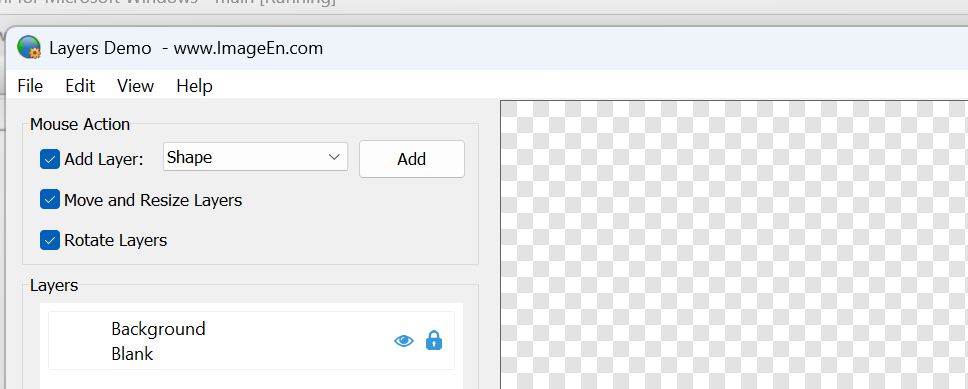
in your demo I've got empty background:


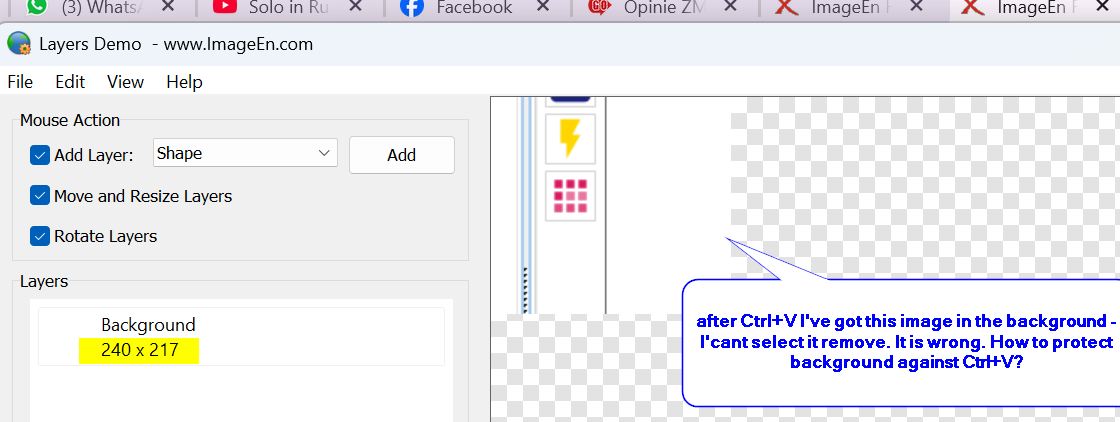
and then I click it and Paste (Ctrl+V) image from clipoard:


Is it possible that after Ctrl+V new image layer will be created and not background modified?

ZS

xequte

39278 Posts

Posted - Mar 31 2025 :  20:15:46  Show Profile  Reply
Hi

In the current beta you can prevent cutting and pasting to layer 0 using loProtectBackground.
There will also be finer control with TImageEnView.OnKeyboardShortcut.

procedure TMain.ImageEnView1KeyboardShortcut(Sender: TObject; Shortcut: TShortCut; var Allow: Boolean);
begin
  // Prevent pasting to the background layer
  if ( ImageEnView1.LayersCurrent = 0 ) and ( Shortcut = scCtrl or VK_V ) then
    Allow := False;
end;


You can email me for the beta.

Nigel
Xequte Software
www.imageen.com
Go to Top of Page

xequte

39278 Posts

Posted - Mar 31 2025 :  21:22:39  Show Profile  Reply
Also, from v14.0.1 if you enable LayerEditingMode, images will always be added as new layers rather than replacing the background content.

http://www.imageen.com/help/TImageEnView.LayerEditingMode.html

Nigel
Xequte Software
www.imageen.com
Go to Top of Page

ZS Tekatec

Poland
20 Posts

Posted - Sep 23 2025 :  09:08:34  Show Profile  Reply
thank you, it works, but now ungrateful users complain that they would like to paste some picture when there is only background - and they can't. When there is at least one object and this object is selected - then they can.
Is there any option to paste picture when only protected background exists?


ZS
Go to Top of Page

xequte

39278 Posts

Posted - Sep 24 2025 :  02:11:54  Show Profile  Reply
Hi

You should re-enable the Ctrl+V shortcut, and use the OnKeyboardShortcut event to control when it is activated:

http://www.imageen.com/help/TIEView.OnKeyboardShortcut.html

Nigel
Xequte Software
www.imageen.com
Go to Top of Page

ZS Tekatec

Poland
20 Posts

Posted - Sep 24 2025 :  04:51:44  Show Profile  Reply
Hi Nigel,

I checked it once again why I can't paste (Ctrl+V) in "Layers Demo" and the problem occurs when loProtectBackground is set on.
I would like to protect my background that no one will delete it or remove it but in the same time I would like to be able to paste some picture when there is only background present.


ZS
Go to Top of Page

xequte

39278 Posts

Posted - Sep 25 2025 :  01:18:29  Show Profile  Reply
Yes, I think you should just use a special case in the OnKeyboardShortcut event, i.e. write your own code to paste content to the background (to get around the loProtectBackground exclusion).

Nigel
Xequte Software
www.imageen.com
Go to Top of Page
  Previous Topic Topic Next Topic  
 New Topic  Reply to Topic
Jump To: