TIEVisionImage.prepareForOCR
Declaration
function prepareForOCR(flags: TIEVisionOCRPrepareFlags = ievOCRPrepDefault; minTextHeight: int32_t = 20): TIEVisionImage; safecall;Description
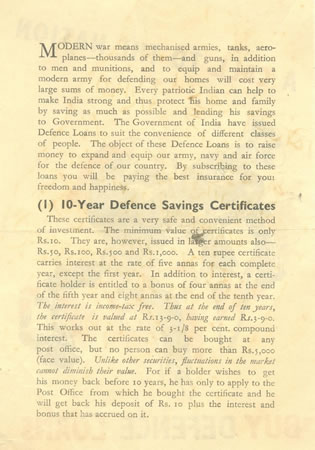
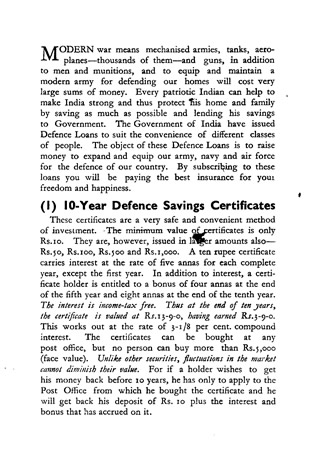
Prepares a document image for OCR in one call, performing the steps selected by flags in this order:1. Convert to 8-bit gray
2. Normalize the background (ievOCRPrepNormalizeBackground, see normalizeBackground)
3. Enlarge the image if the text is small (ievOCRPrepUpscale). The typical character height is measured, and if it is below minTextHeight the image is scaled up (at most 4x)
4. Deskew (ievOCRPrepDeskew, see deskew)
5. Binarize with Otsu (ievOCRPrepBinarizeOtsu) or Sauvola (ievOCRPrepBinarizeSauvola, see sauvolaThreshold; the window size is chosen from the text height). After background normalization a global Otsu threshold works best, so the default uses Otsu. Use Sauvola instead if you turn off background normalization
6. Remove form and table lines and underlines (ievOCRPrepRemoveLines, see removeLines)
7. Remove dark areas touching the edge (ievOCRPrepRemoveBorder) and small specks (ievOCRPrepRemoveSpeckles)
8. Add a 10 pixel white margin (ievOCRPrepAddMargin)
Returns a new 8-bit gray image (black and white if a binarize flag is set). The current image is not changed.
If the image has a DPI, the result's DPI is scaled with it, so Tesseract still gets the correct text size.
Because the result may be scaled, rotated and have a margin, positions found in it (e.g. getBoxes) are not the same as in the original image. Use mapRectToSource on the result to convert them, or getTransformInfo to get the values applied.
| Parameter | Description |
|---|---|
| flags | Steps to perform, combined with "or". See TIEVisionOCRPrepareFlags. ievOCRPrepDefault includes all steps except ievOCRPrepRemoveBorder, ievOCRPrepRemoveLines and ievOCRPrepBinarizeSauvola |
| minTextHeight | With ievOCRPrepUpscale, images whose typical character height (about the height of a lowercase letter) is below this are enlarged. 0 disables scaling |
Note: ievOCRPrepRemoveBorder is not included by default because it also removes text touching the edge of the image. Enable it for full scanned pages with dark borders.
ievOCRPrepRemoveLines is not included by default because it also removes underlines and strike-through lines. Enable it for forms and tables, where lines touching the text cause recognition errors.
Demos
 | Demos\IEVision\OCR\OCR.dpr |
| | Demos\ImageEditing\EveryMethod\EveryMethod.dpr |
Example 1
// OCR a scanned or photographed pageOCR := IEVisionLib.createOCR( IEOCRLanguageList[ OCR_English_language ].Code );
prepared := ImageEnView1.IEBitmap.GetIEVisionImage().prepareForOCR();
Memo1.Lines.Text := OCR.recognize( prepared, IEVisionRect( 0, 0, 0, 0 )).c_str();
Example 2
// Draw the word boxes on the original imageprepared := ImageEnView1.IEBitmap.GetIEVisionImage().prepareForOCR( ievOCRPrepDefault or ievOCRPrepRemoveBorder );
OCR.recognize( prepared, IEVisionRect( 0, 0, 0, 0 ));
boxes := OCR.getBoxes();
for i := 0 to boxes.size() - 1 do
begin
r := prepared.mapRectToSource( boxes.getOCRBox( i ).rect );
ImageEnView1.IEBitmap.Canvas.Rectangle( r.x, r.y, r.x + r.width, r.y + r.height );
end;
ImageEnView1.Update();
Example 3
// Prepare a document image for OCR (normalize background, upscale small text, deskew, binarize, clean up and add margin)img := ImageEnView1.IEBitmap.GetIEVisionImage().prepareForOCR( ievOCRPrepNormalizeBackground or ievOCRPrepDeskew or ievOCRPrepRemoveSpeckles or ievOCRPrepAddMargin or ievOCRPrepUpscale or ievOCRPrepBinarizeOtsu, 20 );
ImageEnView1.IEBitmap.AssignIEVisionImage( img );
ImageEnView1.Update(); // Show changes in our viewer

See Also
◼TIEVisionOCRPrepareFlags◼recognize
◼mapRectToSource