The "Every Method" editing demo allows you to preview 300 editing, analysis and effects methods, and generate sample code.
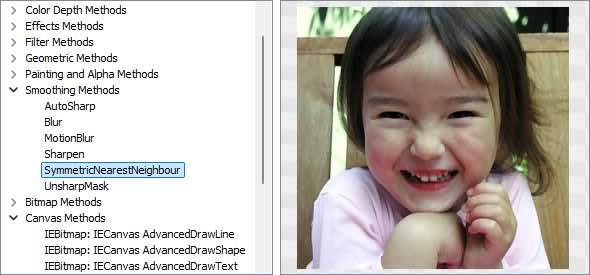
Image Editing Methods
◼Analysis Methods◼Color Adjustment Methods
◼Color Depth Methods
◼Detection Methods
◼Special Detection Methods
◼Document Methods
◼Drawing Methods
◼Effects Methods
◼Filter Methods
◼Geometric Methods
◼Painting and Alpha Methods
◼Smoothing Methods
◼Other Methods
◼Selection Methods
◼Interactive Tools
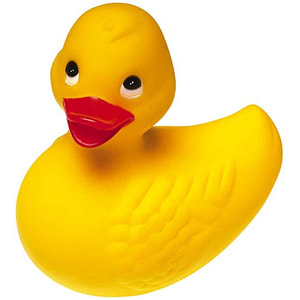
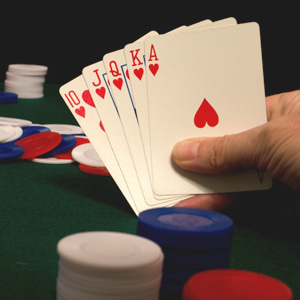
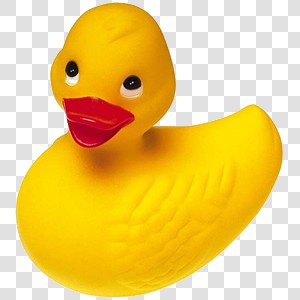
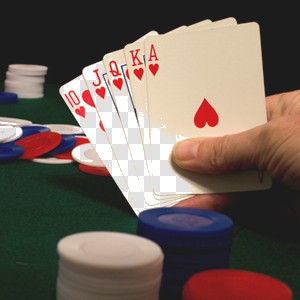
Test Images
ImageEnView1.IO.LoadFromFile( 'D:\ImageTest1.jpg' );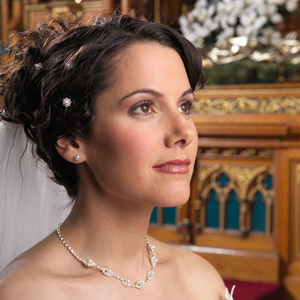
CalcAverageRGB
// Return the average RGB values of the selection (with sample size of 100)rgb := ImageEnView1.Proc.CalcAverageRGB( 100 );
s := Format( 'Average RGB: %d, %d, %d', [ rgb.R, rgb.G, rgb.B ]);
ImageTest1.jpg: Average RGB: 138, 106, 86
ImageTest2.jpg: Average RGB: 245, 218, 144
ImageTest3.jpg: Average RGB: 102, 91, 82
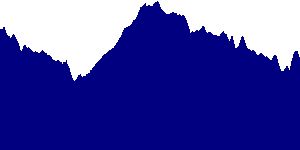
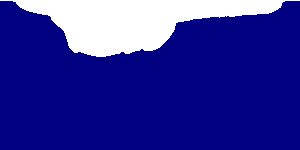
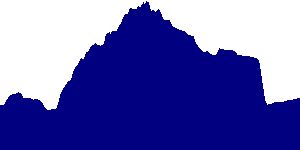
CalcDensityHistogram
// Draw density histograms for the imageGetMem(vertoHist, ImageEnView2.IEBitmap.Height * SizeOf(Integer));
GetMem(horzoHist, ImageEnView2.IEBitmap.Width * SizeOf(Integer));
ImageEnView1.Proc.CalcDensityHistogram( vertHisto, horzHisto, ImageEnView2.IEBitmap.Width, ImageEnView2.IEBitmap.Height );
ImageEnView2.IEBitmap.Canvas.Pen.Color := clNavy;
for i := 0 to ImageEnView2.IEBitmap.Width - 1 do
begin
ImageEnView2.IEBitmap.Canvas.MoveTo( i, ImageEnView2.IEBitmap.Height );
ImageEnView2.IEBitmap.Canvas.LineTo( i, ImageEnView2.IEBitmap.Height - horzHisto[i] );
end;
ImageEnView2.Update();
FreeMem( vertHist );
FreeMem( horzHist );
CalcImageNumColors
// Return the number of colors found in the imagen := ImageEnView1.Proc.CalcImageNumColors();
s := Format( 'Color count: %d', [ n ]);
ImageTest1.jpg: Color count: 62008
ImageTest2.jpg: Color count: 15910
ImageTest3.jpg: Color count: 21283
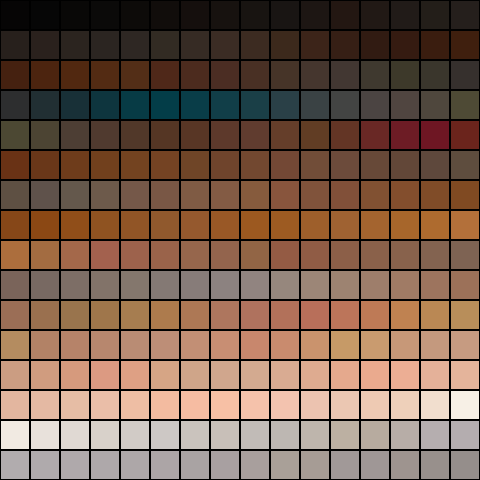
CalcImagePalette
// Output 256 colors of the imageImageEnView1.Proc.CalcImagePalette( MyColorMap256, 256 );
IEDrawColorPalette( ImageEnView1.IEBitmap, MyColorMap256, 30, 30, 16 );
CalcImageTransparency
// Return the percentage of pixels that are partially or fully transparentImageEnView1.Proc.SetTransparentColors( CreateRGB(192, 192, 192), CreateRGB(255, 255, 255), 0 ); // Make colors similar to white transparent
d := ImageEnView1.Proc.CalcImageTransparency();
s := Format( 'Image Transparency: %d%%', [ Round( d * 100 )]);
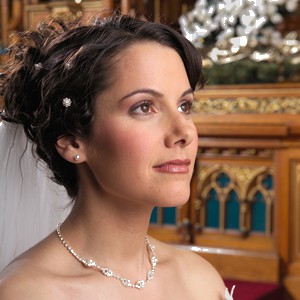
ImageTest1.jpg: Image Transparency: 2%
ImageTest2.jpg: Image Transparency: 45%
ImageTest3.jpg: Image Transparency: 9%
CalcStdDev
// Return the Standard Deviation of the imaged := ImageEnView1.Proc.CalcStdDev();
s := 'Standard Deviation: ' + FloatToStr( d );
ImageTest1.jpg: Standard Deviation: 59.55442
ImageTest2.jpg: Standard Deviation: 66.16412
ImageTest3.jpg: Standard Deviation: 78.59620
CompareWith
// Compare two images and show difference in ImageEnView3// Note: ImageEnView3 PixelFormat will be set to ie8g
Eq := ImageEnView1.Proc.CompareWith( ImageEnView2.IEBitmap, ImageEnView3.IEBitmap );
lblEquality := Format( 'Equality: %.2n%%', [ dd * 100 ]);
ImageEnView3.Update();
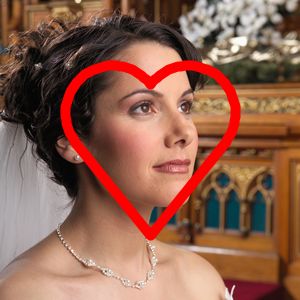

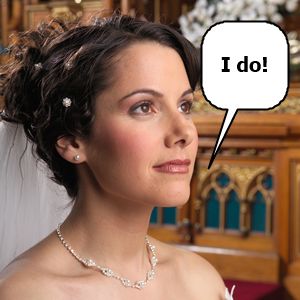

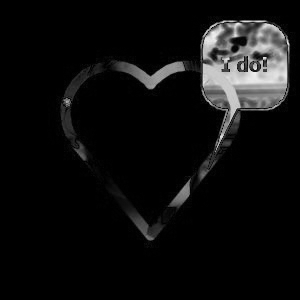
Equality: 94.3%
GetDominantColor
// Return the most common color in the image (and its percentage of the image)d := ImageEnView1.Proc.GetDominantColor( rgb );
s := Format( 'Dominant Color (%d%%): %s', [ Round( d ), ColorToHex( IERGBToColor( rgb )) ]);
ImageTest1.jpg: Dominant Color (0%): #060606
ImageTest2.jpg: Dominant Color (39%): #FFFFFF
ImageTest3.jpg: Dominant Color (20%): #1C1C1C
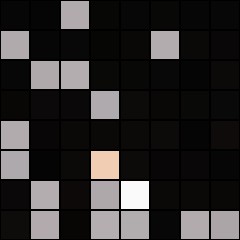
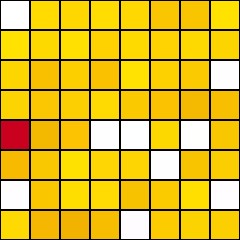
// Show in ImageEnView2 the 64 most common colors of the image in ImageEnView1
var
domColors: array of TColor;
count: Integer;
begin
SetLength( domColors, 64 );
count := ImageEnView1.Proc.GetDominantColor( domColors, 64 );
if count < v1 then
SetLength( domColors, count ); // Image had less than 64 colors (only needed if you want to do something with domColors)
IEDrawColorPalette( ImageEnView2.IEBitmap, domColors, 30, 30, 8, clWhite, clBlack, count );
ImageEnView2.Update();
end;
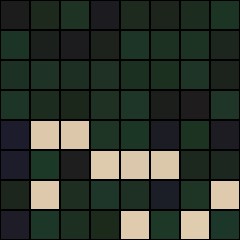
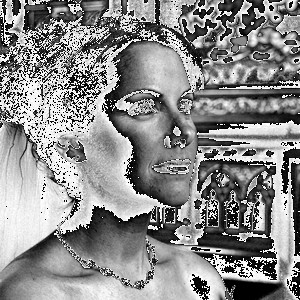
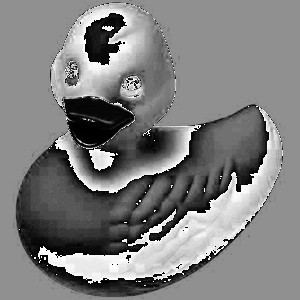
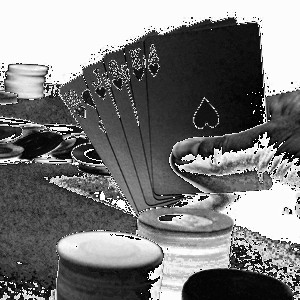
GetCMYKChannels
// Return the Cyan channel of the imagebmp1 := ImageEnView1.Proc.GetCMYKChannels( CMYK_C );
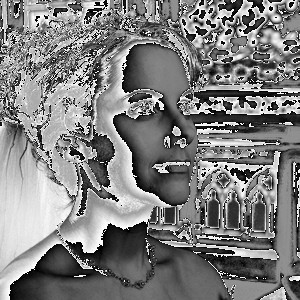
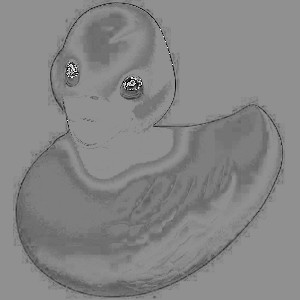
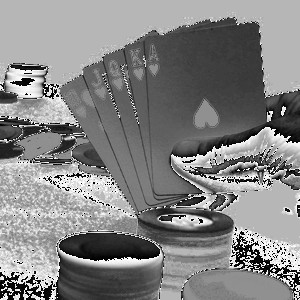
// Return the Magenta channel of the image
bmp1 := ImageEnView1.Proc.GetCMYKChannels( CMYK_M );
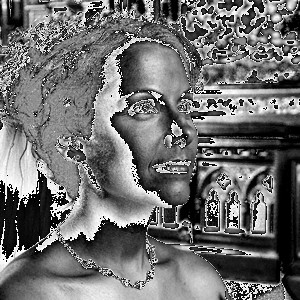
// Return the Yellow channel of the image
bmp1 := ImageEnView1.Proc.GetCMYKChannels( CMYK_Y );
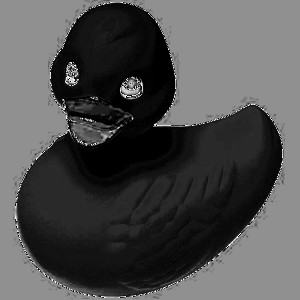
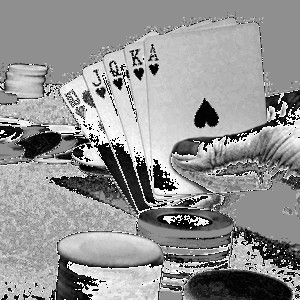
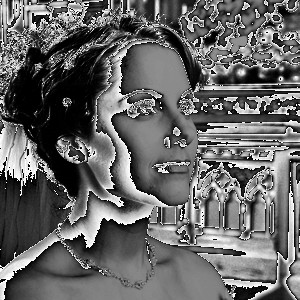
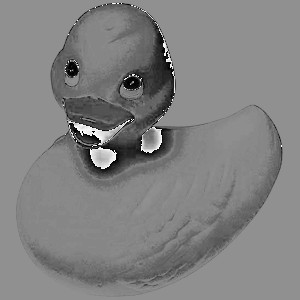
// Return the Key (black) channel of the image
bmp1 := ImageEnView1.Proc.GetCMYKChannels( CMYK_K );
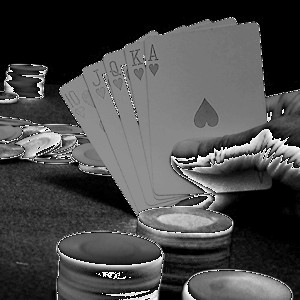
GetHistogram
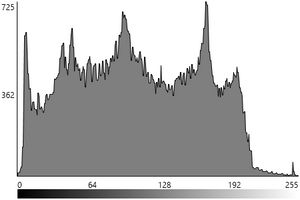
// Output the histogram of the gray-scale levelhist := ImageEnView1.Proc.GetHistogram( [hkGray] );
IEDrawHistogramToBitmap( hist, bmp, ImageEnView2.ClientWidth, ImageEnView2.ClientHeight,
[hkGray], hsFilledLines, iehsLinearClipped );
ImageEnView2.Update();
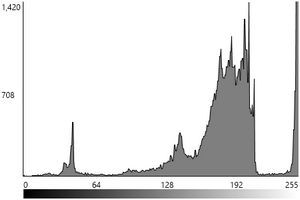
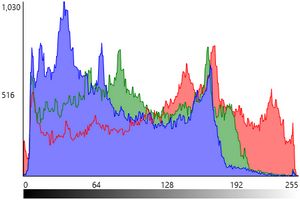
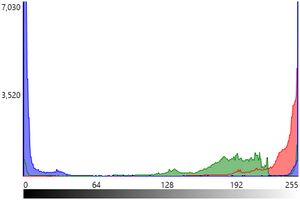
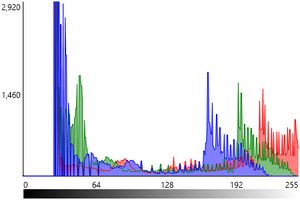
// Output the histogram of the RGB level
hist := ImageEnView1.Proc.GetHistogram( [hkRed, hkGreen, hkBlue] );
IEDrawHistogramToBitmap( hist, bmp, ImageEnView2.ClientWidth, ImageEnView2.ClientHeight,
[hkRed, hkGreen, hkBlue], hsFilledLines, iehsLinearClipped );
ImageEnView2.Update();
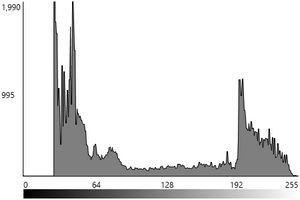
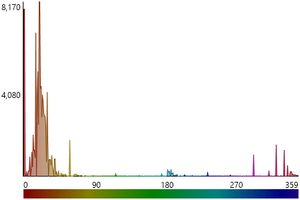
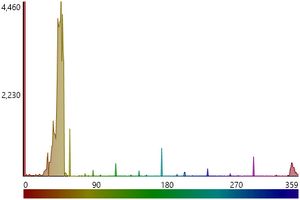
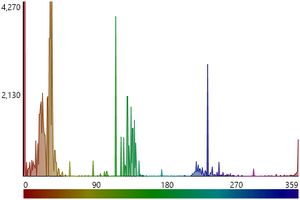
// Output the histogram of the hue level
Hist := ImageEnView1.Proc.GetHistogram( [hkHue] );
IEDrawHistogramToBitmap( hist, bmp, ImageEnView2.ClientWidth, ImageEnView2.ClientHeight,
[hkHue], hsFilledLines, iehsLinearClipped );
ImageEnView2.Update();
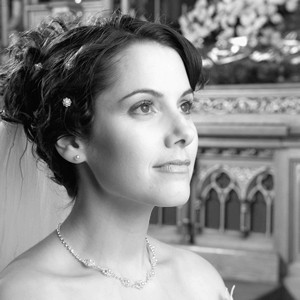
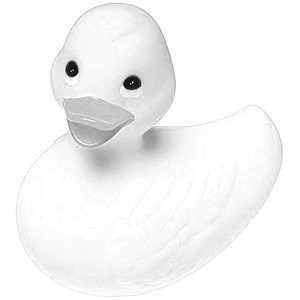
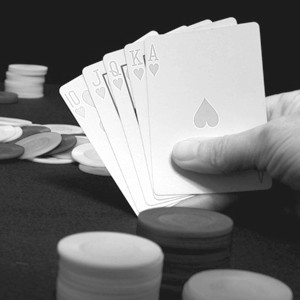
GetHSVChannel
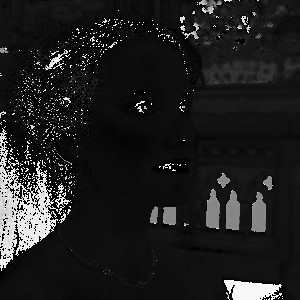
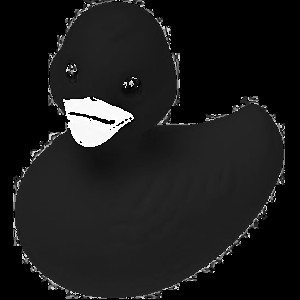
// Return the Hue channel of the imagebmp1 := ImageEnView1.Proc.GetHSVChannel( HSV_Hue );
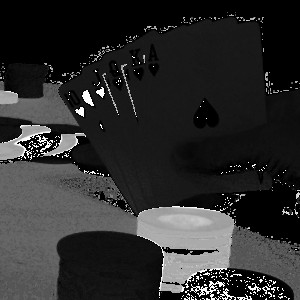
// Return the Saturation channel of the image
bmp1 := ImageEnView1.Proc.GetHSVChannel( HSV_Sat );
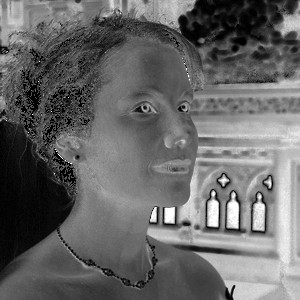
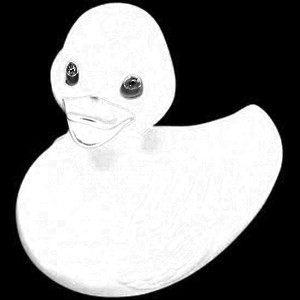
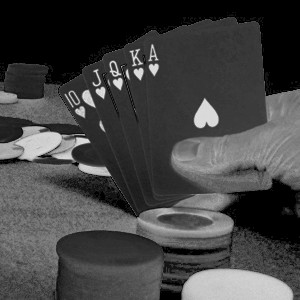
// Return the Value channel of the image
bmp1 := ImageEnView1.Proc.GetHSVChannel( HSV_Val );
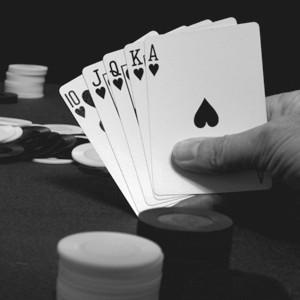
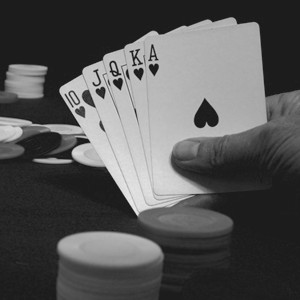
GetRGBChannel
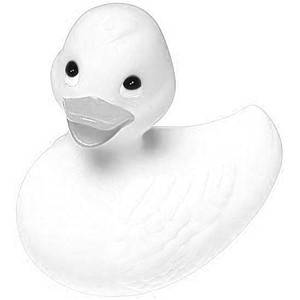
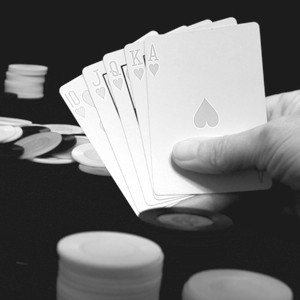
// Return the Red channel of the imagebmp1 := ImageEnView1.Proc.GetRGBChannel( iecRed );
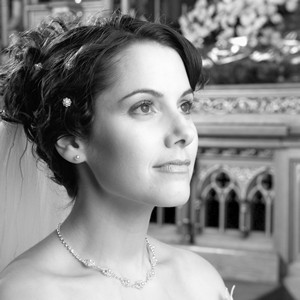
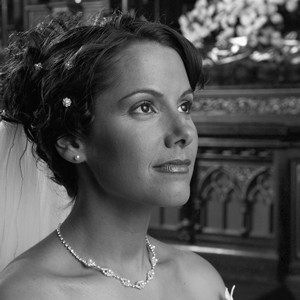
// Return the Green channel of the image
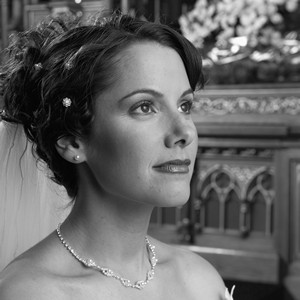
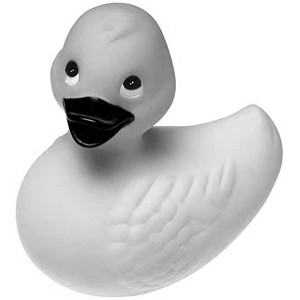
bmp1 := ImageEnView1.Proc.GetRGBChannel( iecGreen );
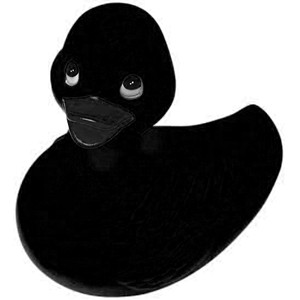
// Return the Blue channel of the image
bmp1 := ImageEnView1.Proc.GetRGBChannel( iecBlue );
CompareHistogramWith
// Compare the histogram of the left half of the image with the right halfbw := ImageEnView1.IEBitmap.Width;
bh := ImageEnView1.IEBitmap.Height;
bmp := TIEBitmap.Create( ImageEnView1.IEBitmap, Rect( 0, 0, bw div 2 - 1, bh - 1 )); // Left half
bmp2 := TIEBitmap.Create( ImageEnView1.IEBitmap, Rect( bw div 2, 0, bw - 1, bh - 1 )); // Right half
ImageEnView1.Assign( bmp );
d := ImageEnView1.Proc.CompareHistogramWith( bmp2, iecmpRMSE, False ); // Color
d2 := ImageEnView1.Proc.CompareHistogramWith( bmp2, iecmpRMSE, True ); // Gray-scale
s := Format( 'Equality: %.2n%% / %.2n%% (Gray)', [ d * 100, d2 * 100 ]);
bmp.Free();
bmp2.Free();
ComputeImageEquality
// Compare the left half of the image with the right halfbw := ImageEnView1.IEBitmap.Width;
bh := ImageEnView1.IEBitmap.Height;
bmp := TIEBitmap.Create( ImageEnView1.IEBitmap, Rect( 0, 0, bw div 2 - 1, bh - 1 )); // Left half
bmp2 := TIEBitmap.Create( ImageEnView1.IEBitmap, Rect( bw div 2, 0, bw - 1, bh - 1 )); // Right half
ImageEnView1.Assign( bmp );
ImageEnView1.Proc.ComputeImageEquality( bmp2, psnr_min, psnr_max, mse_min, mse_max, rmse_min, rmse_max, pae_min, pae_max, mae_min, mae_max );
s := Format( 'PSNR: %.2f-%.2f, MSE: %.2f-%.2f, RMSE: %.2f-%.2f, PAE: %.2f-%.2f, MAE: %.2f-%.2f',
[ psnr_min, psnr_max, mse_min, mse_max, rmse_min, rmse_max, pae_min, pae_max, mae_min, mae_max ]);
bmp.Free();
bmp2.Free();
avg (IEVision)
// Calculate the average (mean) of the image pixels (values are in B, G, R order)mean := ImageEnView1.IEBitmap.GetIEVisionImage().avg();
s := Format( 'Mean: %d,%d,%d', [ Round( mean.val[0] ), Round( mean.val[1] ), Round( mean.val[2] ) ]);
ImageTest1.jpg: Mean: 83,103,136,0
ImageTest2.jpg: Mean: 119,212,245,0
ImageTest3.jpg: Mean: 86,97,113,0
avgSdv (IEVision)
// Calculate the mean and standard deviation of the image pixels (values are in B, G, R order)ImageEnView1.IEBitmap.GetIEVisionImage().avgSdv( mean, stdev );
s := Format( 'Mean: %d,%d,%d. Std Dev: %d,%d,%d',
[ Round( mean.val[0] ), Round( mean.val[1] ), Round( mean.val[2] ),
Round( stdev.val[0] ), Round( stdev.val[1] ), Round( stdev.val[2] ) ]);
ImageTest1.jpg: Mean: 83,103,136,0. Std Dev: 55,57,67,0
ImageTest2.jpg: Mean: 119,212,245,0. Std Dev: 123,54,21,0
ImageTest3.jpg: Mean: 86,97,113,0. Std Dev: 68,78,90,0
blurScore (IEVision)
// Calculate the blurriness of the imaged := ImageEnView1.IEBitmap.GetIEVisionImage().blurScore();
s := 'Image Blurriness: ' + IntToStr( Round( d * 100 )) + '%';
ImageTest1.jpg: Image Blurriness: 17%
ImageTest2.jpg: Image Blurriness: 37%
ImageTest3.jpg: Image Blurriness: 15%
minMax (IEVision)
// Find the minimum and maximum values of the image and their positionsImageEnView1.IEBitmap.GetIEVisionImage().minMax( minVal, maxVal, minLoc, maxLoc );
s := Format( 'Min: %d at %d,%d. Max: %d at %d,%d', [ Round( minVal ), minLoc.x, minLoc.y, Round( maxVal ), maxLoc.x, maxLoc.y ]);
ImageTest1.jpg: Min: 0 at 72,38. Max: 254 at 239,38
ImageTest2.jpg: Min: 0 at 128,83. Max: 255 at 0,0
ImageTest3.jpg: Min: Min: 13 at 129,206. Max: 253 at 132,202
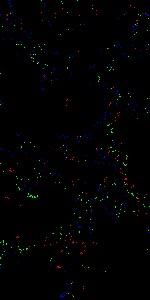
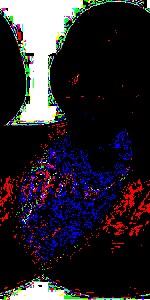
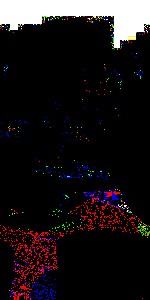
cmp (IEVision)
// Compare the left half of the image with the right half (white pixels are equal)bw := ImageEnView1.IEBitmap.Width;
bh := ImageEnView1.IEBitmap.Height;
bmp := TIEBitmap.Create( ImageEnView1.IEBitmap, Rect( 0, 0, bw div 2 - 1, bh - 1 )); // Left half
bmp2 := TIEBitmap.Create( ImageEnView1.IEBitmap, Rect( bw div 2, 0, bw - 1, bh - 1 )); // Right half
ImageEnView1.IEBitmap.Allocate( bmp.Width, bmp.Height, bmp.PixelFormat );
bmp.GetIEVisionImage().cmp( bmp2.GetIEVisionImage(), ImageEnView1.IEBitmap.GetIEVisionImage(), ievEQUAL );
ImageEnView1.Update(); // Show changes in our viewer
bmp.Free();
bmp2.Free();
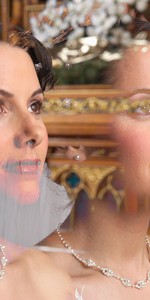
max (IEVision)
// Output the maximum of each pixel of the left and right halves of the imagebw := ImageEnView1.IEBitmap.Width;
bh := ImageEnView1.IEBitmap.Height;
bmp := TIEBitmap.Create( ImageEnView1.IEBitmap, Rect( 0, 0, bw div 2 - 1, bh - 1 )); // Left half
bmp2 := TIEBitmap.Create( ImageEnView1.IEBitmap, Rect( bw div 2, 0, bw - 1, bh - 1 )); // Right half
ImageEnView1.IEBitmap.Allocate( bmp.Width, bmp.Height );
ImageEnView1.IEBitmap.GetIEVisionImage().max( bmp.GetIEVisionImage(), bmp2.GetIEVisionImage() );
ImageEnView1.Update(); // Show changes in our viewer
bmp.Free();
bmp2.Free();
min (IEVision)
// Output the minimum of each pixel of the left and right halves of the imagebw := ImageEnView1.IEBitmap.Width;
bh := ImageEnView1.IEBitmap.Height;
bmp := TIEBitmap.Create( ImageEnView1.IEBitmap, Rect( 0, 0, bw div 2 - 1, bh - 1 )); // Left half
bmp2 := TIEBitmap.Create( ImageEnView1.IEBitmap, Rect( bw div 2, 0, bw - 1, bh - 1 )); // Right half
ImageEnView1.IEBitmap.Allocate( bmp.Width, bmp.Height );
ImageEnView1.IEBitmap.GetIEVisionImage().min( bmp.GetIEVisionImage(), bmp2.GetIEVisionImage() );
ImageEnView1.Update(); // Show changes in our viewer
bmp.Free();
bmp2.Free();
TIEVisionImageHasher (IEVision)
// Compare the perceptual hash of two images (0.75 or higher is a near-duplicate)hasher := IEVisionLib().createImageHasher( ievHashPHash );
hash1 := hasher.compute( ImageEnView1.IEBitmap.GetIEVisionImage( True ));
hash2 := hasher.compute( ImageEnView2.IEBitmap.GetIEVisionImage( True ));
if hasher.similarity( hash1, hash2 ) >= 0.75 then
ShowMessage( 'Near-duplicate' );
// Or more simply
if IEVisionCompareHashes( ImageEnView1.IEBitmap.GetPerceptualHash( ievHashPHash ), ImageEnView2.IEBitmap.GetPerceptualHash( ievHashPHash ), ievHashPHash ) >= 0.75 then
ShowMessage( 'Near-duplicate' );
// Similarity of the image with edited copies of itself
ImageTest1.jpg: Half Size: 0.97, Brighter: 0.97, Blurred: 0.97, Flipped (different): 0.18
ImageTest2.jpg: Half Size: Half Size: 0.95, Brighter: 0.90, Blurred: 0.90, Flipped (different): 0.30
ImageTest3.jpg: Half Size: Half Size: 0.97, Brighter: 1.00, Blurred: 0.95, Flipped (different): 0.38
IEEstimateImageQuality
// Save the image as a JPEG at 80% quality, then estimate the quality from the fileImageEnView1.IO.Params.ImageQuality := 0.80;
ImageEnView1.IO.SaveToStream( ms, ioJPEG );
ms.Position := 0;
q := IEEstimateImageQuality( ms, ioJPEG );
s := Format( 'Estimated quality: %d%%', [ q ]);
ImageTest1.jpg: Estimated quality: 85% (File Size: 23 KB)
ImageTest2.jpg: Estimated quality: 75% (File Size: 9 KB)
ImageTest3.jpg: Estimated quality: 80% (File Size: 11 KB)
GetHash
// Return a SHA-512 hash of the image pixelshash := ImageEnView1.IEBitmap.GetHash( iehaSHA512, 0, False );
ImageTest1.jpg: 3f2857fd695eb3d8495fc5b5db9db2a292492861822911c6a90d77f02bc561199ea8ad3fd82215f5c94edc69274a83d06a21ac7a28fb38f7d015b19ced47aad3
ImageTest2.jpg: 5c0d8c65a3ae83b1ed16fbc2487da1fdcdf4c4f4873ab7838181bdc4d8e779ba5a6e0453d2279d74182dc1fe70e1f7e21ce62572746a0e6ad9284d8ecb5b3579
ImageTest3.jpg: 8e542c753b128e1a4579e6f7c0275a687ecd57a7ad7141506c9569ad461c2a643b286b3ea5d2e6b9cdbc32e3244dfc4fb409267bd1fe5fa1ca779d8c7850ebaf
See Also
◼Analysis Methods◼Color Adjustment Methods
◼Color Depth Methods
◼Detection Methods
◼Special Detection Methods
◼Document Methods
◼Drawing Methods
◼Effects Methods
◼Filter Methods
◼Geometric Methods
◼Painting and Alpha Methods
◼Smoothing Methods
◼Other Methods
◼Selection Methods
◼Interactive Tools