The "Every Method" editing demo allows you to preview 300 editing, analysis and effects methods, and generate sample code.
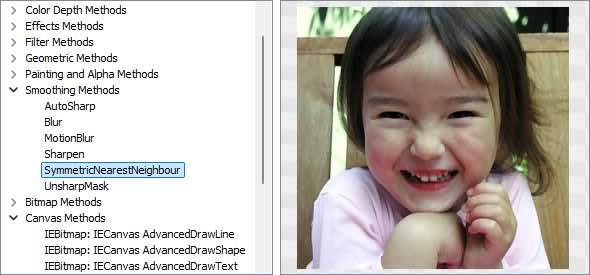
Image Editing Methods
◼Analysis Methods◼Color Adjustment Methods
◼Color Depth Methods
◼Detection Methods
◼Special Detection Methods
◼Document Methods
◼Drawing Methods
◼Effects Methods
◼Filter Methods
◼Geometric Methods
◼Painting and Alpha Methods
◼Smoothing Methods
◼Other Methods
◼Selection Methods
◼Interactive Tools
AutoCrop2
// Remove the black border from a white text document using a density analysis algorithmImageEnView1.Proc.AutoCrop2( 6 );
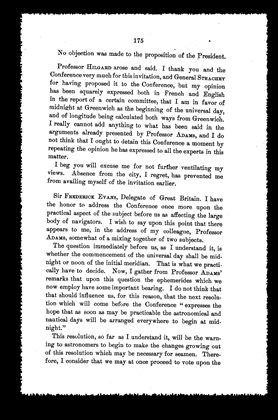

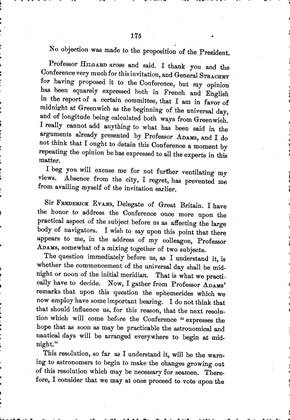
CalcOrientation
// Automatically rotate a documentn := ImageEnView1.Proc.CalcOrientation();
ImageEnView1.Proc.Rotate( n );
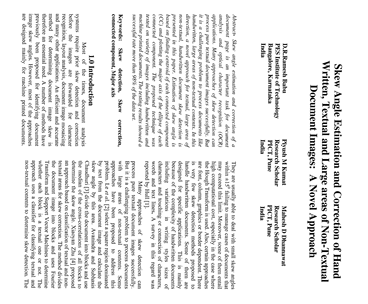
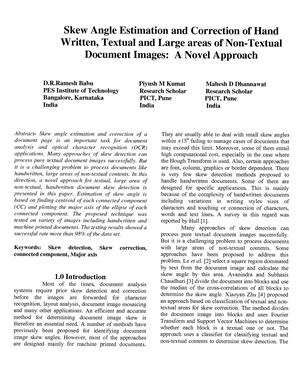
SkewDetection
// Check for skew within the range -15 to 15 with 0.1 degrees of precision and automatically orient (for printed text)d := ImageEnView1.Proc.SkewDetection( ImageEnView1.IEBitmap.Width div 4, 30, 0.1, False );
ImageEnView1.Proc.RotateAndCrop( d, ierBicubic );


SkewDetectionFine
// Check for skew within the range -5 to 5 with 0.1 degrees of precision and automatically orient (for printed text)d := ImageEnView1.Proc.SkewDetectionFine( 0, 0.1, 10, True );
ImageEnView1.Proc.RotateAndCrop( d, ierBicubic );
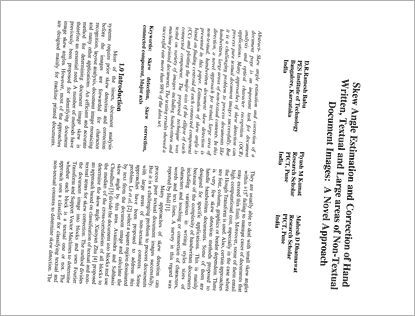
getOrientation (IEVision)
// Auto-fix the orientation and skew of the imagedeskewAngle := ImageEnView1.IEBitmap.OCR_GetOrientation();
if deskewAngle <> 0 then
ImageEnView1.Proc.Rotate( -deskewAngle, ierFast, clWhite );
For the following image, the required rotation would be -92.94°:
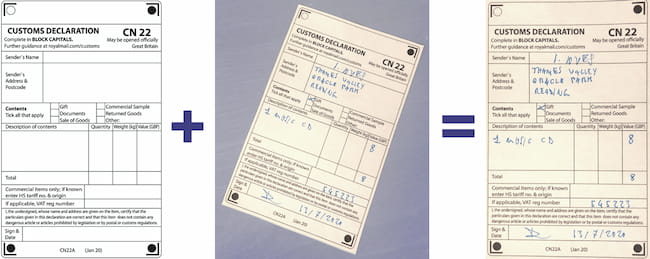
DetectAndDeskew (IEVision)
// Automatically orient an image based on a reference imageImageEnViewInput.IEBitmap.DetectAndDeskew( ImageEnViewReference.IEBitmap, ImageEnViewResult.IEBitmap, UpDownMaxFeatures.Position );
findSkewAngle (IEVision)
// Measure the skew of the text lines of a documentangle := ImageEnView1.IEBitmap.GetIEVisionImage().findSkewAngle( 7, @conf );
s := Format( 'Skew: %.2f deg (Confidence: %.1f)', [ angle, conf ]);
For the following image, the result is "Rotate -1.31 deg clockwise to correct (Confidence: 5.1)"
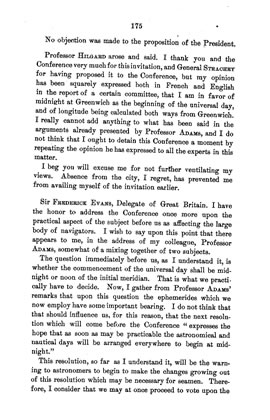
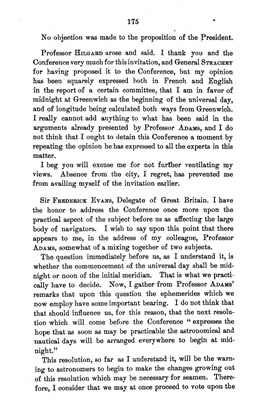
deskew (IEVision)
// Correct the skew of the text lines of a documentimg := ImageEnView1.IEBitmap.GetIEVisionImage().deskew( 7, 3 );
img.getTransformInfo( nil, @angle ); // Rotation that was applied
ImageEnView1.IEBitmap.AssignIEVisionImage( img );
ImageEnView1.Update(); // Show changes in our viewer
// Result: Rotated -1.31 deg
normalizeBackground (IEVision)
// Flatten uneven lighting of a document so the background is a uniform valueImageEnView1.IEBitmap.AssignIEVisionImage( ImageEnView1.IEBitmap.GetIEVisionImage().normalizeBackground( 32, 200 ));
ImageEnView1.Update(); // Show changes in our viewer
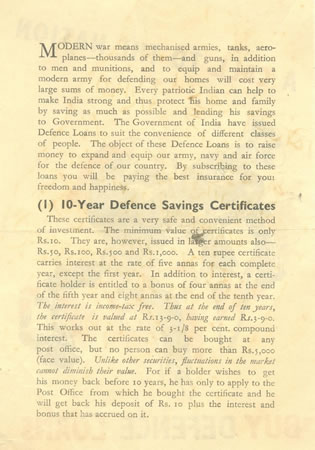
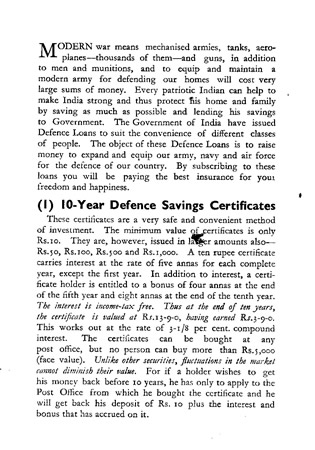
sauvolaThreshold (IEVision)
// Convert a document to black & white using Sauvola local binarization (good for uneven lighting)ImageEnView1.IEBitmap.AssignIEVisionImage( ImageEnView1.IEBitmap.GetIEVisionImage().sauvolaThreshold( 30, 0.20 ));
ImageEnView1.Update(); // Show changes in our viewer
removeSpeckles (IEVision)
// Remove small dark specks from a documentImageEnView1.IEBitmap.AssignIEVisionImage( ImageEnView1.IEBitmap.GetIEVisionImage().removeSpeckles( 2, 8 ));
ImageEnView1.Update(); // Show changes in our viewer
removeBorderComponents (IEVision)
// Remove dark areas touching the edge of a document (e.g. scanner borders)ImageEnView1.IEBitmap.AssignIEVisionImage( ImageEnView1.IEBitmap.GetIEVisionImage().removeBorderComponents( 8 ));
ImageEnView1.Update(); // Show changes in our viewer
removeLines (IEVision)
// Remove the form and table lines, and underlines of a documentImageEnView1.IEBitmap.AssignIEVisionImage( ImageEnView1.IEBitmap.GetIEVisionImage().removeLines( ievLinesBoth, 0, 0, True ));
ImageEnView1.Update(); // Show changes in our viewer
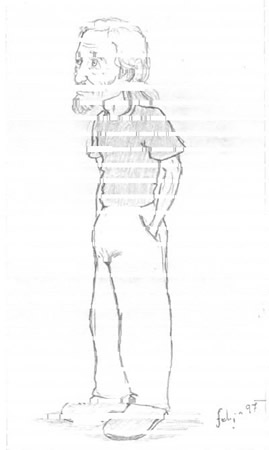
prepareForOCR (IEVision)
// Prepare a document image for OCR (normalize background, upscale small text, deskew, binarize, clean up and add margin)img := ImageEnView1.IEBitmap.GetIEVisionImage().prepareForOCR( ievOCRPrepNormalizeBackground or ievOCRPrepDeskew or ievOCRPrepRemoveSpeckles or ievOCRPrepAddMargin or ievOCRPrepUpscale or ievOCRPrepBinarizeOtsu, 20 );
ImageEnView1.IEBitmap.AssignIEVisionImage( img );
ImageEnView1.Update(); // Show changes in our viewer
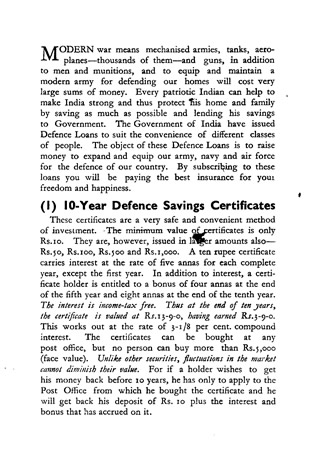
getTransformInfo (IEVision)
// Return the geometry changes made by prepareForOCRimg := ImageEnView1.IEBitmap.GetIEVisionImage().prepareForOCR();
img.getTransformInfo( @scale, @angle, @margin );
s := Format( 'Scale: %.2f, Deskew: %.2f, Margin: %d', [ scale, angle, margin ]);
For the following image, the result is "Scale: 1.54, Deskew: -0.38 deg, Margin: 10"
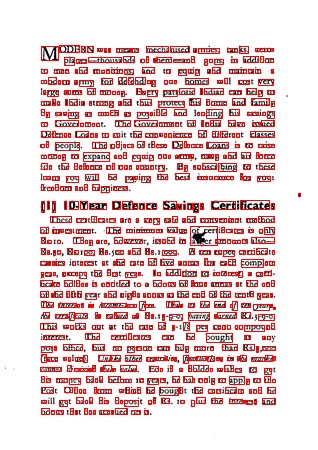
getConnectedComponents (IEVision)
// Outline the dark connected components of a document (e.g. characters)rects := ImageEnView1.IEBitmap.GetIEVisionImage().getConnectedComponents( 8, 3, 3, 100, 100 );
ImageEnView1.IEBitmap.IECanvas.Pen.Width := 1;
ImageEnView1.IEBitmap.IECanvas.Pen.Color := clRed;
ImageEnView1.IEBitmap.IECanvas.Brush.Style := bsClear;
for i := 0 to rects.size() - 1 do
begin
r := rects.getRect( i );
ImageEnView1.IEBitmap.IECanvas.Rectangle( r.x, r.y, r.x + r.width, r.y + r.height );
end;
ImageEnView1.Update();
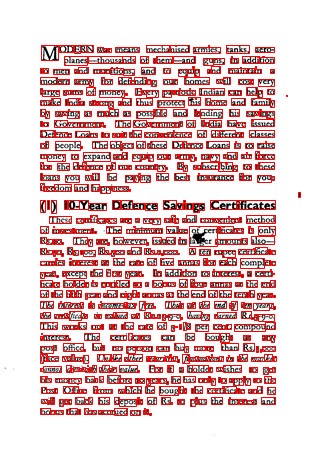
mapRectToSource (IEVision)
// Find the characters in a document prepared for OCR, and draw them on the original imageprepared := ImageEnView1.IEBitmap.GetIEVisionImage().prepareForOCR();
rects := prepared.getConnectedComponents( 8, 3, 3, 300, 300 );
ImageEnView1.IEBitmap.IECanvas.Pen.Color := clRed;
ImageEnView1.IEBitmap.IECanvas.Brush.Style := bsClear;
for i := 0 to rects.size() - 1 do
begin
r := prepared.mapRectToSource( rects.getRect( i ));
ImageEnView1.IEBitmap.IECanvas.Rectangle( r.x, r.y, r.x + r.width, r.y + r.height );
end;
ImageEnView1.Update();
createOCR (IEVision)
// Extract text from an imagemOCR := IEVisionLib.createOCR( PAnsiChar( AnsiString( IEOCRLanguageList[OCR_English_Language].Code )) );
mOCR.setSegmentationMode( ievOCRAuto );
Memo1.Text := mOCR.recognize( ImageEnView1.IEBitmap.GetIEVisionImage(), IEVisionRect( ImageEnView1.SelectedRect )).c_str();
"Skew Angle Estimation and Correction of Hand
Written, Textual and Large areas of Non-Textual
Document Images: A Novel Approach
D.R.Ramesh Babu
PES Institute of Technology
Bangalore, Karnataka
India
Piyush M Kumat
Research Scholar
PICT, Pune
India
Mahesh D Dhannawat
Research Scholar
PICT, Pune
India
Abstract- Skew angle estimation and correction of a
document page is an important task for document
analysis and optical character recognition (OCR)
applications. Many approaches of skew detection can
process pure textual document images successfully. But
it is a challenging problem to process documents like
...
See Also
◼Analysis Methods◼Color Adjustment Methods
◼Color Depth Methods
◼Detection Methods
◼Special Detection Methods
◼Document Methods
◼Drawing Methods
◼Effects Methods
◼Filter Methods
◼Geometric Methods
◼Painting and Alpha Methods
◼Smoothing Methods
◼Other Methods
◼Selection Methods
◼Interactive Tools