The "Every Method" editing demo allows you to preview 300 editing, analysis and effects methods, and generate sample code.
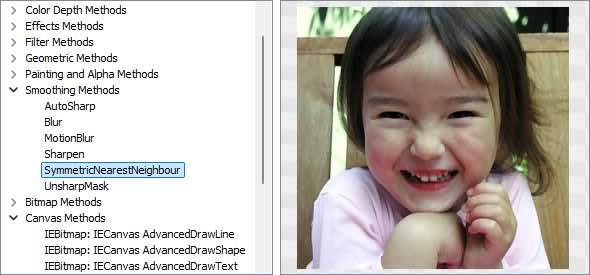
Image Editing Methods
◼Analysis Methods◼Color Adjustment Methods
◼Color Depth Methods
◼Detection Methods
◼Special Detection Methods
◼Document Methods
◼Drawing Methods
◼Effects Methods
◼Filter Methods
◼Geometric Methods
◼Painting and Alpha Methods
◼Smoothing Methods
◼Other Methods
◼Selection Methods
◼Interactive Tools
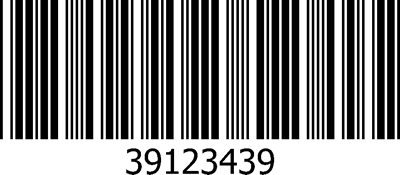
createBarCodeScanner (IEVision)
// Find barcode in imagebarCodeSymbols := IEVisionLib.createBarCodeScanner().scan( ImageEnView1.IEBitmap.GetIEVisionImage(), IEVisionRect( 0, 0, 0, 0 ) );
if barCodeSymbols.size() > 0 then
ShowMessage( sym.getData().c_str() + ' (' + sym.getSymbolType().c_str() + ')' );
The following image returns "39123439 (Code-39)"
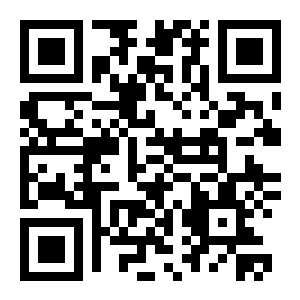
TIEVisionQRCodeDetector (IEVision)
// Read the QR codes in the image and outline each onedetector := IEVisionLib.createQRCodeDetector();
codes := detector.detect( ImageEnView1.IEBitmap.GetIEVisionImage(), IEVisionRect( 0, 0, 0, 0 ));
SetLength( pts, 4 );
for i := 0 to codes.size() - 1 do
begin
qr := TIEVisionQRCode( codes.getObj( i ));
for k := 0 to 3 do
pts[k] := Point( qr.getCorner( k ).x, qr.getCorner( k ).y );
ImageEnView1.IEBitmap.IECanvas.Polygon( pts );
Memo1.Lines.Add( qr.getData().c_str() );
end;
ImageEnView1.Update();
// Or more simply using the helper method
count := ImageEnView1.IEBitmap.ScanQRCode( Rect( 0, 0, 0, 0 ), qrData, qrRects, qrCorners );
The following image returns "http://www.ImageEn.com"
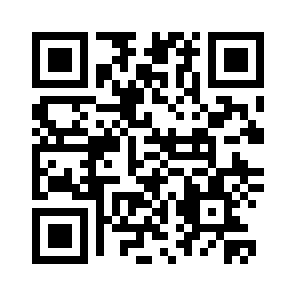
TIEVisionQRCodeEncoder (IEVision)
// Generate a QR code image for a URLencoder := IEVisionLib.createQRCodeEncoder();
encoder.setCorrectionLevel( ievQRCorrectM );
img := encoder.encode( 'http://www.ImageEn.com', 8 );
ImageEnView1.IEBitmap.AssignIEVisionImage( img );
// Or more simply using the helper method
ImageEnView1.IEBitmap.GenerateQRCode( 'http://www.ImageEn.com', 8, ievQRCorrectQ );
ImageEnView1.Update();
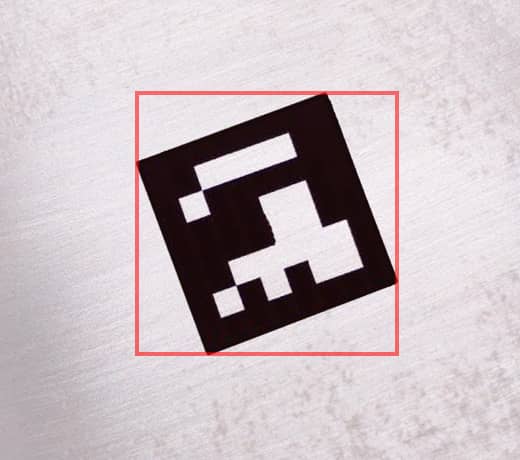
TIEVisionArucoDetector (IEVision)
// Detect Aruco markers in the image and draw a box around eachdetector := IEVisionLib.createArucoDetector();
markers := detector.detect( ImageEnView1.IEBitmap.GetIEVisionImage(), IEVisionRect( 0, 0, 0, 0 ));
for i := 0 to markers.size() - 1 do
begin
marker := TIEVisionArucoMarker( markers.getObj( i ));
r := marker.getBoundingBox();
Memo1.Lines.Add( Format( 'Id: %d, Quality: %d, Rect: %d,%d,%d,%d', [ marker.getId(), marker.getQuality(), r.x, r.y, r.width, r.height ]));
end;
// Or more simply using the helper method
n := ImageEnView1.IEBitmap.DetectAruco( ievDictAuto, ids, rects, quality );
ImageEnView1.IEBitmap.IECanvas.DrawRects( rects, clRed, 2, False );
ImageEnView1.Update();
generateMarker (IEVision)
// Generate a printable Aruco marker (Id: 8, 380x380 pixels)detector := IEVisionLib.createArucoDetector();
detector.setDictionary( ievDict4x4_50 );
img := detector.generateMarker( 8, 380 );
ImageEnView1.IEBitmap.AssignIEVisionImage( img );

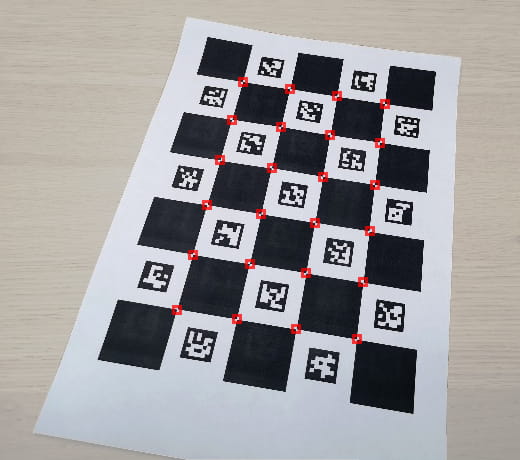
TIEVisionCharucoDetector (IEVision)
// Detect the corners of a 5x7 Charuco board and draw a box around eachdetector := IEVisionLib.createCharucoDetector();
detector.setBoard( 5, 7, 1.0, 0.75, ievDict4x4_50 );
corners := detector.detect( ImageEnView1.IEBitmap.GetIEVisionImage(), IEVisionRect( 0, 0, 0, 0 ));
// Or more simply using the helper method
n := ImageEnView1.IEBitmap.DetectCharuco( 5, 7, ievDictAuto, ids, rects, quality );
ImageEnView1.IEBitmap.IECanvas.DrawRects( rects, clRed, 2, False );
ImageEnView1.Update();
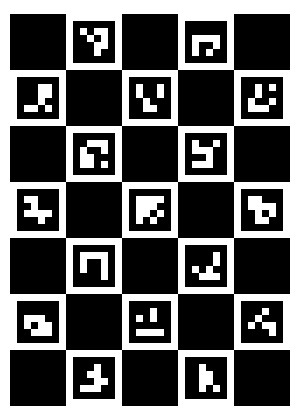
generateBoard (IEVision)
// Generate a printable 5x7 Charuco boarddetector := IEVisionLib.createCharucoDetector();
detector.setBoard( 5, 7, 1.0, 0.75, ievDict4x4_50 );
img := detector.generateBoard( 800, 1120 );
ImageEnView1.IEBitmap.AssignIEVisionImage( img );
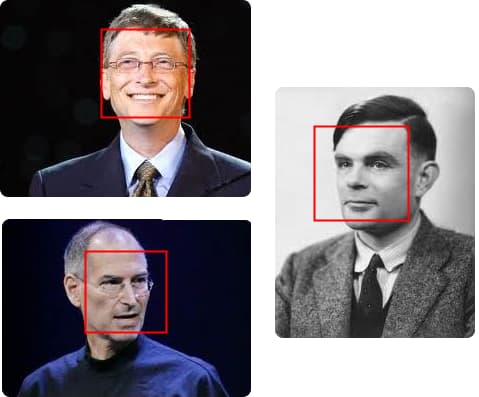
TIEVisionFaceDetector (IEVision)
// Find faces using the YuNet detector and draw a box around eachdetector := IEVisionLib.createFaceDetector();
detector.setScoreThreshold( 0.8 );
faces := detector.detect( ImageEnView1.IEBitmap.GetIEVisionImage(), IEVisionRect( 0, 0, 0, 0 ));
ImageEnView1.IEBitmap.IECanvas.Pen.Color := clRed;
ImageEnView1.IEBitmap.IECanvas.Pen.Width := 2;
ImageEnView1.IEBitmap.IECanvas.Brush.Style := bsClear;
for i := 0 to faces.size() - 1 do
begin
r := TIEVisionDetectedFace( faces.getObj( i )).getRect();
ImageEnView1.IEBitmap.IECanvas.Rectangle( r.x, r.y, r.x + r.width, r.y + r.height );
end;
ImageEnView1.Update();
alignFace (IEVision)
// Output the first face found, aligned upright at 112x112detector := IEVisionLib.createFaceDetector();
img := ImageEnView1.IEBitmap.GetIEVisionImage();
faces := detector.detect( img, IEVisionRect( 0, 0, 0, 0 ));
if faces.size() > 0 then
ImageEnView1.IEBitmap.AssignIEVisionImage( detector.alignFace( img, TIEVisionDetectedFace( faces.getObj( 0 )), 112 ));
ImageEnView1.Update();
// Shows all faces found, side by side

DetectFaces (IEVision)
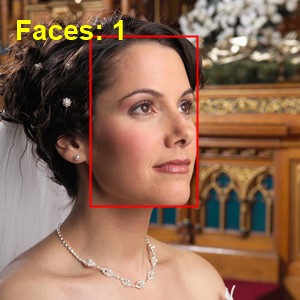
// Outline all faces in the image (with a score of 0.8 or higher)rects := ImageEnView1.IEBitmap.DetectFaces( 0.8 );
ImageEnView1.IEBitmap.IECanvas.Pen.Color := clRed;
ImageEnView1.IEBitmap.IECanvas.Pen.Width := 2;
ImageEnView1.IEBitmap.IECanvas.Brush.Style := bsClear;
for i := 0 to Length( rects ) - 1 do
ImageEnView1.IEBitmap.IECanvas.Rectangle( rects[i] );
ImageEnView1.Update();
LevelByEyes (IEVision)
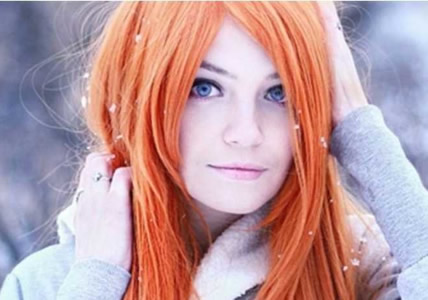
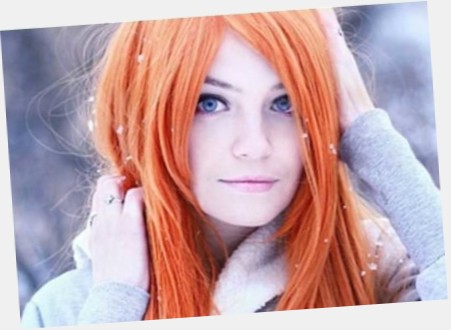
// Straighten the image so the eyes of the main face are levelangle := ImageEnView1.IEBitmap.LevelByEyes( False, 0.5, 30 );
ImageEnView1.Update();

CropToFace (IEVision)
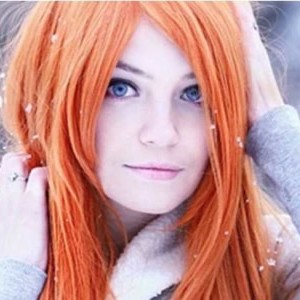
// Crop the image to a square around the main faceImageEnView1.IEBitmap.CropToFace( 0.4, 0.2, 1, False, clWhite );
ImageEnView1.Update();
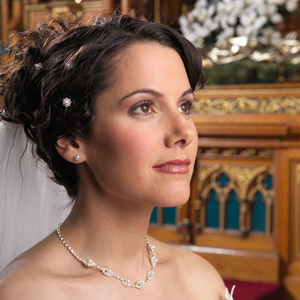
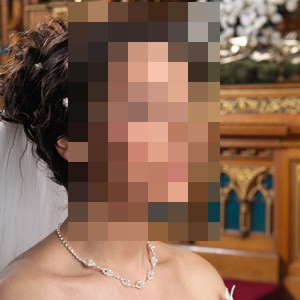
BlurFaces (IEVision)
// Pixelize every face in the imagecount := ImageEnView1.IEBitmap.BlurFaces( 0.1, 0.2 );
ImageEnView1.Update();

createPeopleDetector (IEVision)
// Find and highlight the people in an imagedetector := IEVisionLib.createPeopleDetector();
foundRects := detector.detect( ImageEnView1.IEBitmap.GetIEVisionImage() );
for i := 0 to foundRects.size()-1 do
with foundRects.getRect(i) do
begin
ImageEnView1.IEBitmap.Canvas.Brush.Style := bsClear;
ImageEnView1.IEBitmap.Canvas.Pen.Color := clRed;
ImageEnView1.IEBitmap.Canvas.Rectangle(x, y, x+width, y+height);
end;
ImageEnView1.Update();

See Also
◼Analysis Methods◼Color Adjustment Methods
◼Color Depth Methods
◼Detection Methods
◼Special Detection Methods
◼Document Methods
◼Drawing Methods
◼Effects Methods
◼Filter Methods
◼Geometric Methods
◼Painting and Alpha Methods
◼Smoothing Methods
◼Other Methods
◼Selection Methods
◼Interactive Tools